

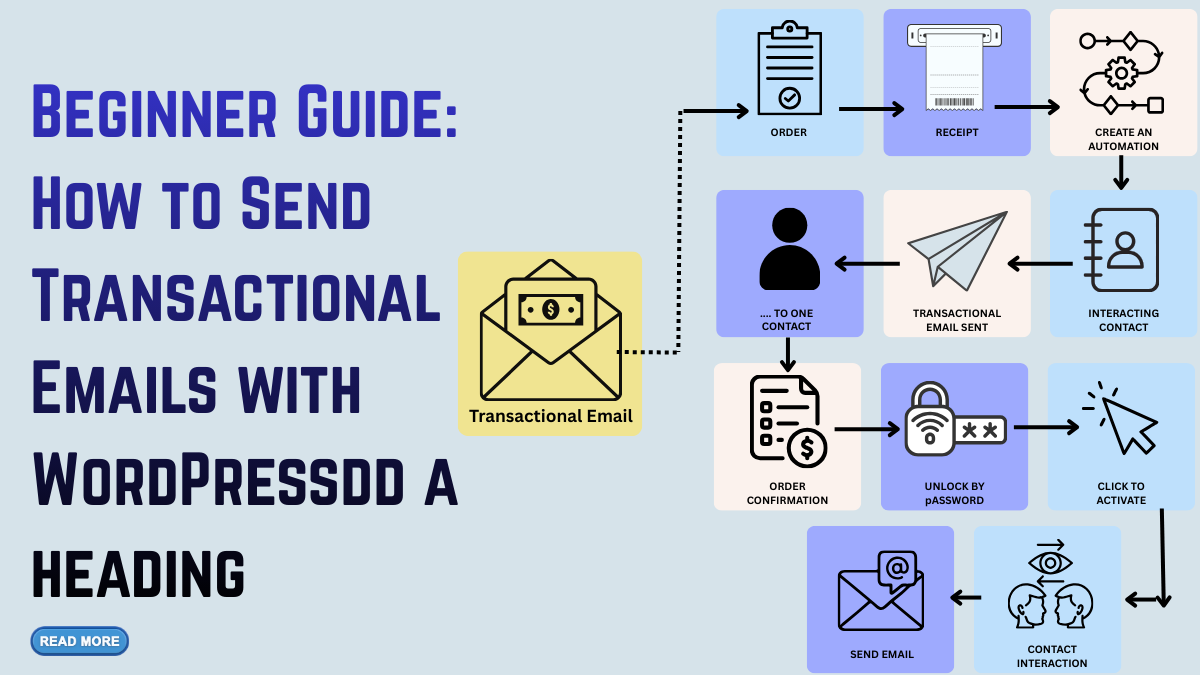
WordPress emails play a vital role in keeping your website’s communication smooth, reliable, and user-friendly. Unlike promotional emails, these system-generated messages are triggered by specific user actions such as registrations, purchases, password resets, or comment notifications. Every time a visitor interacts with your website, they expect accurate and timely updates, and transactional emails make this possible. When these messages fail, get delayed, or land in spam, it can directly affect your site’s credibility and user satisfaction.
For WordPress sites, whether running WooCommerce stores, membership platforms, e-learning portals, or blogs, optimizing transactional emails is essential for building trust and ensuring seamless operations. This guide covers everything you need to understand about WordPress transactional emails, why they matter, common delivery issues, best practices, and the top plugins that help you improve reliability and performance. With the right setup, your website can deliver professional, consistent, and secure email communication that enhances user experience and strengthens your online presence.
What Are WordPress Transactional Emails?
Transactional emails are system-generated messages triggered by user actions or automated workflows. They are not promotional, and users cannot typically unsubscribe from them because they contain essential account or service-related information. In the context of WordPress, these emails are automatically sent using your site’s built-in PHP mail function unless you configure them through an SMTP service or dedicated email plugin. This default method often leads to delivery issues, as hosting providers usually limit or block outbound emails due to spam risks.
Examples of WordPress transactional emails include:
- New user registration emails
- Password reset emails
- Order confirmations for WooCommerce
- Shipping and delivery updates
- Comment notifications
- Subscription renewal reminders
- Admin alerts for new orders or system updates
These emails ensure smooth communication and transparency between you and your users. They also serve as the backbone of every eCommerce store, membership site, LMS platform, or subscription-based website running on WordPress. Without reliable transactional email delivery, your website’s essential processes break down.
Why Transactional Emails Matter for WordPress Sites
Transactional emails might not look glamorous, but they play a crucial role in shaping trust and user engagement. When users interact with your site, they expect instant updates. A late or missing email makes your website appear unreliable. Here’s why they matter:
- They Ensure Critical Communication
Imagine a user trying to reset their password, but the email never arrives. This simple failure can lead to account abandonment, customer frustration, and even lost revenue. With optimized emails, you ensure that essential messages reach users fast. - They Build Professional Credibility
Well-designed messages reassure customers that your website is secure and well-managed. A clean, branded email looks far more trustworthy than a plain default message. - They Improve Customer Experience
Order confirmations, shipping updates, and account notifications give users peace of mind. They reduce uncertainty and encourage continued interaction. - They Reduce Support Tickets
If customers receive accurate, timely emails, they no longer need to contact support for updates, saving time for both sides. - They Boost WooCommerce Performance
For e-commerce stores, transactional emails are essential. Missing order emails can lead to disputes, refund requests, and negative feedback.
Optimizing your emails strengthens your communication system and directly contributes to customer satisfaction and retention.
Types of WordPress Transactional Emails You Should Optimize
- User Registration Emails
These messages welcome users and confirm their account. Add helpful links such as dashboards, support pages, and next steps. - Password Reset Emails
Make sure these emails are instant, secure, and clearly structured. They should guide users quickly without confusion. - WooCommerce Order Emails
WooCommerce sends several transactional emails:
New order
- Order processing
- Completed order
- Refunded order
- Cancelled order
- Failed order
Each of these can be customized to match your brand voice.
- Comment Notifications
For blogs, these emails help admins and subscribers stay updated on conversations. - Membership or Subscription Emails
LMS and membership plugins send renewal reminders, invoice emails, and subscription status updates.
Best 5 Plugins for WordPress Transactional Emails
Here are some of the best plugins to help you improve the deliverability and reliability of your WordPress transactional emails:
1. WP Mail SMTP

WP Mail SMTP is one of the most widely used plugins for improving the deliverability of WordPress transactional emails. Many site owners struggle with emails not sending, landing in spam, or failing altogether because WordPress relies on the unreliable PHP mail function. WP Mail SMTP solves this problem by re-routing all outgoing emails through trusted SMTP services such as Gmail, Outlook, SendGrid, Amazon SES, Mailgun, and more. It includes a beginner-friendly setup wizard that guides you through configuration, making it suitable even for users without technical knowledge. The plugin also supports modern authentication methods like OAuth, which enhances security.
With built-in email logging, you can track every sent message, making troubleshooting easier whenever transactional emails fail. WP Mail SMTP enhances consistency, improves deliverability, and ensures your system-generated emails reach the inbox every time. Its reliability makes it ideal for blogs, membership sites, LMS platforms, and WooCommerce stores needing dependable email communication.
2. FluentSMTP

FluentSMTP is a powerful, flexible, and completely free SMTP plugin designed to improve the performance and reliability of WordPress transactional emails. Unlike many alternatives, FluentSMTP supports multiple email providers simultaneously, allowing you to route different types of emails through separate channels. This is particularly helpful for businesses that want to send marketing emails through one service and transactional emails through another. The plugin integrates seamlessly with popular services like Amazon SES, SendGrid, Mailgun, Postmark, SMTP2GO, Brevo, Pepipost, and more. It provides detailed email logs, failure notifications, and the ability to resend messages with a single click, features that make troubleshooting easy.
FluentSMTP is built with performance in mind, ensuring emails send quickly without slowing down your website. Its API-based connections offer faster and more secure delivery. With its flexibility, speed, and zero-cost model, FluentSMTP is a great choice for eCommerce, LMS, and high-traffic websites that depend on reliable transactional email delivery.
3. Post SMTP
Post SMTP is a robust email delivery plugin built for users who need advanced control, tracking, and troubleshooting for WordPress transactional emails. Unlike simple SMTP plugins, Post SMTP offers extensive diagnostic tools that help identify delivery failures, authentication issues, and server misconfigurations. It replaces the standard PHP mail function with secure SMTP connections and integrates with major providers such as Amazon SES, Office 365, Gmail, Mailgun, and SendGrid. One standout feature is its fallback mode, which automatically switches to a backup SMTP service if the primary one fails, ensuring your website never misses sending a critical transactional email.
Post SMTP also includes detailed email logs, notifications, API-based connections, and even Slack/Webhook integration for alerting you when an email doesn’t send. This makes it ideal for WooCommerce stores, membership platforms, or any website that relies heavily on automated system notifications. Its reliability and diagnostic capabilities make Post SMTP a developer-friendly, enterprise-level solution.
4. Easy WP SMTP

Easy WP SMTP is a lightweight, straightforward plugin designed to help WordPress users send transactional emails more reliably. It offers a simple approach for beginners who want to fix email delivery problems without dealing with complex configurations. The plugin lets you connect your website to a trusted SMTP server, ensuring emails like password resets, order confirmations, or admin notifications reach the inbox instead of spam. With support for popular providers like Gmail, Outlook, Mailgun, Zoho, and SMTP.com, Easy WP SMTP gives users flexibility in choosing their preferred email service.
The plugin also includes options for enabling encryption, setting custom “From” names, and testing your email setup directly inside the dashboard. Though not as feature-heavy as WP Mail SMTP or FluentSMTP, it’s perfect for smaller websites, personal blogs, or portfolio sites that need a reliable and minimal-overhead email solution. Easy WP SMTP does exactly what it promises, simple, secure, and consistent email delivery.
5. WP Mail Logging

WP Mail Logging is an essential plugin for site owners who want full visibility into their WordPress transactional emails. Instead of handling email sending directly, the plugin serves as a monitoring tool that logs every outgoing email generated by your site. This is extremely useful for debugging scenarios where emails fail, arrive late, or end up in spam. The plugin records details such as subject lines, timestamps, recipients, headers, and full message content. This helps website owners identify issues related to misconfigured SMTP settings, plugin conflicts, or server restrictions.
WP Mail Logging also works seamlessly alongside other SMTP plugins, making it a supportive tool rather than a replacement for email delivery services. With the ability to search, filter, export, or delete logs, you gain complete control over your email system’s performance. Whether you run a WooCommerce store, membership site, or LMS platform, WP Mail Logging gives you the insights needed to ensure email reliability.
Best Practices for High-Performing Transactional Emails
- Keep Them Simple and Relevant
Users expect straightforward information. Avoid unnecessary content and focus on providing exactly what they need. - Use Personalization
Including names, order numbers, or account details helps users feel valued and makes communication more engaging. - Add Useful Links
Include links to:
- Support pages
- FAQs
- User dashboards
- Tracking pages
- Contact options
This reduces back-and-forth communication and improves user satisfaction.
- Make Them Mobile-Friendly
Most users check email on mobile. Use clean layouts, legible fonts, and responsive templates. - Maintain Consistent Branding
Colors, fonts, and tone should match your website. Brand consistency increases credibility and familiarity. - Add Social Proof Where Suitable
For WooCommerce emails, you can add testimonial badges or review invitations, but keep it subtle. The primary function must remain informational. - Test Regularly
Send test emails whenever you update plugins, themes, or hosting. This ensures your WordPress transactional emails continue to work reliably.
How WooCommerce Benefits from Optimized Transactional Emails
WooCommerce stores rely heavily on email communication. From checkout to delivery, every step triggers automated notifications. Improving your emails leads to:
- Higher customer satisfaction
- Fewer support queries
- Reduced refund and dispute rates
- Stronger post-purchase engagement
- Increased repeat purchases
Adding product recommendations, review requests, or loyalty program links can also strengthen conversions, without turning transactional emails into spam.
Future Trends for WordPress Transactional Emails
The landscape of email communication continues to evolve. Upcoming trends include:
- Advanced Automation and AI-Personalization
AI-powered emails can adjust content based on user behavior, order history, or site activity. - Adaptive Deliverability Models
Email services now optimize sending times based on inbox activity to ensure better open rates. - Interactive Email Content
AMP emails allow users to take actions, like updating preferences, inside the email itself. - Headless Architectures
Decoupled WordPress setups will rely more heavily on API-driven transactional email workflows.
Staying updated with these trends will ensure your emails remain modern and effective.
Conclusion
Reliable WordPress transactional emails are the backbone of a smooth digital experience for your users. Whether it’s a new account confirmation, an order update, a password reset, or an administrative notification, every message reinforces trust and keeps your website functioning efficiently. By optimizing email deliverability, improving design, adding personalization, and choosing the right SMTP or logging plugins, you ensure that these essential updates always reach the inbox on time.
As WordPress continues to evolve, modern transactional email solutions offer smarter automation, better personalization, and stronger security standards. Staying ahead of these advancements helps you maintain a professional brand presence while reducing support issues and improving user satisfaction. With the right tools and best practices in place, your WordPress transactional emails can become a powerful asset that strengthens engagement, boosts conversions, and supports long-term growth.

Leave a Reply