


Running an online store in 2026 means dealing with mountains of data daily. Sales figures, profit margins, customer behavior, and inventory levels all demand your attention. However, making sense of this information can feel overwhelming without the right tools. Many Shopify store owners struggle to transform raw data into actionable insights that drive growth. Furthermore, native Shopify analytics often fall short when you need detailed reports for serious business decisions.
Fortunately, specialized Shopify reporting apps bridge this gap effectively. These powerful tools provide advanced analytics, customizable dashboards, and automated reporting features. Moreover, they help you track what truly matters for your business success. In this guide, we’ll explore the best Shopify reporting apps available in 2026. Additionally, you’ll learn how to choose the perfect solution for your store’s unique needs.
Why Shopify Store Owners Need Advanced Reporting Apps in 2026
The Limitations of Native Shopify Analytics
Shopify’s built-in analytics offer basic reporting capabilities for standard plans. Nevertheless, they lack several critical metrics that growing businesses require. For instance, you won’t find detailed profit margin calculations or cost of goods sold (COGS) tracking. Similarly, customer lifetime value (LTV) analysis remains limited in native reports. Consequently, many store owners find themselves guessing rather than knowing their true profitability.
Additionally, customization options are quite restricted with Shopify’s default analytics. You cannot easily create custom reports tailored to your specific business model. As a result, entrepreneurs waste valuable time manually compiling data from multiple sources.
Key Benefits of Using Shopify Reporting Apps
Specialized Shopify analytics apps solve these limitations comprehensively. First, they provide real-time data synchronization across all your sales channels. Subsequently, you can access up-to-the-minute insights whenever you need them. Moreover, advanced customization and filtering capabilities let you drill down into specific metrics.
Automated report scheduling is another game-changing feature of these sales tracking apps. Instead of manually generating reports, you receive them directly via email. Furthermore, multi-store reporting capabilities become essential as your business expands. Integration with third-party tools like Google Sheets, email platforms, and FTP servers streamlines your workflow significantly.
Interestingly, using dedicated Shopify reporting apps proves more cost-effective than upgrading to premium Shopify plans. While Shopify Plus costs considerably more, a specialized reporting app provides similar analytics capabilities. Therefore, you save money while gaining better functionality. Much like how choosing the best payment provider for Shopify impacts your bottom line, selecting the right reporting tool drives profitability.
Top 8 Best Shopify Reporting Apps for 2026
Choosing among the best Shopify reporting apps can feel overwhelming with so many options available. However, we’ve tested and evaluated the top solutions to help you decide. Each app below excels in specific areas while offering reliable core functionality.
1. Mipler – Advanced Reports
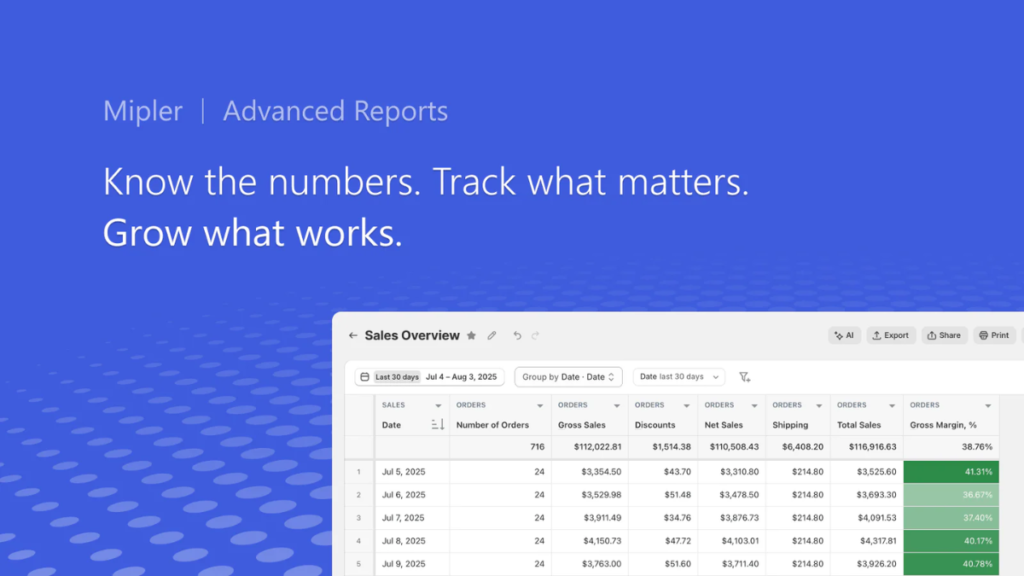
Mipler stands out as one of the best Shopify analytics apps powered by AI technology. This sales tracking app helps store owners generate reports effortlessly. Moreover, AI-powered report creation streamlines the process automatically. Real-time data sync keeps information current across channels. Custom fields work with metafields and tags for precise tracking.
Multi-store reporting consolidates data efficiently when managing multiple stores. Furthermore, Google Sheets and Excel integration facilitates easy sharing. The dashboard presents complex information in digestible formats. Growing businesses wanting sophisticated reporting find Mipler ideal. Plans start at $14.99/month with scalable tiers. Additionally, it maintains a 5.0-star rating.
2. Better Reports (BR)
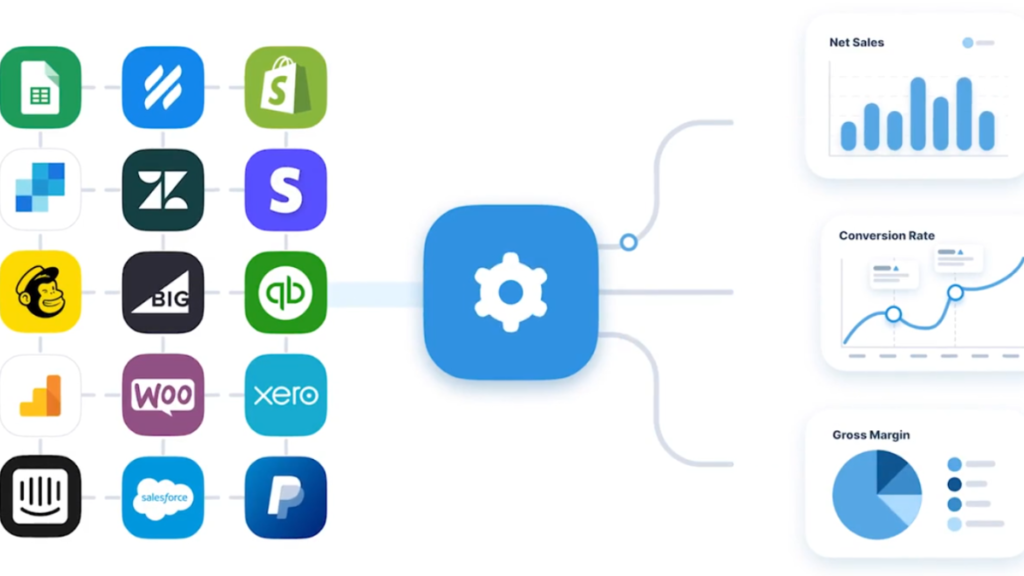
Better Reports delivers Excel-like functionality within your Shopify environment seamlessly. Consequently, users familiar with pivot tables feel immediately comfortable. This profit tracking Shopify app provides deep data access for analytics. Excel functionality makes complex analysis straightforward. Access to 1000+ data points ensures comprehensive tracking. Similarly to how you’d build a website on Shopify with detail, Better Reports handles data meticulously.
Multi-currency support accommodates international operations across regions. Moreover, exceptional customer support maximizes the platform’s potential. Custom report creation handles unique requirements professionally. Businesses requiring comprehensive data access choose Better Reports confidently. Companies with online and physical stores appreciate unified reporting. Starting at $19.90/month, it maintains a 4.9-star rating.
3. Report Pundit
Report Pundit balances affordability with robust functionality among Shopify reporting apps. Moreover, it offers extensive integration capabilities enhancing value significantly. The free plan makes it accessible for smaller operations. Featuring 150+ pre-built reports covering virtually every business metric. Integration with 30+ third-party apps extends functionality beyond basic Shopify data. Unlimited custom reports let you track what matters most. Therefore, this sales tracking app becomes invaluable for decision-making.
Advanced filters and calculated fields enable sophisticated analysis without coding knowledge. Multi-store and multi-currency support scales naturally with growth. Furthermore, free custom report creation provides personalized assistance. Budget-conscious stores needing integrations benefit tremendously from Report Pundit. Plans start at $9/month with free options for stores under 1000 orders. High satisfaction scores validate its effectiveness consistently.
4. Data Export IO: Reports
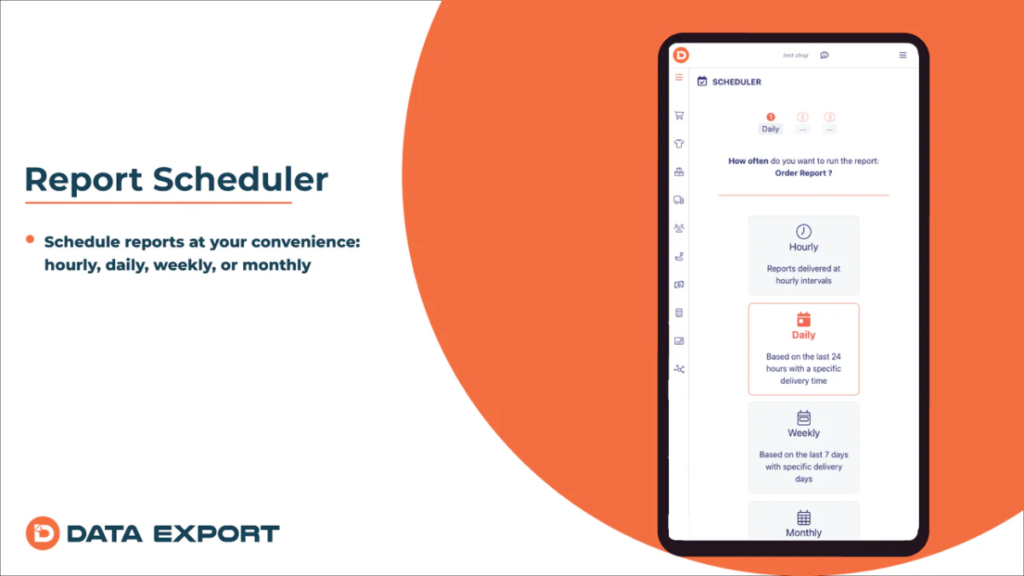
Data Export IO specializes in flexible export capabilities with minimal technical requirements. Therefore, non-technical users create complex exports effortlessly without frustration. This Shopify analytics app saves countless hours monthly through automated scheduling. Advanced custom filters segment data precisely for specific needs. Automated scheduling delivers reports when needed via multiple channels. Google Sheets and Excel export provides familiar formats for analysis.
Multi-store reporting consolidates performance across Shopify locations into unified dashboards. No technical skills required makes it accessible to everyone. ABC analysis supports inventory management on Shopify decisions effectively. Like how you speed up Shopify website performance, this speeds reporting workflows. Stores requiring advanced export capabilities choose this confidently. Starting at $7/month, it provides exceptional value.
5. Xporter Data Export & Reports
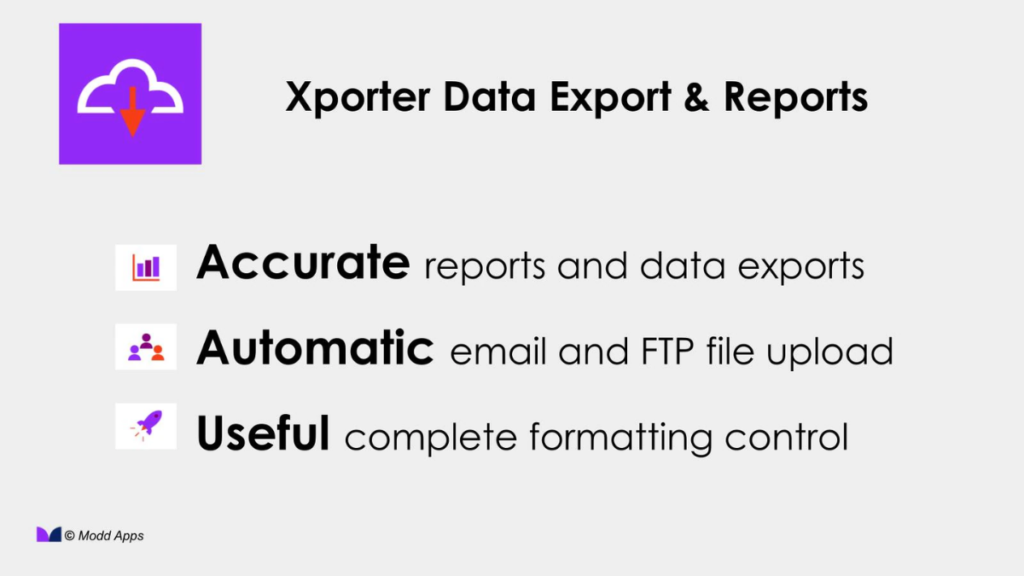
Xporter excels at automated data exports to multiple destinations simultaneously without intervention. Furthermore, its complex filtering handles sophisticated reporting needs easily for demanding businesses. The 150+ pre-built reports provide excellent starting points for customization. Custom and calculated fields allow precise metric tracking beyond standard options. Automated export profiles run reports on schedule without manual work. Integration with FTP, Dropbox, and Google Drive provides flexible storage options.
This profit tracking Shopify solution ensures data flows seamlessly throughout your tech stack. Complex filtering enables granular data segmentation for detailed analysis. Access to 150+ reports accelerates initial setup significantly. Businesses needing automated exports to multiple destinations choose Xporter confidently. Plans begin at $29.95/month with a 7-day free trial. Additionally, it maintains 5.0 stars demonstrating exceptional satisfaction.
6. Report Toaster
Report Toaster focuses on simplicity without sacrificing essential functionality for monitoring. Additionally, the visual dashboard presents information clearly and attractively for quick comprehension. Small to medium stores find it particularly well-suited for their needs. Custom report builder provides flexibility for unique business requirements. Scheduled automated reports ensure consistent information delivery without manual work. Multi-format exports accommodate different team preferences easily.
Much like selecting the best payment provider for Shopify, choosing simple tools improves efficiency. Visual dashboard makes data interpretation quick and intuitive for everyone. Therefore, this sales tracking app becomes accessible throughout your organization. Small to medium stores seeking simplicity appreciate its balanced approach. Plans range from $18 to $150 monthly depending on features needed. It ranks among the best Shopify analytics apps prioritizing ease of use.
7. Zoho Analytics for Shopify
Zoho Analytics brings enterprise-grade business intelligence to Shopify stores comprehensively without overwhelming teams. Moreover, its AI assistant Zia enables natural language queries eliminating complex syntax. The 50+ visualization types present data compellingly making insights actionable. AI assistant answers questions using natural language instead of complex queries. Over 50 visualization types transform raw data into compelling insights. Forecasting and trend analysis predict future performance based on patterns.
Consequently, this represents one of the most sophisticated Shopify reporting apps available. Blend data from multiple sources beyond Shopify for holistic business views. Geomaps and heat maps visualize location-based performance effectively. Enterprises needing comprehensive BI capabilities choose Zoho Analytics for depth. Custom pricing ensures you pay only for needed features. Like studying Shopify most popular stores reveals patterns, Zoho reveals your data patterns.
8. Easy Reports
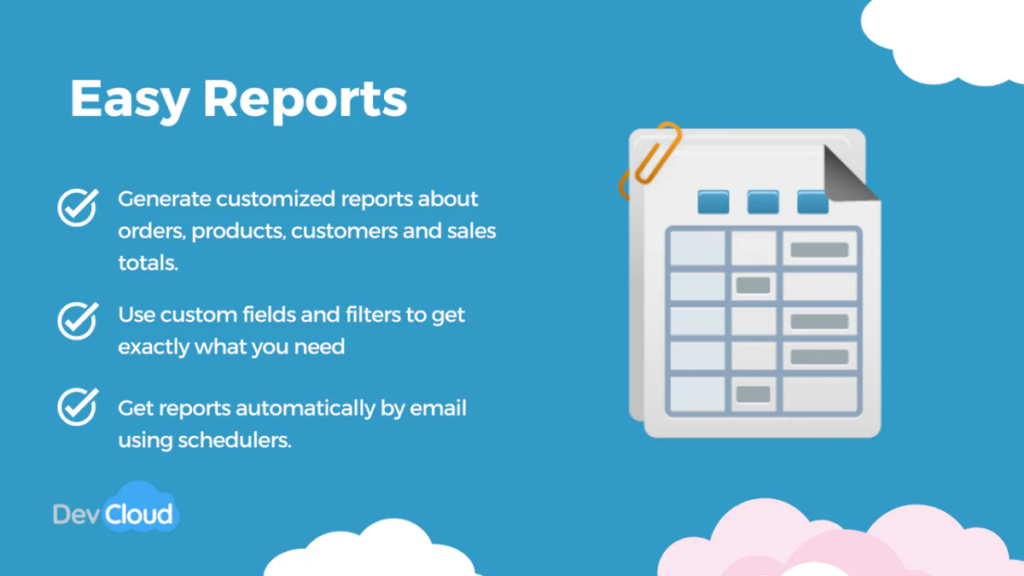
Easy Reports lives up to its name with straightforward functionality and quick setup. Nevertheless, the Python-based formula engine provides surprising power when complex calculations become necessary. Fast report generation keeps pace with busy operations without delays. Python-based formula engine enables sophisticated calculations when standard formulas prove insufficient. ERP and 3PL integrations connect warehouse and fulfillment operations seamlessly. Fast report generation delivers insights without frustrating wait times.
Therefore, stores needing quick, basic reporting without complexity choose this profit tracking Shopify solution. Simple setup gets you started quickly without extensive configuration requirements. Competitive pricing makes it accessible for various budget levels from startups to established businesses. Moreover, the streamlined interface ensures team members generate reports independently. Stores needing quick reporting find Easy Reports perfectly suited to needs. It represents an excellent entry point among best Shopify reporting apps.
How to Choose the Right Shopify Reporting Apps for Your Business
Selecting the right profit tracking Shopify solution requires systematic evaluation of your needs. Therefore, follow these steps to identify your ideal reporting partner confidently.
1. Assess Your Business Needs: Start by determining your store size and monthly order volume accurately. Next, identify which specific metrics drive your business decisions daily. Consider your team size and technical expertise honestly. For example, non-technical teams need intuitive interfaces more than advanced customization options.
2. Determine Your Budget: Evaluate free versus paid options based on your current revenue realistically. Calculate potential ROI from better decision-making enabled by superior insights. Plan for scalability as growth increases data complexity and volume. Remember, investing in analytics tools often pays for itself through improve conversion rates and profitability.
3. Evaluate Key Features: Distinguish between must-have features and nice-to-have capabilities clearly. Prioritize integration requirements based on your existing tech stack. Assess automation needs to reduce manual reporting time significantly. For instance, stores managing shopify abandoned checkouts need customer behavior insights prominently featured.
4. Test Before Committing: Take advantage of free trials offered by most providers generously. Test the report creation process with your actual store data thoroughly. Evaluate customer support responsiveness through pre-sales questions. This hands-on experience prevents costly mistakes later.
5. Consider Long-Term Growth: Evaluate the scalability of each solution as your business expands. Check multi-store capabilities if expansion plans include additional storefronts. Review advanced features that might become necessary as complexity increases.
How Different Shopify Reporting Apps Excel in Specific Areas
Understanding which apps excel in specific areas helps match solutions to needs effectively. Therefore, we’ve categorized the best Shopify analytics apps by their core strengths below.
- Best for Sales Tracking: Mipler, Better Reports, and Report Pundit lead this category decisively. These platforms provide granular sales data across channels, products, and time periods. Additionally, they track individual product performance and identify trending items effectively.
- Best for Profit Analysis: BeProfit and Report Pundit specialize in profit tracking comprehensively. They calculate true profitability by accounting for COGS, shipping, and fees automatically. Consequently, you understand real margins instead of just revenue figures.
- Best for Inventory Management: Mipler and Data Export IO excel at inventory-related reporting. They forecast stock needs based on historical data and current trends. Moreover, they identify slow-moving inventory before it becomes problematic.
- Best for Customer Analytics: Reveal by Omniconvert and Zoho Analytics dominate customer insights. RFM segmentation identifies your most valuable customers automatically. Furthermore, lifetime value calculations inform marketing investment decisions wisely.
- Best for Budget-Conscious Stores: Report Pundit, Data Export IO, and Easy Reports offer exceptional value. These solutions provide professional-grade reporting without premium price tags. Therefore, startups can access enterprise-quality insights affordably. Much like finding best selling items on Shopify requires smart analysis, choosing budget-friendly tools demonstrates business savvy.
- Best for Enterprise Solutions: Zoho Analytics and Better Reports handle enterprise complexity effortlessly. They scale seamlessly as data volumes grow exponentially. Additionally, they support complex organizational structures with multiple users and permissions.
- Best for Third-Party Integrations: Report Pundit leads with 30+ integrations connecting diverse business tools. This connectivity creates unified reporting across marketing, fulfillment, and accounting platforms.
Conclusion
Data-driven decision-making separates successful Shopify stores from struggling ones in 2026. Native analytics simply cannot provide the depth and flexibility that modern ecommerce demands. Fortunately, specialized Shopify reporting apps fill this gap comprehensively and affordably. Whether you need detailed profit analysis, automated reporting, or advanced customer insights, the right tool exists for your situation. Moreover, most apps offer free trials, letting you test functionality risk-free before committing.
Start optimizing your Shopify store’s performance today by trying one of these powerful reporting apps. Begin with Report Pundit if budget matters most, or choose Mipler for AI-powered insights. Enterprise operations benefit from Zoho Analytics’ comprehensive capabilities significantly. Remember, investing in proper analytics tools pays dividends through better decisions and improved profitability. Ready to transform your data into growth? Start your Shopify journey with the right tools today. Bookmark this guide and share it with fellow Shopify entrepreneurs who need better reporting solutions.

Leave a Reply