

Picture this: Seven out of ten customers add items to their cart but never complete the purchase. Shocking, right? Yet, this is the harsh reality of Shopify abandoned checkout that store owners face daily. In fact, businesses lose over $260 billion annually due to checkout abandonment. This number isn’t just a statistic it represents real revenue slipping through your fingers. Moreover, understanding why customers abandon their checkout is crucial for your store’s survival. Each abandoned checkout tells a story about friction, hesitation, or dissatisfaction in your buying process.
Throughout this guide, you’ll discover the primary causes behind Shopify abandoned checkout issues. Additionally, we’ll explore proven fixes that can recover up to 35% of lost sales. Furthermore, you’ll learn best practices for checkout optimization that leading Shopify stores implement. By the end, you’ll have actionable strategies to reduce abandonment rates significantly. Most importantly, you’ll understand how to turn lost opportunities into completed purchases.
Understanding Shopify Abandoned Checkout
What Is Shopify Abandoned Checkout?
First, let’s clarify what Shopify abandoned checkout actually means. Unlike cart abandonment, checkout abandonment happens after customers enter the checkout process. Specifically, Shopify considers a checkout abandoned if no purchase occurs within 10 minutes. This distinction matters because checkout abandoners show higher purchase intent. After all, they’ve already started providing payment information.
Consequently, these customers are closer to conversion than regular cart abandoners. Additionally, Shopify tracks these events separately in your admin dashboard. Therefore, you can target these high-intent shoppers with specific recovery strategies. Ultimately, focusing on checkout abandonment can yield better ROI than general cart recovery efforts.
The Real Cost of Abandoned Checkouts
Now, let’s examine the financial impact of checkout abandonment. Research shows the average abandonment rate hovers around 70.19% across all industries. However, Shopify stores typically see rates between 60-80%, depending on their niche. For example, a store generating $100,000 monthly could be losing $60,000-$80,000 in potential revenue.
Moreover, this affects your marketing ROI dramatically. Imagine spending $5,000 on ads to drive 1,000 checkout sessions. If 700 customers abandon, you’ve wasted $3,500 in ad spend. Therefore, reducing abandonment by just 10% can significantly improve profitability.
Top Causes of Shopify Abandoned Checkout
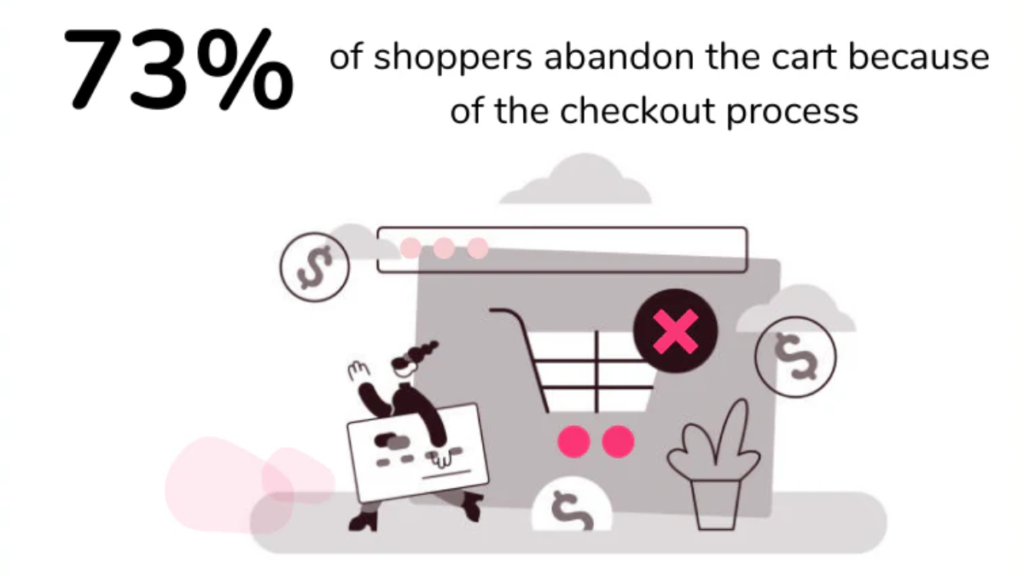
Understanding why customers abandon your Shopify abandoned checkout is the first step toward recovery. Let’s explore the most common culprits behind this costly problem.
Unexpected Costs and Hidden Fees
First and foremost, unexpected costs are the number one reason for checkout abandonment. Studies reveal 48% of customers abandon when shipping costs seem too high. Similarly, hidden taxes and surprise fees at the final stage create immediate distrust. Customers expect transparency, not last-minute price jumps.
Furthermore, many shoppers add items expecting free shipping thresholds they never reach. Consequently, the shock of seeing $15 shipping on a $30 order often kills the sale. Therefore, displaying all costs upfront is essential for checkout optimization.
Complicated Checkout Process
Next, lengthy and complicated checkouts frustrate customers immensely. Research shows 18% abandon due to overly complex processes. The average checkout contains 23+ form fields, yet the ideal number is 12-14. Additionally, multi-step checkouts create unnecessary friction compared to streamlined one-page alternatives.
Moreover, each additional field increases abandonment risk exponentially. For instance, requiring separate billing and shipping addresses when they’re identical wastes time. Therefore, simplifying your checkout process should be a top priority.
Forced Account Creation
Similarly, forcing customers to create accounts drives 11% away immediately. Many shoppers want quick, hassle-free purchases without password commitments. However, some stores still require registration before checkout completion. This creates unnecessary friction at the worst possible moment.
Instead, offering guest checkout removes this barrier entirely. Consequently, customers can complete purchases faster and return later to create accounts. Furthermore, you can still capture email addresses without forced registration.
Limited Payment Options
Meanwhile, 28% abandon checkouts when their preferred payment method isn’t available. Today’s customers expect multiple payment options beyond credit cards. Specifically, digital wallets like PayPal, Apple Pay, and Shop Pay are increasingly essential. Additionally, mobile shoppers particularly prefer these one-click payment solutions.
Moreover, Buy Now, Pay Later (BNPL) options attract budget-conscious shoppers significantly. If you’re looking to expand payment options, check out the best payment provider for Shopify. Therefore, diversifying payment methods can reduce abandonment substantially.
Security and Trust Concerns
Furthermore, 18% of shoppers don’t trust websites with their payment information. Without visible security badges, customers hesitate to complete purchases. Missing SSL certificates or outdated designs trigger immediate red flags. Additionally, lack of customer reviews near checkout increases uncertainty.
Consequently, building trust through visible security signals is non-negotiable. Display trust badges, security certifications, and customer testimonials prominently. Therefore, establishing credibility can convert hesitant browsers into confident buyers.
Mobile Experience Issues
Notably, mobile abandonment rates reach a staggering 75% on poorly optimized sites. Difficult form completion on small screens frustrates users quickly. Moreover, non-responsive designs force pinching and zooming unnecessarily. Buttons become too small to tap accurately on mobile devices.
Additionally, slow loading times on mobile networks compound these problems. If you’re experiencing performance issues, learn how to speed up your Shopify website. Therefore, mobile optimization isn’t optional it’s mandatory for reducing Shopify abandoned checkout rates.
Slow Delivery Options
Finally, 22% abandon due to slow or unclear shipping timelines. Customers increasingly expect fast, affordable delivery options. However, offering only 7-10 day shipping when competitors provide 2-3 day delivery costs sales. Additionally, vague delivery estimates create uncertainty and doubt.
Furthermore, lack of free shipping options even with minimum thresholds discourages purchases. Therefore, reviewing and improving your delivery options can significantly impact conversion rates.
How to Diagnose Your Shopify Abandoned Checkout Issues
Before implementing fixes, you need to identify your specific Shopify abandoned checkout problems. Fortunately, Shopify provides robust tools for this analysis.
Accessing Abandoned Checkout Data
First, navigate to your Shopify Admin dashboard to access critical data. Click on “Orders” in the left sidebar, then select “Abandoned Checkouts.” Here, you’ll find comprehensive information about each abandoned session. Additionally, you can view customer contact details, cart contents, and abandonment timestamps.
Moreover, this dashboard reveals patterns in customer behavior over time. For example, you might notice abandonment spikes during specific hours or days. Therefore, regularly reviewing this data helps identify trends and opportunities. Consequently, you can make data-driven decisions rather than guessing blindly.
Analyzing Your Abandonment Rate
Next, calculate your specific abandonment rate to benchmark performance. Simply divide abandoned checkouts by total checkout sessions, then multiply by 100. For instance, 700 abandoned checkouts from 1,000 sessions equals a 70% rate. Compare this against industry benchmarks of 60-80% for Shopify stores.
Furthermore, track how this rate changes after implementing optimization strategies. Additionally, segment your analysis by traffic source, device type, and customer demographics. Therefore, you’ll understand which customer segments need the most attention.
Key Metrics to Track
Finally, monitor specific metrics that reveal deeper insights into checkout abandonment. Track abandonment by device type to identify mobile versus desktop issues. Additionally, analyze abandonment by checkout stage to pinpoint exact friction points. Payment failure events indicate technical problems requiring immediate attention.
Moreover, time-to-abandonment reveals how quickly customers give up during checkout. Understanding these metrics is crucial for optimization. Therefore, comprehensive tracking enables targeted improvements rather than generic fixes.
Proven Fixes for Shopify Abandoned Checkout
Now, let’s explore actionable solutions for reducing Shopify abandoned checkout rates effectively. These proven strategies can recover significant revenue quickly.
Optimize Your Checkout Process
First, simplify your checkout by reducing form fields to 8-12 essential ones. Remove unnecessary fields like “Company Name” for B2C stores immediately. Additionally, enable guest checkout to eliminate registration barriers completely. Many customers prefer quick purchases without account commitments initially.
Furthermore, implement one-page checkout to consolidate all steps into one screen. Add auto-fill functionality using browser data to speed completion dramatically. Moreover, use progress indicators showing remaining steps to reduce abandonment anxiety. Therefore, streamlining your checkout process removes friction at critical conversion moments.
Be Transparent About Costs
Next, display shipping costs early preferably on product pages themselves. Use free shipping thresholds strategically to encourage larger purchases naturally. Additionally, show all taxes upfront rather than surprising customers at payment. Implement shipping calculators allowing customers to estimate costs before checkout.
Moreover, clearly explain any additional fees with justifications customers understand. Transparency builds trust and reduces cart abandonment significantly. Therefore, being upfront about costs prevents unpleasant surprises that kill sales.
Expand Payment Options
Similarly, enable Shop Pay for Shopify stores to offer seamless one-click checkout. Add digital wallets including PayPal, Apple Pay, and Google Pay immediately. Research shows adding PayPal alone can increase mobile conversions by 44%. Additionally, offer Buy Now, Pay Later options like Affirm or Klarna.
Furthermore, support multiple currencies for international customers to reduce friction. Therefore, providing diverse payment methods accommodates various customer preferences effectively.
Build Trust and Security
Meanwhile, display security badges prominently including Norton, McAfee, or BBB seals. Highlight SSL certification with visible padlock icons and “https” indicators. Additionally, add trust seals specifically at checkout pages where hesitation peaks. Include customer reviews and testimonials near payment sections strategically.
Moreover, showcase money-back guarantees and return policies clearly during checkout. Therefore, building visible credibility converts hesitant visitors into confident buyers reliably.
Mobile Optimization
Furthermore, ensure your checkout design is fully responsive across all devices. Create larger touch targets for buttons making mobile interaction easier. Additionally, simplify mobile forms with dropdown menus instead of lengthy typing. Offer mobile-friendly payment options like Apple Pay for iPhone users.
Moreover, test your checkout on various mobile devices regularly for issues. Therefore, prioritizing mobile experience reduces your 75% mobile abandonment rate significantly. For comprehensive mobile optimization tips, review our guide on build a website on Shopify.
Improve Delivery Options
Finally, offer multiple shipping speeds accommodating different customer needs and budgets. Provide accurate delivery estimates using real-time carrier data whenever possible. Additionally, consider free shipping options even if requiring minimum purchase thresholds. Display clear return policies to reduce purchase anxiety significantly.
Moreover, highlight expedited shipping during holidays when timing matters most. Therefore, flexible delivery options remove final objections preventing purchase completion.
Shopify Abandoned Checkout Recovery Strategies
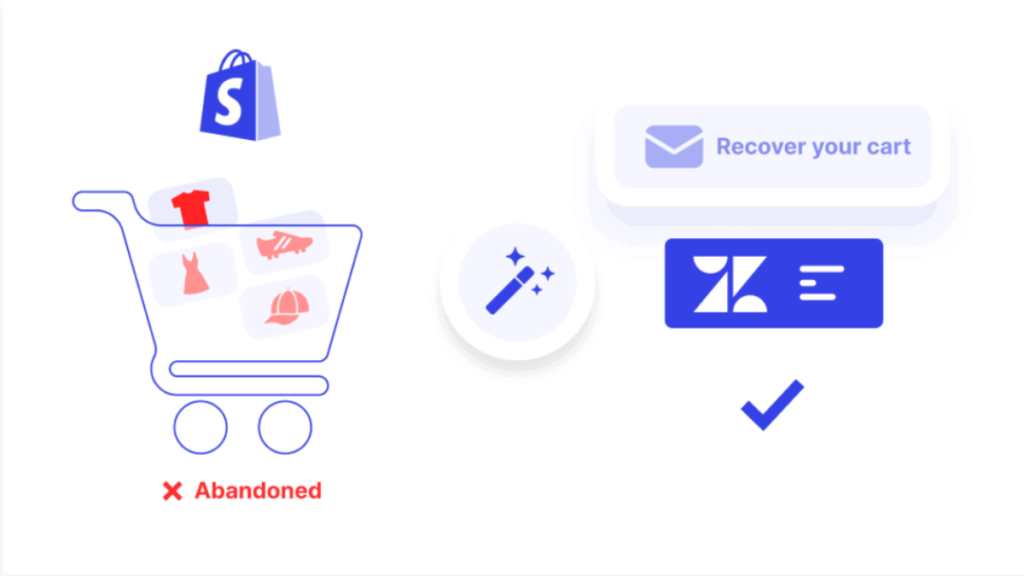
Beyond prevention, implementing recovery strategies recaptures lost sales from Shopify abandoned checkout events effectively.
Setting Up Automated Recovery Emails
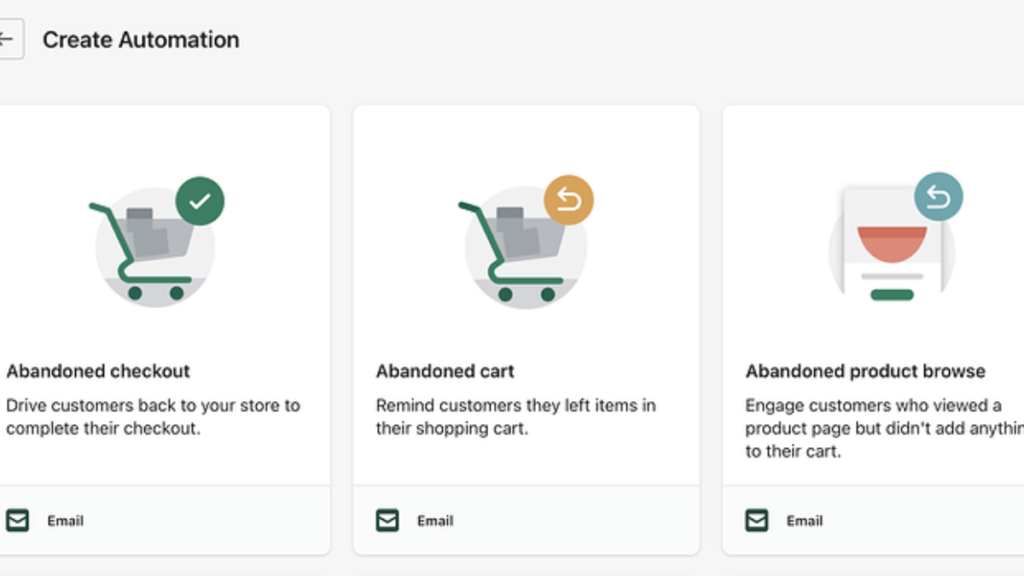
First, navigate to Marketing > Automations in your Shopify Admin dashboard. Click “Create automation” and select “Abandoned checkout” as your trigger event. Additionally, activate the pre-built abandoned checkout automation Shopify provides automatically. Customize email templates matching your brand voice and visual identity perfectly.
Moreover, adjust the default 10-hour send timing based on your audience behavior. Test different timeframes to optimize open and conversion rates consistently. Therefore, automated emails work tirelessly to recover sales while you sleep.
Manual Recovery Email Process
Meanwhile, send manual emails for high-value abandoned checkouts requiring personal attention. Personalize messages using customer names and specific product references naturally. Additionally, include custom offers or incentives for particularly valuable potential sales. Follow up appropriately without becoming annoying or pushy to customers.
Furthermore, craft compelling subject lines that grab attention in crowded inboxes. Therefore, manual outreach demonstrates genuine care for customer experience and satisfaction.
Email Campaign Best Practices
Notably, abandoned checkout emails achieve impressive 45% average open rates. Click-through rates average 21%, significantly higher than regular promotional emails. Moreover, 50% of customers who click actually complete their purchases successfully. However, avoid sending emails between 8-9 PM when open rates drop.
Additionally, Thursdays show lower engagement compared to other weekdays consistently. Therefore, timing your emails strategically maximizes recovery rates and revenue.
Using Shopify Apps for Recovery
Furthermore, explore specialized Shopify apps designed specifically for checkout optimization. Popular options include Abandoned Cart Recovery, Klaviyo, and Omnisend for automation. Additionally, implement SMS recovery campaigns reaching customers directly on mobile devices. Push notifications offer another touchpoint for re-engaging hesitant shoppers effectively.
Moreover, multi-channel recovery approaches yield better results than email alone. For comprehensive app recommendations, check out our list of best apps for dropshipping. Therefore, leveraging technology amplifies your recovery efforts significantly.
Advanced Best Practices for Reducing Abandonment
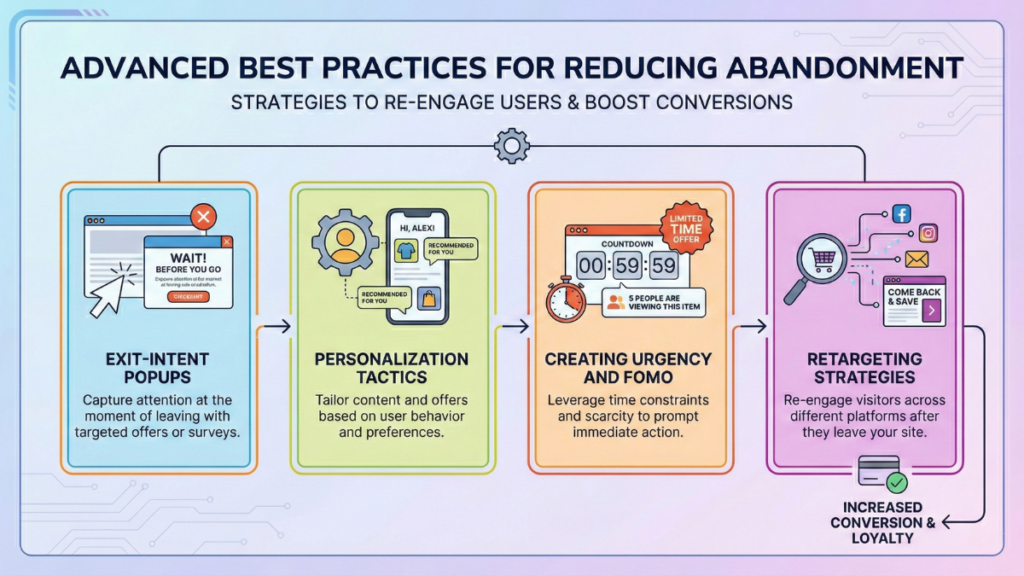
Taking your Shopify abandoned checkout optimization further requires implementing advanced strategies consistently.
Exit-Intent Popups
First, implement exit-intent popups that appear when customers attempt leaving checkout. These achieve impressive 17.12% average conversion rates when executed properly. Additionally, offer last-minute discounts like “10% off if you complete now” strategically. Create urgency with limited stock notifications or time-sensitive offers effectively.
Moreover, optimize popups specifically for mobile users without disrupting experience. Therefore, capturing customers at the exact abandonment moment prevents lost sales.
Personalization Tactics
Similarly, address customers by name throughout the checkout process naturally. Reference browsed or abandoned products in recovery communications specifically. Additionally, implement geo-targeted messaging showing local currency and shipping options. Use behavioral triggers sending emails based on specific customer actions automatically.
Furthermore, segment customers by purchase history and tailor messaging accordingly. Therefore, personalization makes customers feel valued rather than treated as numbers.
Creating Urgency and FOMO
Meanwhile, include limited-time offers in recovery emails creating immediate pressure. Display low stock indicators showing “Only 3 left!” to trigger urgency. Additionally, add countdown timers for special promotions ending soon visually. Showcase social proof with messages like “11 people viewing this item.”
Moreover, highlight recent purchases by other customers building trust through popularity. Therefore, urgency and FOMO tactics nudge hesitant shoppers toward immediate action.
Retargeting Strategies
Finally, implement Facebook and Instagram retargeting ads reaching abandoners on social. Launch Google Shopping retargeting campaigns showing abandoned products in search results. Additionally, use dynamic product ads automatically displaying exact abandoned items. Create sequential messaging that evolves based on customer engagement levels.
Furthermore, coordinate retargeting timing with email campaigns for maximum impact. Therefore, multi-platform retargeting keeps your brand top-of-mind until conversion.
Measuring Success and Continuous Improvement
Optimizing Shopify abandoned checkout rates requires ongoing measurement and refinement consistently.
Key Performance Indicators (KPIs)
First, track your recovery rate the percentage of abandoned checkouts you successfully convert. Excellent recovery rates range from 10-30% depending on your industry. Additionally, monitor email performance metrics including open rates, click rates, and conversions. Track overall abandonment rate trends to measure improvement over time.
Moreover, calculate revenue recovered monthly to quantify your optimization efforts’ ROI. Therefore, focusing on concrete metrics guides strategy adjustments effectively.
A/B Testing Strategies
Next, continuously test checkout flow variations to identify optimal configurations. Experiment with email subject lines finding which generate highest open rates. Additionally, test different offers and discounts to maximize conversion impact. Compare CTA button colors, text, and placement for optimal performance.
Furthermore, test checkout page layouts and field orders systematically. Therefore, data-driven testing eliminates guesswork from your optimization process. For broader SEO optimization strategies, explore our guide on the best SEO app for Shopify.
Ongoing Optimization
Finally, establish monthly review processes examining all abandonment and recovery metrics. Collect customer feedback through post-purchase surveys and support interactions regularly. Additionally, conduct competitive analysis identifying industry best practices to adopt. Stay updated with new Shopify features and tools for checkout optimization.
Moreover, attend webinars and read industry publications maintaining cutting-edge knowledge. Therefore, treating optimization as an ongoing journey ensures sustained improvement.
Conclusion
Throughout this guide, we’ve explored the primary causes behind Shopify abandoned checkout problems. From unexpected costs to complicated processes, each factor creates friction preventing conversions. However, implementing the proven fixes we’ve discussed can dramatically reduce abandonment rates. Moreover, combining prevention strategies with robust recovery campaigns maximizes revenue recapture.
Remember, optimizing checkout can potentially increase conversions by 35% or more significantly. With $260 billion in recoverable revenue globally, even small improvements yield substantial returns. Therefore, start implementing these strategies today beginning with the quick wins first. Test your checkout on mobile, simplify form fields, and activate automated recovery emails. Then, gradually incorporate advanced tactics like personalization and retargeting for maximum impact. Ready to transform your Shopify store’s performance? Start your Shopify journey with optimized checkout and watch your conversions soar.

Leave a Reply