
In an era where businesses are expected to deliver projects faster, smarter, and with fewer resources, effective planning has become a competitive advantage. Missed deadlines, resource conflicts, and poor visibility can quickly turn even well-funded projects into failures. This is why project scheduling software has become an essential tool for organizations looking to improve execution and accountability.
Project scheduling software helps teams plan project timelines, allocate resources efficiently, manage dependencies, and track progress in real time. Instead of relying on static spreadsheets or manual processes, businesses can use intelligent scheduling tools to adapt quickly to changes and ensure projects stay on track. This comprehensive guide explores how these software works, its features, benefits, use cases, and future trends.
What Is Project Scheduling Software?
Project scheduling software is a specialized project management solution designed to organize tasks, timelines, and resources within a structured framework. It enables project managers to create detailed schedules, define task dependencies, assign responsibilities, and monitor progress throughout the project lifecycle.
Unlike traditional planning methods, the Best Project Tracking Software dynamically updates timelines when tasks are delayed, added, or completed early. This real-time adaptability makes it easier to manage complex projects involving multiple teams, stakeholders, and deadlines. Additionally, most modern solutions are cloud-based, allowing teams to collaborate seamlessly regardless of location while maintaining visibility across tasks and schedules.
How Does It Works?
Project scheduling software begins by breaking a project into individual tasks and milestones. Each task is assigned a start date, end date, priority level, and responsible team member. Dependencies are then established to define the order in which tasks must be completed.
As work progresses, the software automatically tracks updates and adjusts the overall schedule accordingly. If a task is delayed, the scheduling software recalculates timelines and highlights potential risks. This proactive approach enables project managers to respond quickly and make data-driven decisions.
Core Features of Project Scheduling Software
A reliable project scheduling software acts like a control tower for your projects. It helps you see what is happening now, what comes next, and what needs attention before problems grow. The right features do more than organize tasks; they guide better decisions and keep teams aligned from start to finish. For teams starting out or working with limited budgets, Free Project Management Software can offer essential scheduling and tracking capabilities without adding financial pressure.
1. Task and Timeline Visualization
Clear timelines are the backbone of effective project planning. Visual tools help teams understand the sequence of work without digging through long task lists.
- Gantt charts for visual project timelines
Gantt charts present tasks on a horizontal timeline, making start dates, end dates, and overlaps easy to spot. They help teams see how individual tasks connect to the overall schedule at a glance. - Milestone tracking for key deliverables
Milestones mark major checkpoints in a project. Tracking them keeps everyone focused on critical goals and helps measure progress without getting lost in smaller details. - Calendar and timeline views for flexibility
Different views allow users to switch between big-picture planning and day-to-day scheduling. This flexibility supports both managers and team members in their planning styles.
2. Resource Management and Allocation
Projects often fail not because of poor ideas, but because resources are stretched too thin. Effective resource management helps maintain balance and productivity.
- Assign team members, tools, and equipment
Scheduling software allows clear assignment of responsibilities and assets. This ensures every task has the right people and resources from the start. - Track workload and availability in real time
Real-time visibility shows who is busy and who has capacity. As a result, managers can make quick adjustments before delays occur.
3. Dependency and Critical Path Analysis
Projects are rarely a collection of independent tasks. Many activities depend on others being completed first.
- Define task relationships and dependencies
Dependencies clarify which tasks must happen in sequence. This prevents teams from starting work too early or waiting unnecessarily. - Identify critical paths affecting deadlines
The critical path shows the tasks that directly impact the project end date. Knowing this helps teams prioritize what truly matters.
4. Collaboration and Communication Tools
Strong communication keeps projects moving smoothly. Scheduling software provides a shared space where everyone stays informed.
- Centralized platform for updates and discussions
Instead of scattered emails and messages, all project conversations stay in one place, reducing confusion and miscommunication. - File sharing and document management
Important files remain linked to tasks, making it easier to find the latest versions without searching through multiple tools. - Role-based access for stakeholders
Access controls ensure each stakeholder sees only what is relevant, improving clarity and protecting sensitive information.
Industries That Benefit from Project Scheduling Software
Project scheduling software is widely used across industries that depend on structured planning, resource allocation, and deadline accuracy. It helps teams handle complex timelines, reduce delays, and keep every phase of work aligned with project objectives.
1. Construction & Engineering
These industries rely on precise scheduling to manage large projects with multiple contractors, site tasks, and compliance requirements, which is why Construction Project Tracking Software plays a critical role in maintaining control and meeting deadlines.
- Manage complex timelines, task dependencies, and approval stages
- Coordinate subcontractors, site teams, and equipment usage
- Reduce delays by predicting conflicts before they impact the build
2. IT & Software Development
From product development to sprint management, scheduling software keeps dev teams focused and on track, which is why the Best IT Project Management Software is essential for maintaining clarity, speed, and accountability across teams.
- Coordinate sprints, releases, and feature delivery cycles
- Track progress across Agile, Scrum, or hybrid workflows
- Improve collaboration between developers, QA teams, and product managers
3. Manufacturing
Production workflows demand structured planning to avoid downtime and inventory issues.
- Schedule production runs, machinery use, and maintenance
- Balance supply chain timing with demand forecasting
- Reduce bottlenecks by tracking capacity and resource availability
4. Marketing & Creative Agencies
Campaigns, client work, and content production all require coordinated delivery timelines.
- Plan campaigns, content calendars, and client deliverables
- Assign designers, writers, and strategists with workload visibility
- Keep deadlines clear for projects with multiple review stages
Types of Project Scheduling Software
Project scheduling software comes in several forms, each designed to support different team sizes, project complexities, and business needs. Understanding these types helps you choose the right solution that fits your workflow, budget, and growth goals.
1. Standalone Scheduling Tools
Standalone scheduling tools focus primarily on planning timelines, task dependencies, and calendar management. These are ideal for teams that need straightforward scheduling without the complexity of full project management suites.
Typical Features:
- Gantt Charts and Timelines: Provide a clear visual layout of tasks and deadlines so teams can track progress and spot delays easily.
- Task Dependencies: Link related tasks so schedules update automatically when something changes, preventing workflow conflicts.
- Basic Resource Allocation: Assign people and tools based on availability to avoid overloads and keep workloads balanced.
- Deadline Reminders: Send automatic alerts for upcoming or overdue tasks, helping teams stay on schedule without manual follow-ups.
Popular Standalone Scheduling Tools:
- GanttPRO: GanttPRO is a project scheduling platform built around intuitive Gantt charts. It helps teams plan tasks, track progress, and manage resources with a simple visual interface. Its drag-and-drop scheduling, timeline adjustments, and workload views make it suitable for teams that want structure without heavy complexity.

2. All-in-One Project Management Suites
These are comprehensive platforms that integrate project scheduling with broader project management features such as collaboration, document sharing, time tracking, budgeting, and reporting. They cater to teams that want a single tool for planning and execution.
Typical Features:
- Scheduling + Task Management: Organizes tasks, assigns responsibilities, and sets priorities to keep daily workflows structured and predictable.
- Team Collaboration: Enables real-time communication, file sharing, and updates so everyone stays aligned and informed throughout the project.
- Time and Budget Tracking: Monitors hours, expenses, and resource usage to control project costs and prevent budget overruns.
- Dashboard Reporting: Presents key metrics in visual dashboards for quick progress checks, decision-making, and performance review.
Popular All-in-One Tools:
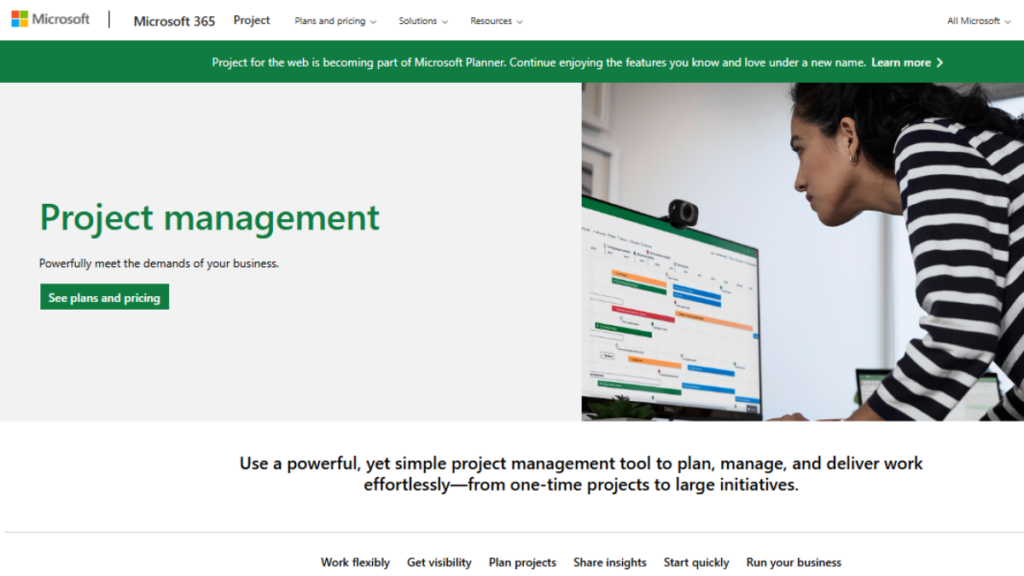
- Microsoft Project: Microsoft Project Management Software is a professional project scheduling software built for large teams and complex workflows. It offers advanced planning tools like Gantt charts, resource allocation, budgeting, and timeline forecasting, making it ideal for organizations that manage multiple projects at once.
3. Agile and Development-Focused Scheduling Tools
Designed for software development and Agile teams, these tools support sprint planning, backlog management, and iterative delivery. Scheduling is more dynamic and often based on iterations rather than fixed dates.
Typical Features:
- Sprint and Backlog Planning: Organizes upcoming tasks and priorities into structured sprints, helping teams plan workflow in manageable cycles.
- Kanban Boards: Visual task boards that show progress from start to finish, improving clarity, workflow control, and workload balance.
- Release Tracking: Monitors version releases, launch dates, and delivery status to ensure new updates ship on time without roadblocks.
- Burndown Charts: Tracks remaining work against time to quickly identify progress, delays, or scope issues during a sprint.
Popular Agile Scheduling Tools:
- Jira: Jira Project Management Software is a leading project scheduling software built for agile teams, especially in software development and IT. It helps manage sprints, tasks, release timelines, and workflows using tools like Scrum and Kanban boards. With automation, backlog planning, and integrations, Jira keeps teams aligned from planning to deployment.

4. Resource-Centered Scheduling Tools
These tools place a strong emphasis on resource planning and optimization. They help businesses avoid overbooking staff, plan resource utilization across multiple teams, and balance workloads.
Typical Features:
- Resource Allocation Dashboards: Provide a clear snapshot of who is working on what, helping managers assign tasks efficiently and avoid overload.
- Skills and Availability Tracking: Matches tasks with the right team members by tracking skill sets, working hours, and current availability.
- Capacity Planning: Ensures teams aren’t stretched too thin by evaluating workload limits and adjusting schedules to maintain productivity.
- Forecasting: Predicts future resource needs, workload spikes, and potential bottlenecks so teams can plan ahead with confidence.
Popular Resource Scheduling Tools:
- Resource Guru: Resource Guru focuses on resource scheduling rather than full project management, making it ideal for teams that need clarity on availability, workload, and utilization. It provides a central booking calendar where managers can assign people, equipment, and rooms without double-booking or conflicts. Visual dashboards help track capacity, skills, and time-off, ensuring teams stay balanced and projects stay on schedule.

5. Construction and Engineering Scheduling Tools
Industry-specific tools built for complex, multi-phase projects that require detailed scheduling, site planning, compliance tracking, and contractor coordination.
Typical Features:
- Critical Path Analysis: Identifies the most time-sensitive tasks in a project so teams know which activities directly impact the final deadline.
- Contract and Task Linking: Connects project tasks with contract terms, timelines, and deliverables to ensure work stays aligned with client expectations.
- Site Calendars: Create location-specific schedules that consider working hours, weather conditions, and on-site availability for smoother coordination.
- Safety and Compliance Tracking: Monitors safety checks, permits, and regulatory requirements to ensure every phase of the project meets industry standards.
Popular Construction Scheduling Software:
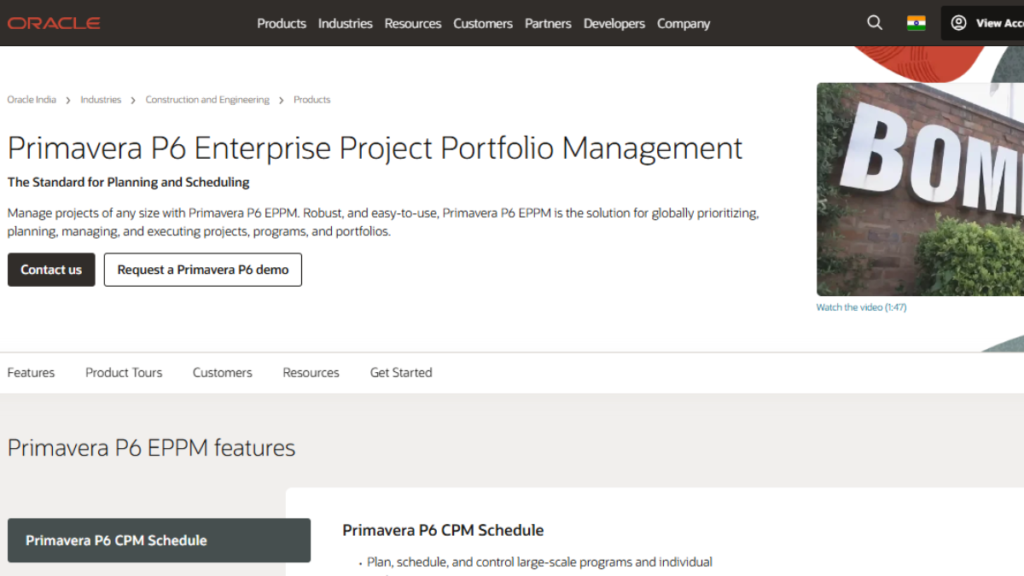
- Primavera P6 (Oracle): Primavera P6 by Oracle is a robust, enterprise-level project scheduling software designed for large-scale projects, especially in construction, engineering, and manufacturing. It offers advanced tools for planning, resource allocation, and risk management, helping organizations manage complex timelines with precision. Its detailed analytics and reporting capabilities make it easier to monitor project health and ensure on-time delivery.
Conclusion
Effective project execution starts with smart planning. Project scheduling software helps teams manage timelines, allocate resources, and anticipate risks efficiently. It improves visibility, keeps everyone aligned, and enables real-time tracking of progress.
With better collaboration and centralized updates, projects stay on schedule and within scope. For organizations seeking consistency and scalable success, adopting the right scheduling software is essential.
