
Managing a project without the right tools is like trying to navigate a ship through a storm without a compass. Tasks get lost, deadlines slip, and team members often end up confused about their priorities. Project management apps provide that essential direction, helping teams stay organized, focused, and efficient. They act as a central hub where tasks, files, deadlines, and communication come together seamlessly. In today’s fast-paced work environment, such clarity is no longer optional; it’s essential. Teams that use project management tools are up to 28% more likely to complete projects on time.
These apps not only help track tasks but also enhance collaboration and communication. Team members can see their responsibilities at a glance, managers can monitor progress in real-time, and everyone stays aligned toward common goals. From freelancers juggling multiple clients to large enterprises coordinating hundreds of tasks, apps streamline the workflow and reduce unnecessary stress. They save time, prevent errors, and make projects more predictable.
In this guide, we’ll explore the top apps designed to simplify work and improve productivity. Whether you are starting small or managing a large team, these tools provide practical solutions to help you stay organized, meet deadlines, and achieve project success efficiently.
What Are Project Management Apps?
Project management apps help teams plan, organize, and track their work efficiently using digital tools. They act as a central hub where tasks, deadlines, resources, and team communications come together, reducing the chances of miscommunication and missed deadlines. In simple terms, these apps make complex projects easier to handle by breaking them down into smaller, manageable tasks. Research shows that teams using these tools are more likely to deliver projects on time. Many users start with Free Online Project Management Tools before upgrading to advanced apps as their teams grow.
Key points that define these apps include:
- Task Organization: Easily create, assign, and prioritize tasks.
- Collaboration: Teams can comment, share files, and communicate in real time.
- Deadline Tracking: Set timelines and get reminders to ensure work stays on schedule.
- Resource Management: Monitor team workloads and allocate resources effectively.
- Progress Visualization: Use boards, timelines, or dashboards to see the bigger picture.
In today’s competitive work environment, these tools are no longer optional. They help teams stay aligned, ensure accountability, and deliver projects on time. Whether it’s a simple marketing campaign or a complex software rollout, these apps provide structure, clarity, and efficiency, making the workflow smooth and predictable.
Core Features of Project Management Apps
Considering reliable project management apps is more than selecting a tool that appears suitable on paper. The best apps streamline workflows, improve collaboration, and make team productivity measurable. Here are the essential features to look for:
- Task Tracking and Prioritization: Easily create, assign, and track tasks to ensure nothing falls through the cracks.
- Team Collaboration: Share files, leave comments, and communicate within the platform to reduce endless email chains.
- Visual Planning: Kanban boards, Gantt charts, calendars, or dashboards help visualize progress at a glance.
- Workflow Automation: Automate repetitive tasks, reminders, and updates to save time and reduce errors.
- Integrations: Seamlessly connect with tools like Slack, Google Workspace, Zoom, or cloud storage for streamlined operations.
- Progress Analytics: Generate reports and track performance metrics to understand project health and team efficiency.
With these capabilities in place, such platforms function like the Best Project Tracking Software, keeping tasks, timelines, and team members aligned in one system. They streamline daily operations while improving accountability, making it easier to spot delays, identify bottlenecks, and respond proactively. Selecting a solution with strong tracking features leads to better visibility, smoother execution, and more predictable project results.
Comparing Top Project Management Apps
| App Name | Best For | Trial Information | Pricing (Starting / Tiers) | Why It Stands Out (Technical Edge) |
|---|---|---|---|---|
| Trello | Small teams, freelancers | Free plan available/ 14-day Premium trial (no card) | Free Standard: ~$5/user/mo Premium: ~$10/user/mo Enterprise: ~$17.50+/user/mo | Lightweight Kanban system, fastest onboarding, Power-Ups for integrations |
| Asana | Mid-size teams | Free plan available/ 30-day Premium trial | Free Premium: ~$10.99–13.49/user/mo Business: ~$24.99/user/mo | Advanced task dependencies, timeline automation, and strong reporting |
| ClickUp | Teams of all sizes | Free Forever plan/ No trial limit | Free Unlimited: ~$5–7/user/mo Business: ~$12/user/mo | Highly customizable views, built-in docs, goals & time tracking |
| Jira | Software & Agile teams | Free plan (up to 10 users)/ 7-day paid trial | Free (up to 10 users) Standard: ~$8–9/user/mo Premium: ~$17+/user/mo | Deep Agile tooling, custom workflows, best-in-class issue tracking |
| Monday.com | Marketing & operations teams | 14-day full-feature trial/ Free demo available | Basic: ~$8/user/mo Standard: ~$10/user/mo Pro: ~$16+/user/mo | Visual dashboards, strong automation recipes, and non-technical friendly |
| Zoho Projects | Small to mid-size businesses | Free plan available/ 15-day paid trial | Free Premium: ~$4–5/user/mo Enterprise: ~$9–10/user/mo | Budget-friendly, strong Gantt & dependency management, Zoho ecosystem |
| Wrike | Multi-project teams | 14-day paid trial/ Free plan available | Professional: ~$9.80/user/mo Business: ~$24.80/user/mo Enterprise: Custom | Advanced workload management, enterprise-grade reporting |
Top Project Management Apps to Consider
In today’s fast-paced work environment, the right apps can greatly influence project success. They help teams stay organized, meet deadlines, and collaborate efficiently through features like task tracking, visual boards, and built-in communication. Tools such as Trello, Asana, Jira, ClickUp, and Monday.com are commonly used by teams of all sizes. Adopting a dedicated solution leads to smoother workflows, better accountability, and higher productivity.
1. Trello
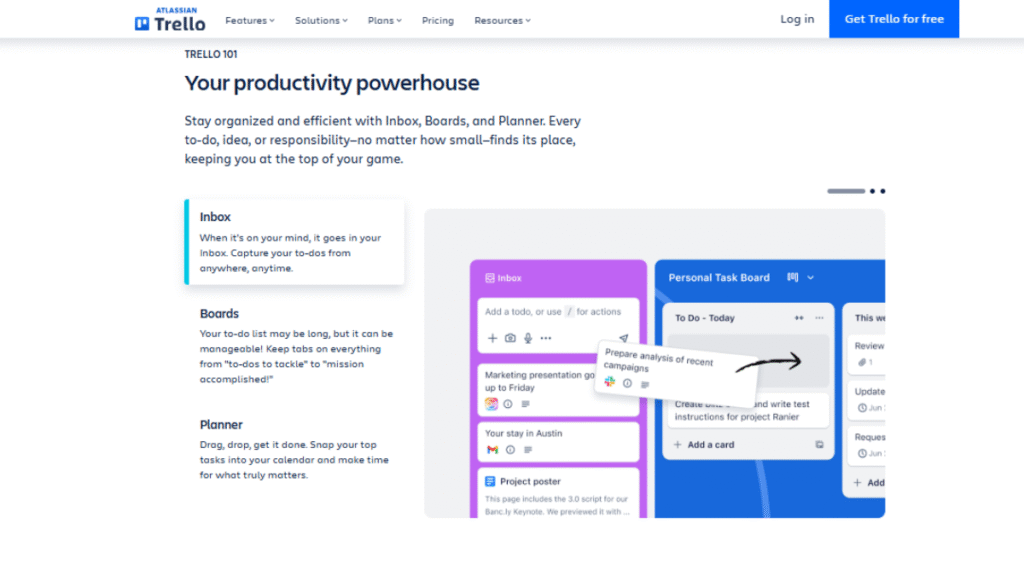
Trello is a visual project management tool built around Kanban boards, making task organization simple and intuitive. Teams manage projects using draggable cards and lists, with features like comments, attachments, checklists, due dates, and integrations with tools such as Google Drive and Slack to keep collaboration centralized.
Additional Insights:
- Adoption: Trello has reached over 50 million registered users worldwide.
- Active Use: Millions of teams use Trello monthly, supported by 70M+ monthly visits across web and mobile.
- Technical Reach: The Trello mobile app has 10M+ downloads on Android with a ~4★ rating.
- Platform Support: Available on web, Android, and iOS for seamless cross-device task management.
- Automation & Integrations: Built-in Butler automation and hundreds of Power-Ups extend its functionality without complexity.
These strengths make Trello an ideal choice for users seeking a fast, visual, and low-maintenance solution for managing everyday tasks and simple workflows.
Why choose Trello?: It’s ideal for freelancers and small teams who want a lightweight, easy-to-use tool with a minimal learning curve. Trello stands out for its simplicity, fast setup, and visual clarity, making it perfect for managing everyday tasks and straightforward workflows.
Pro Tip: Use color-coded labels and checklists to prioritize tasks and monitor progress in one view quickly.
2. Asana
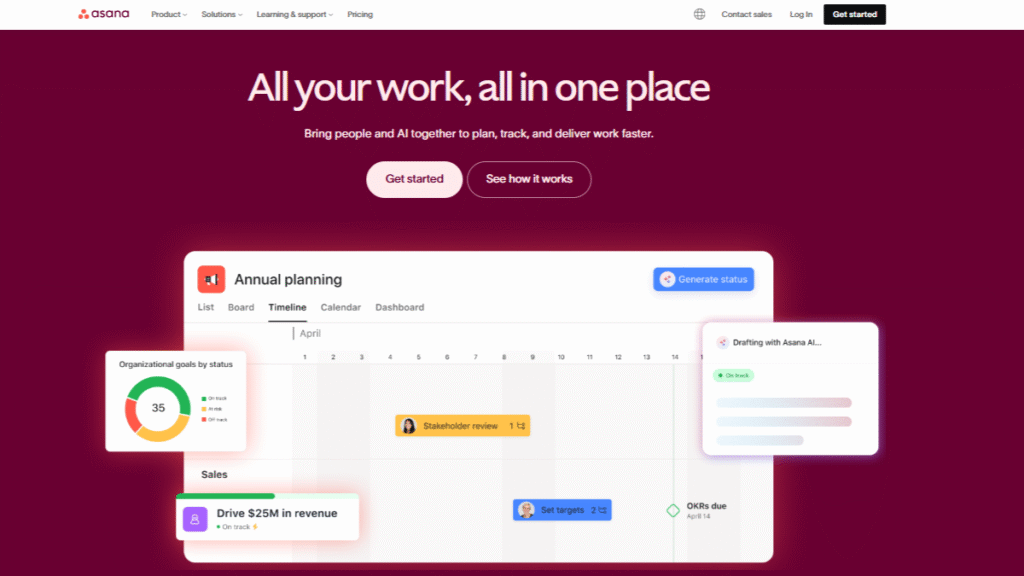
Asana is a project management tool that helps teams organize tasks, track progress, and manage workflows efficiently. It offers multiple views, lists, boards, and timelines, along with task assignments, deadlines, file sharing, and real-time collaboration. Designed for mid-sized teams, Asana provides clear visibility, task dependencies, and reporting to keep projects on track.
Additional Insights:
- Adoption: Trusted by millions of users and teams across 200+ countries worldwide, including marketing, operations, and product teams.
- Active Users: Over 3 million paying users are actively using Asana’s paid plans.
- Technical Reach: Rated around 4.4★ on major app stores with millions of mobile downloads. More than 42 million registered users have engaged with Asana since its inception.
- Platform Support: Available on web, Android, and iOS for consistent cross-device access.
- Workflow Strength: Advanced task dependencies, timeline automation, and reporting set it apart from simpler tools.
These capabilities make Asana a strong choice for teams that need structured workflows, accountability, and timeline control without overwhelming complexity.
Why use Asana: It’s ideal for teams that need structured workflows, accountability, and timeline visibility to manage complex projects efficiently.
Pro Tip: Use the Timeline view to spot dependencies early and prevent delays.
3. ClickUp
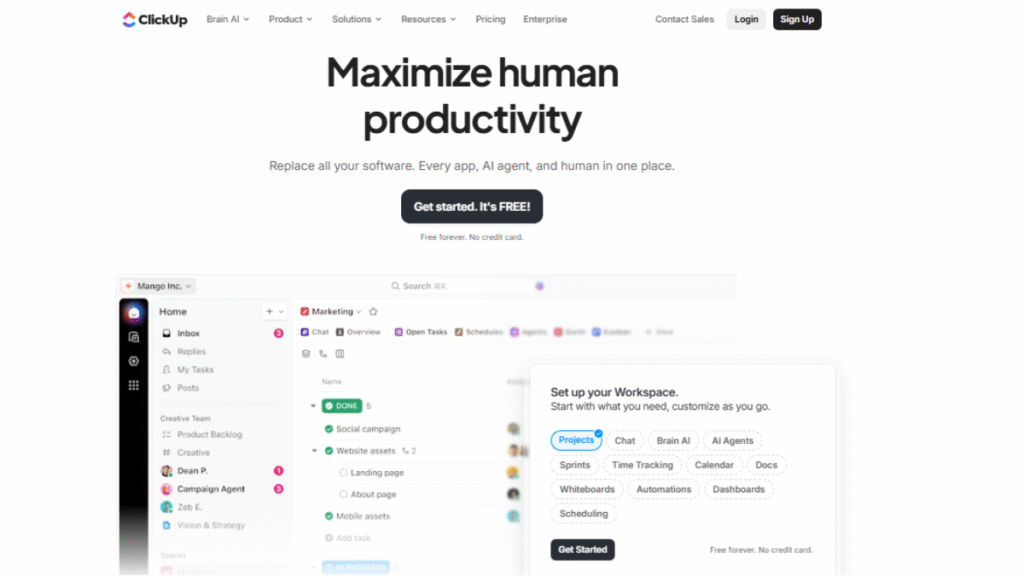
ClickUp is an all-in-one project management and productivity platform that brings tasks, docs, goals, chat, and automation together in a single workspace. It supports multiple views like lists, boards, Gantt charts, and calendars, making it adaptable to diverse workflows. Teams can assign tasks, track time, collaborate on documents, and reduce manual work with built-in automation.
Additional Insights:
- Adoption: ClickUp has over 20 million users worldwide, showing rapid growth and broad global use.
- Active Users/Teams: It serves 100,000+ paying customers and millions of users across more than 2 million teams.
- User Ratings: ClickUp holds strong user satisfaction (e.g., 4.8/5 from over 10,000+ ratings on review platforms).
- Platform Support: Available on web, Android, and iOS for complete cross-device task and project management.
- Versatility: ClickUp’s deep customization, built-in docs, goals, and automation make it flexible for teams of any size and industry.
These strengths make ClickUp a compelling choice for teams that want an all-in-one workspace with powerful features and scalability.
Why use ClickUp: It’s ideal for teams that want maximum flexibility and features in a single tool. ClickUp stands out for its deep customization, built-in automation, and excellent value for money, making it suitable for both small teams and large enterprises.
Pro Tip: Use automation to update task statuses or assign work automatically, saving time and minimizing errors.
4. Jira
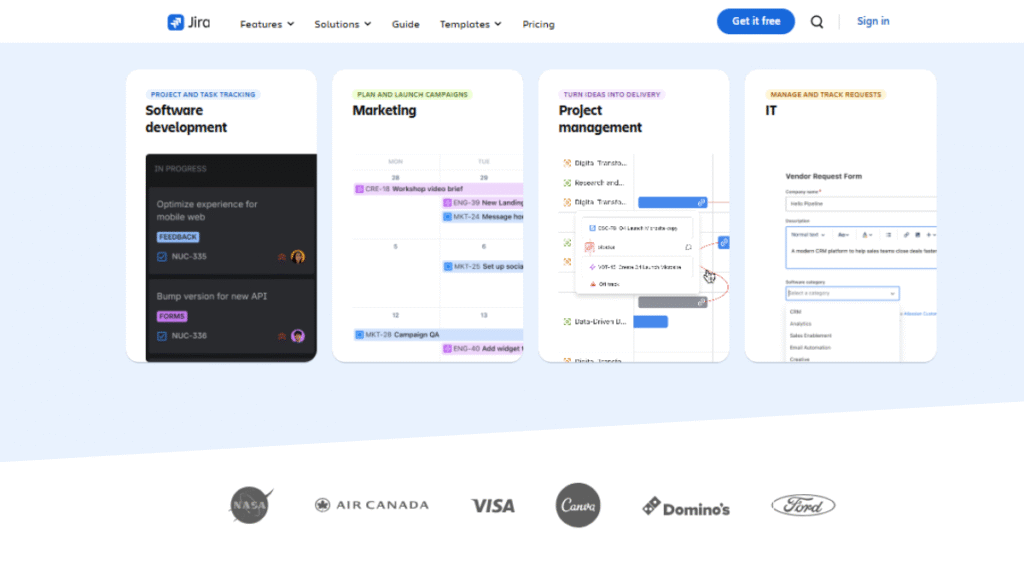
Jira is a powerful project management tool tailored for software development and Agile teams. It helps teams manage sprints, track issues, plan work, and monitor progress through customizable workflows and detailed dashboards. With integrations for tools like GitHub, Bitbucket, and Slack, Jira keeps development work connected and transparent.
Additional Insights:
- Adoption: Over 300,000 companies worldwide use Jira to manage projects across industries, from tech to healthcare.
- Usage Scale: Jira Cloud now supports up to 100,000 users on a single site, showing its ability to scale for large enterprises.
- Web Reach: More than 40,000 websites have used Jira at some point, with several thousand actively using it today.
- Platform Support: Available on web, Android, and iOS for cross-device access to boards, issues, and reports.
- Customization & Extensions: Supports thousands of apps and plugins for expanded functionality, plus highly customizable workflows.
These strengths make Jira a top choice for teams needing robust Agile tooling, deep customization, and enterprise-grade scalability.
Why use Jira: It’s ideal for teams following Agile or Scrum methodologies that need precise issue tracking and workflow control. Jira stands out for its deep customization, powerful reporting, and strong integration with developer tools.
Pro Tip: Use sprint planning and backlog grooming to balance workloads and keep development cycles on track.
5. Monday.com
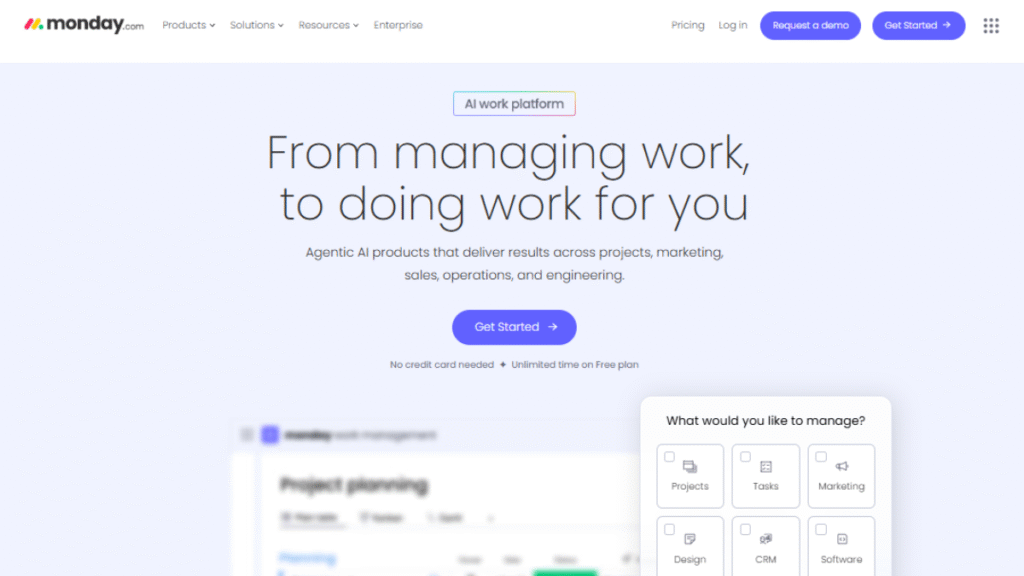
Monday.com is a visually rich project management platform that helps teams structure and track work with customizable boards, dashboards, and timelines. Team members can add comments, attachments, and status updates to tasks, while automation and integrations simplify daily workflows across departments.
Additional Insights:
- Adoption: Used by over 152,000 organizations worldwide, including teams in marketing, operations, and customer support. (Based on company reports and public data)
- Active Users: An estimated over 1.9 million active users rely on Monday.com daily for work coordination and monitoring. (Industry data approximates based on growth metrics)
- User Ratings: Holds around 4.5★ average ratings on major review platforms for ease of use and visual appeal.
- Platform Support: Available on web, Android, and iOS, providing consistent access across devices.
- Customization & Automation: Strong visual dashboards and automation recipes help reduce repetitive tasks and keep work organized without coding.
These strengths make Monday.com a great choice for teams that prioritize visual clarity, ease of use, and flexible workflow configurations.
Why use Monday.com: It’s ideal for visual and non-technical teams that need an intuitive tool with strong customization and automation. Monday.com stands out for its clean interface, flexible workflows, and easy onboarding across teams.
Pro Tip: Use automation recipes to handle repetitive updates and keep everyone informed automatically.
6. Zoho Projects
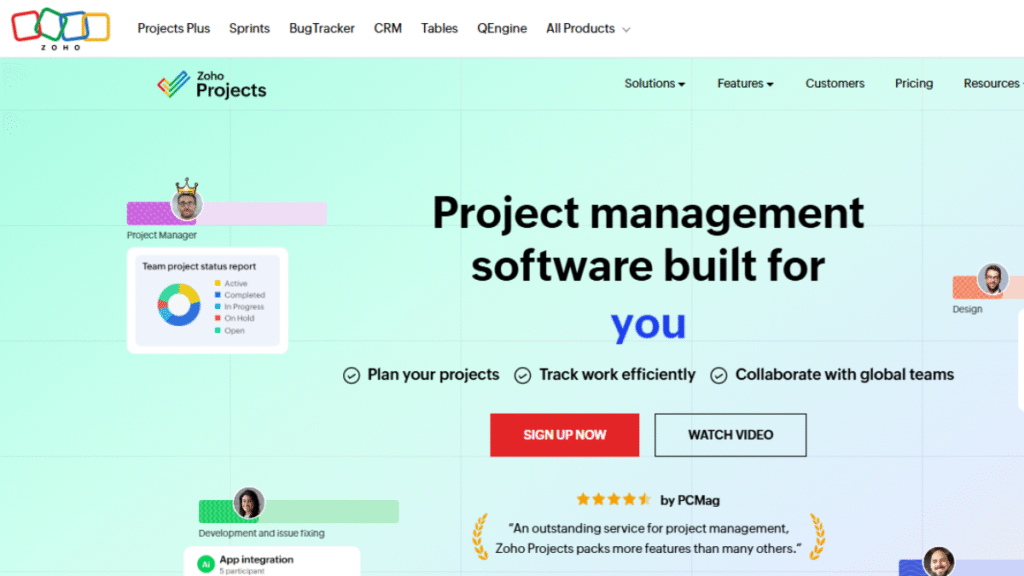
Zoho Projects is a cloud‑based project management platform that helps teams plan, track, and collaborate on work with task lists, Gantt charts, milestones, dashboards, and time tracking. Team members can add comments, attachments, and status updates to tasks, while automation and integrations with other Zoho apps streamline workflows across departments.
Additional Insights:
- Adoption: Used by over 3 million users worldwide across teams of all sizes.
- Active Users: Actively relied on by teams in IT, marketing, operations, services, and more for daily coordination and monitoring. (Industry adoption trends)
- User Ratings: Holds around 4.2–4.5★ average ratings on major review platforms (G2, Capterra, Software Advice, etc.).
- Platform Support: Available on web, iOS, and Android, giving consistent access across devices.
- Customization & Automation: Offers custom layouts, fields, views, and workflow automations to reduce repetitive tasks and keep projects organized
These strengths make Zoho Projects a solid choice for teams that want a feature‑rich, integrated, and customizable project management especially for organizations already using or planning to use multiple Zoho applications.
Why use Zoho Projects: It’s ideal for teams that need essential project management features at an affordable price. Zoho Projects stands out for its strong planning tools, scalability, and seamless integration with the Zoho ecosystem.
Pro Tip: Use milestones and dependencies to visualize timelines and avoid scheduling conflicts.
7. Wrike
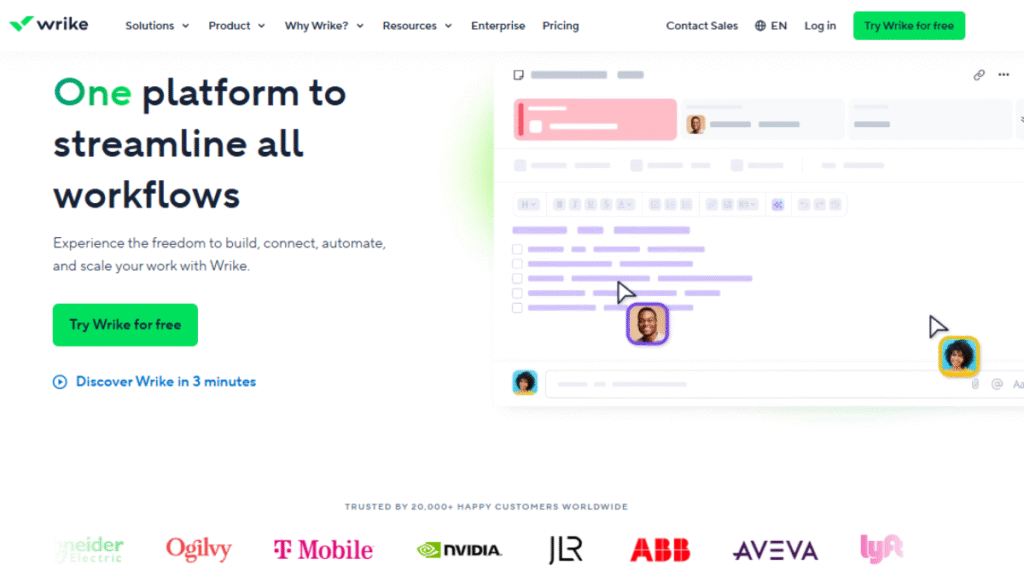
Wrike is a cloud‑based work and project management platform that helps teams plan, track, and collaborate on tasks and complex workflows using customizable dashboards, timelines, Kanban boards, and AI‑powered tools. Team members can add comments, attachments, and status updates to tasks, while automation and integrations streamline work across departments.
Additional Insights:
- Adoption: Used by over 20,000 organizations worldwide to manage work and projects across teams.
- Active Users: Around 2 million users actively rely on Wrike for daily work coordination and workflow execution.
- User Ratings: Holds an average rating of about 4.4★ across major review platforms for features, flexibility, and collaboration.
- Platform Support: Available on web, iOS, and Android, ensuring access across devices.
- Customization & Automation: Features configurable dashboards, automated workflows, AI-powered tools, and over 400 integrations to minimize manual work and keep projects running smoothly.
These strengths make Wrike a strong choice for teams that need a scalable, customizable, and automation‑rich project and work management solution that supports both simple task tracking and complex enterprise workflows.
Why use Wrike: It’s ideal for teams that need detailed project visibility, strong reporting, and control over complex workflows. Wrike stands out for its enterprise-grade dashboards and multi-project management capabilities.
Pro Tip: Use dashboards and custom reports to spot bottlenecks early and keep projects on track.
Why Your Business Need These Project Management Apps?
Choosing the right project management apps can transform how your team works. They provide clarity, improve accountability, and keep everyone aligned on project goals. With features like task tracking, visual boards, and workflow automation, these apps simplify even the most complex projects. Teams save time, prevent errors, and collaborate more effectively, completing projects efficiently. These apps also support flexible workflows, making them suitable for teams that rely on Agile Project Management Tools.
Key benefits include:
- Simplified task management and organization
- Improved team collaboration and communication
- Visual progress tracking for better decision-making
- Boosted productivity and reduced stress
- Scalable solutions for teams of all sizes
Conclusion
In today’s fast-paced work environment, having the right tools to manage projects effectively is essential for any team, and project management apps provide the structure needed to plan, track, and deliver work efficiently. These apps provide clarity and efficiency, ensuring that every task, deadline, and responsibility is tracked properly. By centralizing communication, organizing workflows, and offering visual progress tracking, they reduce errors, enhance collaboration, and make complex projects easier to handle. Teams of all sizes, from freelancers to large enterprises, can benefit from adopting these solutions, making their projects more predictable and manageable. Organizations that adopt these tools report up to 20% higher productivity due to improved coordination and visibility.
Selecting the right solution depends on your team’s goals, the complexity of your projects, and how your workflow is structured. From simple visual boards to advanced planning platforms, the right Project Scheduling Software helps organize tasks, manage timelines, and coordinate work more effectively. With proper scheduling in place, teams can reduce delays, stay productive, and ensure projects are delivered on time and within scope.
FAQs
It helps users plan tasks, track progress, manage deadlines, and keep work organized in one place.
They are useful for teams, freelancers, business owners, students, and anyone handling multiple tasks or projects.
Yes, many tools are designed to work well for individuals and small teams, offering simple features and free plans.
They reduce confusion by organizing tasks, clarifying responsibilities, and making progress easy to monitor.
Absolutely. They can help manage personal goals, study plans, events, or everyday to-do lists.
