
Let’s be real, editing photos used to mean hours of fiddling, clicking, and hoping for the best. But now, with the PicsArt Pro version, AI does the heavy lifting so you can focus on being creative, not frustrated. Whether you’re a content creator, small business owner, or just someone who wants to make their social media pop, the PicsArt Pro version is like having a personal editing assistant in your pocket. From AI image generation and background removal to smart upscaling and object erasing, it’s packed with tools that save time and make editing feel like a breeze. No more boring backdrops or blurry pics, just instant upgrades and endless possibilities. And yes, you can even generate images from text prompts, so if you’ve ever dreamed of a cat riding a unicorn, the PicsArt Pro version can make it happen.
This guide dives deep into the best AI features in the PicsArt Pro version you should know about. It covers everything from AI image generation and background removal to video editing and productivity boosters. By the end, you’ll understand why this upgrade could be your secret weapon for creating eye-catching content quickly and professionally, without needing complex skills.
What is PicsArt Pro Version?
PicsArt Pro version is the premium tier of the PicsArt suite that offers access to advanced creative tools powered by AI and a broader library of assets. While the free version provides basic editing and thousands of free stickers and templates, the Pro version unlocks enhanced AI features, exclusive content, and removes ads for a smoother workflow. It sits above the Plus plan in terms of capabilities and pricing.
The Pro version works seamlessly across mobile apps (iOS and Android), as well as web and desktop platforms, making it accessible wherever you create. Upgrading to Pro gives you perks like unlimited downloads of premium assets, commercial licenses for content use, and top-tier AI tools designed for real-world applications. Pricing is competitive with monthly or annual subscriptions, offering savings for longer commitments.
This plan is tailored for serious hobbyists, influencers, marketers, and business owners who need professional-grade edits and batch processing functionality to save time and effort while keeping their creativity flowing.
Top Advanced AI Creative Tools in PicsArt Pro Version
If you’re ready to supercharge your creativity, the PicsArt Pro version is packed with AI-powered tools that make advanced editing simple, fast, and fun for everyone, from hobbyists to pros.
AI Image Generator
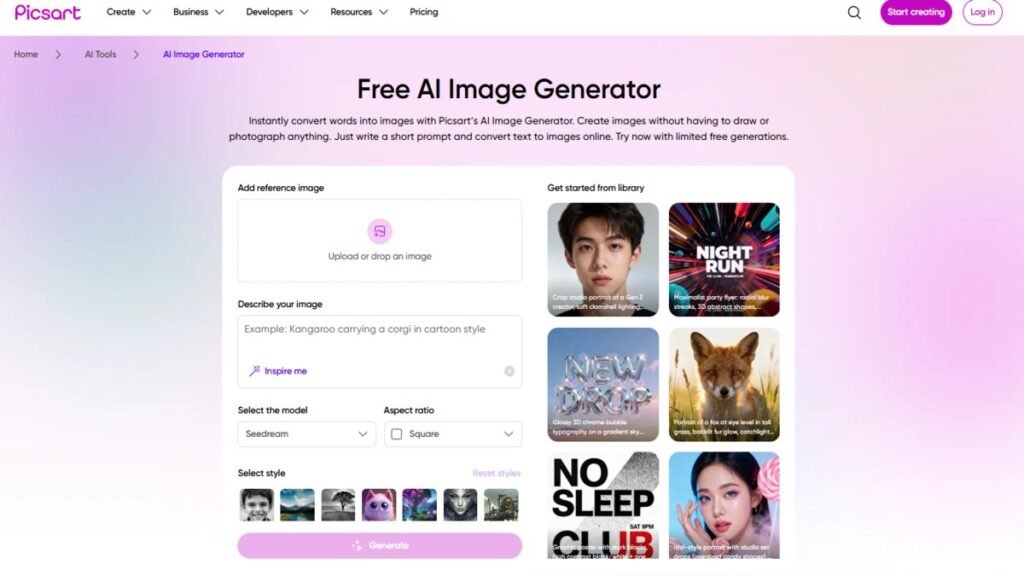
One of the standout innovations in the Picsart Pro version is the AI Image Generator. This feature allows you to create original images from just text prompts, fully customizable with different style options. Whether you want surreal art, realistic portraits, or abstract designs, the AI can interpret your words into visuals.
This is perfect for creators seeking unique content without needing to shoot photos or hire artists. The generator taps into the Getty partnership, meaning all generated images are commercially safe to use, giving you peace of mind when publishing or selling your work. Prompt-based editing lets you refine the image further by adjusting specific elements or reapplying styles, expanding your creative toolbox beyond traditional editing.
AI Background Remover, Replacer & Object Remover
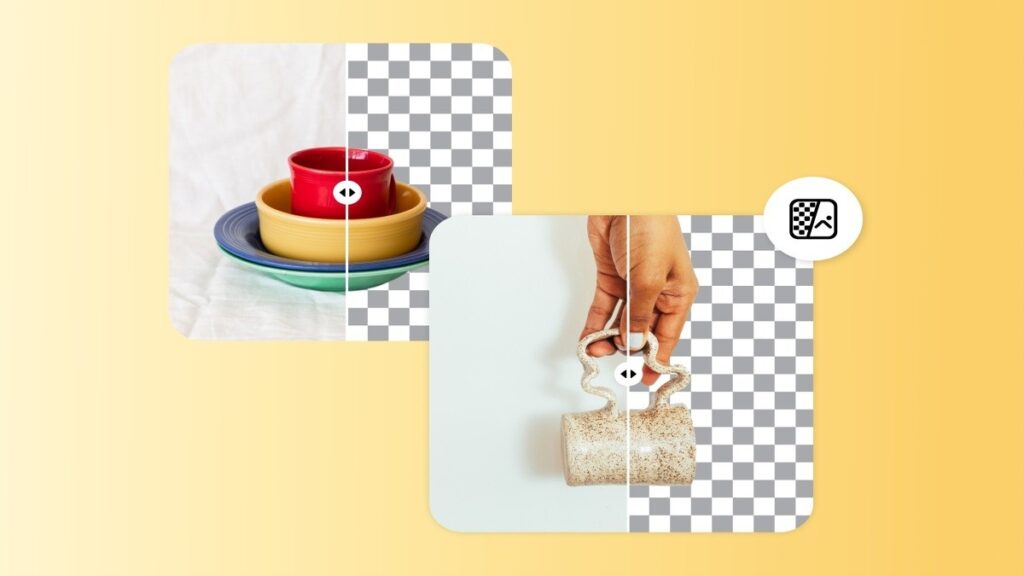
Removing backgrounds used to require painstaking manual selections and masks. PicsArt Pro version simplifies this with one-click AI background removal. The Smart Background feature goes further by generating new backgrounds from text prompts, so you can instantly replace boring or distracting backdrops with whatever you imagine.
The AI Object Remover helps eliminate unwanted items cleanly using smart fill technology, working flawlessly on product photos, portraits, or travel shots. This tool supports batch processing, allowing you to apply background removal or object erasing on multiple images at once, key for e-commerce sellers managing large inventories.
Precision editing makes even complicated backgrounds easy to handle, saving hours and increasing output quality.
AI Upscaler & Enhance Tool
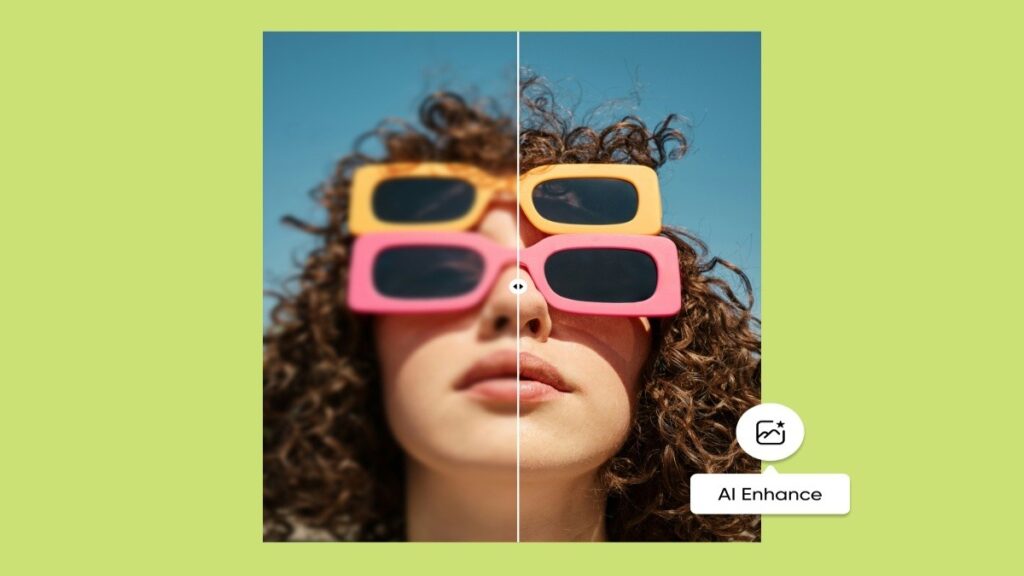
Photo sharpness and clarity matter a lot, especially for print or social media. The AI Upscaler in the Picsart Pro version improves image resolution up to 4x while preserving important details. It automatically enhances quality by reducing noise and optimizing sharpness with one tap.
This tool transforms low-quality photos into print-ready images or optimized digital content. You can even compare before-and-after versions in real time, spotting improvements that standard upscaling usually fails to deliver. Whether you’re restoring old pictures or prepping product images for your online store, this feature is a game-changer.
AI Style Transfer
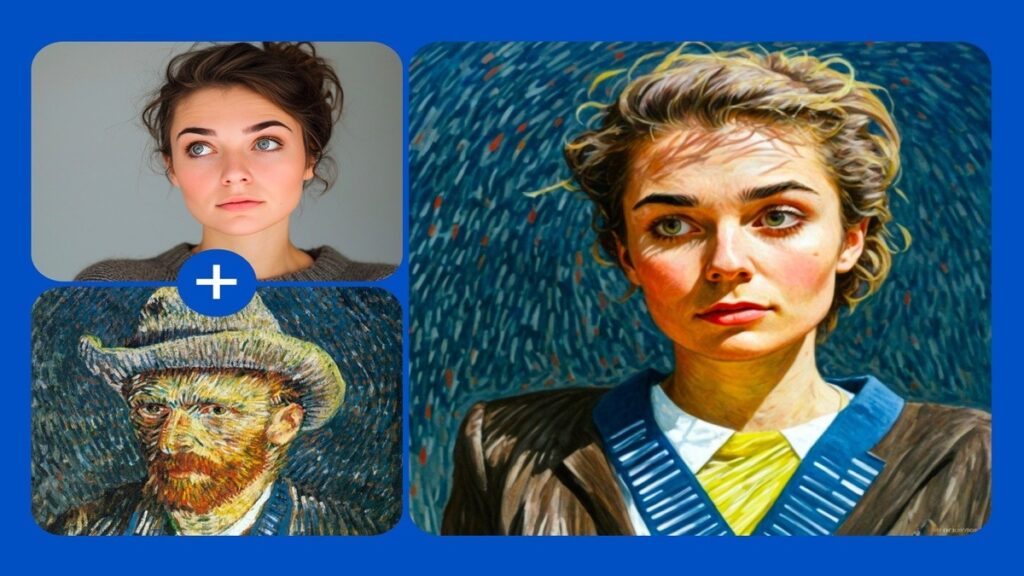
Artistic style transfer lets you apply famous art styles or create your own unique visual effects over any photo. The AI replication mimics brush strokes, color palettes, and textures from popular artworks, turning ordinary images into breathtaking creations.
This feature is used extensively in branding, helping content creators develop a consistent aesthetic or just add a creative twist to everyday photos. It’s simple to use yet brings professional-level results that are hard to achieve manually.
AI Retouch Tools

Editing portraits becomes easier with AI Retouch tools, which refine facial features naturally. They help enhance skin tone, remove blemishes, smooth wrinkles, and optimize portraits without the plastic look so many filters create.
These tools are great for influencers and marketers who want polished images for their social media without spending hours editing. The beauty and cosmetic editing features make subtle improvements that feel authentic and flattering.
AI Expand Tool
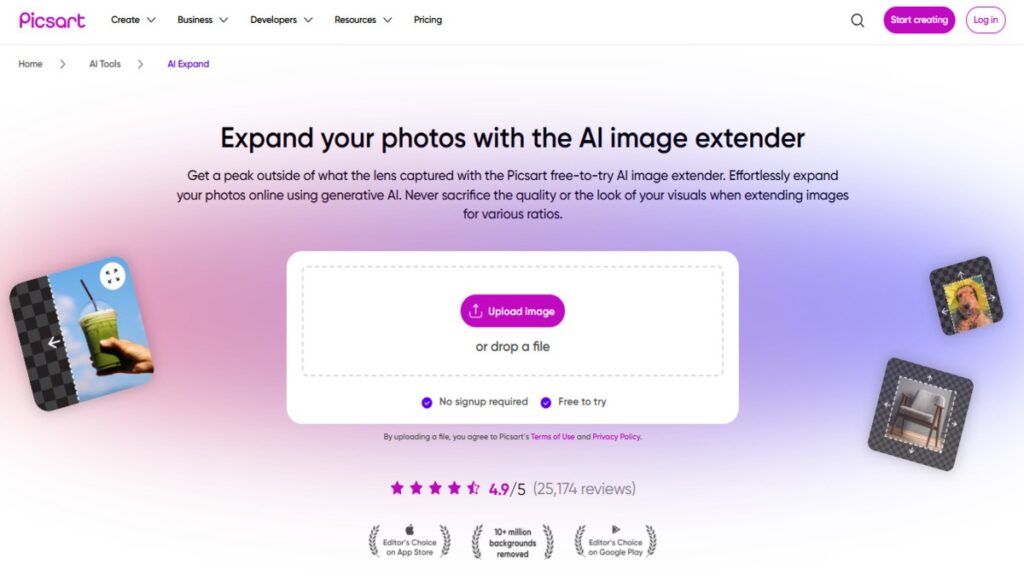
When you want to fix cropping issues or create custom aspect ratios without losing content, the AI Expand tool comes into play. This extension feature intelligently fills in missing areas of an image using context-aware technology, so it looks seamless.
It’s useful for adapting images to different platforms or creative projects where a specific size is required. You retain the original subject while the AI takes care of believable filling around it.
With these AI features at your fingertips, the PicsArt Pro version transforms your workflow and opens up endless possibilities for unique, professional-quality content.
Business and Productivity AI Features
For businesses, the Picsart Pro version offers several AI-powered tools to streamline workflow and amplify marketing efforts.
- Batch Editor lets you edit up to 50 images simultaneously, including background removal, essential for product photographers and e-commerce sellers who process many photos daily, saving time and energy.
- AI Writer and Content Generator automatically create captions, marketing copy, and text suggestions, perfect for social media managers needing fresh ideas and faster content posting.
- AI Logo Maker generates customizable branded designs with templates, helping small businesses build a professional identity quickly.
- QR Code Generator creates aesthetic, brand-integrated QR codes, offering seamless offline-to-online customer engagement options.
Together, these tools transform PicsArt from just an editing app to a productivity powerhouse.
Collaborative and Team Features
PicsArt Pro caters to teams with its collaborative workspace. It allows centralized billing and account management, letting businesses handle everything in one place. You can store custom brand palettes and upload unique fonts to maintain consistent branding.
Real-time collaboration (an upcoming feature) will enhance teamwork by enabling multiple creators to work on projects simultaneously. Shareable project links boost workflow flexibility, and multi-device access on up to 10 devices means you’re always connected.
How to Get the Most Out of PicsArt Pro AI Features
To maximize value, start by exploring each AI tool with small projects to understand its strengths and quirks. Combine features, for example, upscale a newly generated AI image, then apply style transfer and use batch background removal for a polished output.
Optimize your workflow by batching edits and saving templates for recurring tasks. Learn when to trust AI tools for speed and when manual touch-ups improve quality. Experimentation is key; try different prompts and edits to discover new creative directions. Integrate PicsArt Pro into your existing processes, and let AI handle repetitive tasks so you focus on strategy and creativity.
Conclusion
The PicsArt Pro version unlocks a suite of AI-powered tools that transform photo and video editing into a faster, smarter, and more creative process. From image generation and background removal to batch editing and video enhancements, it offers value that goes beyond the free and Plus plans.
Whether you’re a social media manager, content creator, small business owner, or e-commerce seller, investing in the Picsart Pro version can save you time, elevate your visuals, and open up new creative possibilities. Try the free trial to explore these features yourself and see how AI continues to shape the future of digital creativity.
