

Wedding, wedding, and wedding, the season of weddings is all year round, and every couple dreams of capturing their special day in pictures that tell their story. As someone who loves wedding photography, I know how important it is to choose the right photo editor for wedding pictures. The right tool can turn simple snapshots into timeless memories, making every smile, every glance, and every moment shine. With so many options out there, finding the best wedding photo editing software can feel overwhelming. Whether you’re looking for specialized tools or exploring free photo editing websites to get started, there’s something for everyone.
But don’t worry, I’ve explored the top tools that deliver professional results, whether you’re editing for friends, family, or clients. From AI-powered editors to classic favorites, each one offers something special for wedding photo retouching, color grading, and batch editing. Let’s discover the best ways to make wedding photos look stunning and unforgettable, no matter your skill level or style.
The Importance of Storytelling in Wedding Photo Editing
Wedding photo editing is not just about making images look beautiful; it’s about capturing the unique story of the couple’s special day. When using a photo editor for wedding pictures, thoughtful editing can transform a simple gallery into a compelling visual narrative that the couple will cherish forever. Here’s how storytelling enhances wedding photo editing:
- Sequencing the Moments: Arrange photos in chronological order to recreate the flow of the day, from preparations to the final dance. This helps viewers relive the story as it unfolded.
- Highlighting Key Emotions: Use subtle enhancements to draw attention to emotional moments like the first look, vows, and family interactions. Let the expressions and atmosphere shine through.
- Consistent Style and Tone: Apply cohesive color grading and editing styles across the gallery to maintain a unified look that reflects the couple’s personality and the mood of the day.
- Showcasing Details: Zoom in on meaningful details, rings, bouquets, décor, and handwritten notes to add depth and context to the story.
- Balancing Creativity and Authenticity: Use creative effects sparingly to enhance, not overpower, the natural beauty of the day. The goal is to preserve authenticity while adding artistic touches.
- Personalizing the Narrative: Tailor your edits to reflect the couple’s style, traditions, and preferences. This makes the story feel unique and deeply personal.
A well-edited wedding photo gallery should feel like a journey, guiding viewers through the most memorable moments and emotions of the day. By focusing on storytelling, you turn each photo into a chapter of the couple’s love story, making your work as meaningful as it is beautiful.
Top 7 Photo Editor for Wedding Pictures
Here are the top 7 photo editors for wedding pictures that deliver professional results, based on expert reviews and industry trends. Each tool is selected for its ability to streamline workflow, enhance image quality, and offer creative flexibility for wedding photographers.
Fotor: AI-Powered Wedding Photo Editor

Fotor stands out as a leading photo editor for wedding pictures, offering an intuitive interface and advanced AI-driven enhancements. The platform is designed for both professionals and amateurs, allowing users to edit wedding photos with minimal effort. Fotor’s AI analyzes each image, recognizing faces, lighting, and color palettes to automatically apply optimal adjustments. This ensures that every photo is refined to match the couple’s vision, from classic ivory gowns to bold modern styles. If you’re exploring options, you might also want to check out the best free ai photo editor alternatives available.
The tool supports batch editing, making it efficient for handling large wedding galleries. Users can enhance eyes, adjust makeup, and even change backgrounds to create dreamy wedding albums. Fotor’s color adjustment tools let photographers experiment with different lighting and hues, ensuring that every image is vibrant and true to life. It’s a powerful wedding photo app that combines ease of use with professional results, making it ideal for both quick edits and detailed retouching.
Fotor Key Features:
- AI Photo Enhancer: Automatically optimizes photos for color, lighting, and focus.
- Batch Editing: Edit multiple wedding pictures at once for efficiency.
- Background Change: Reimagine wedding scenes with customizable backgrounds.
- Makeup & Hair Retouch: Enhance bridal looks with precise touch-ups.
How to Use for Wedding Pictures:
Upload your wedding photos to Fotor, select the batch editing option, and let the AI analyze and enhance each image. Use the makeup and hair retouch tools to perfect the bride’s look, and experiment with background changes for creative effects. For removing unwanted elements from backgrounds, consider using a best free background remover tool. Adjust color saturation and brightness to match the desired mood. Fotor is a versatile photo editor for wedding pictures, delivering professional results with minimal effort.
Canva: All-in-One Design and Photo Editor
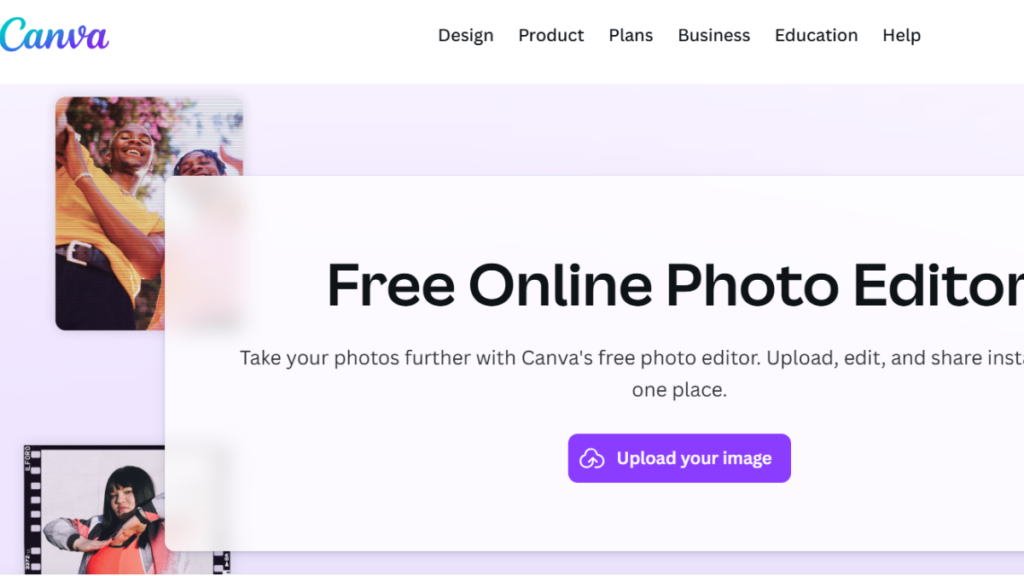
Canva has become a favorite among wedding photographers for its versatility and user-friendly design. Beyond graphic design, Canva offers robust photo editing capabilities, making it an excellent photo editor for wedding pictures. The platform provides a wide range of templates, filters, and effects tailored for weddings, allowing users to create stunning albums, invitations, and social media posts. If you need mockup designs for presentations, explore freepik mockup resources. Canva’s drag-and-drop interface makes it easy to crop, resize, and retouch images, while its color grading tools ensure consistent tones across all photos.
The platform also supports collaborative editing, making it simple for photographers and clients to review and approve images. Canva’s cloud-based system allows access from any device, ensuring flexibility for on-the-go edits. For creating custom invitations or decorative elements, you might want to use software to create vector images alongside Canva. Whether you’re enhancing a single portrait or curating an entire wedding gallery, Canva is a reliable photo editor for wedding pictures that combines design and editing in one seamless experience.
Canva Key Features:
- Wedding Templates: Pre-designed layouts for albums, invitations, and more.
- Drag-and-Drop Editing: Easy cropping, resizing, and retouching.
- Color Grading: Apply consistent tones across multiple photos.
- Cloud Collaboration: Share and edit photos with clients in real-time.
How to Use for Wedding Pictures:
Start by uploading your wedding photos to Canva and selecting a wedding template. Use the drag-and-drop tools to crop and resize images, then apply filters and color grading for a cohesive look. Collaborate with clients by sharing the project link and gathering feedback. Canva is a flexible photo editor for wedding pictures, ideal for both creative design and professional retouching.
Imagen AI: Professional AI Wedding Photo Editor
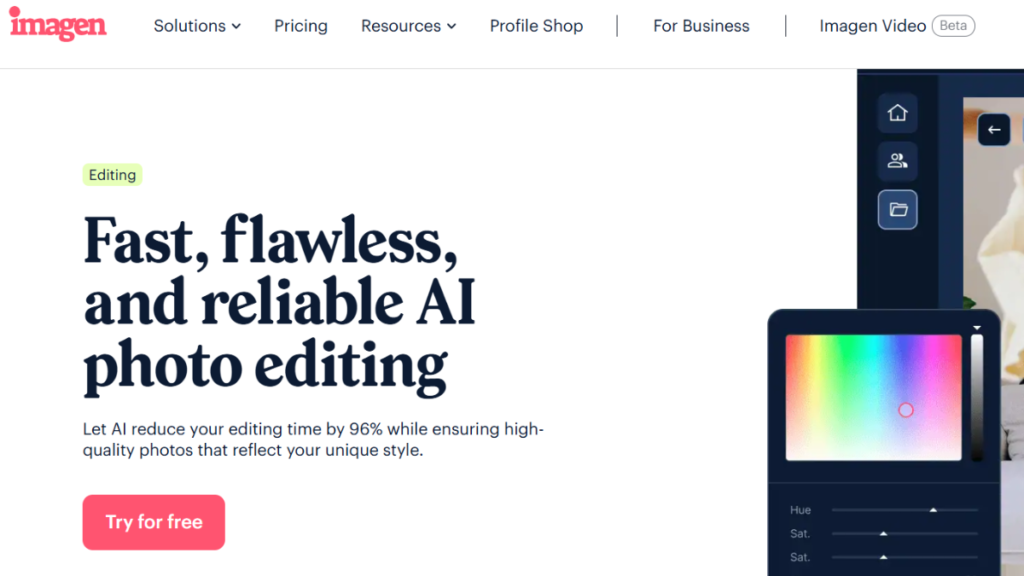
Imagen AI is a top choice for wedding photographers seeking advanced AI-powered editing. The platform specializes in wedding photo culling and editing large wedding galleries, automating repetitive tasks to save time. Imagen’s AI analyzes each photo for sharpness, exposure, and facial expressions, quickly identifying the best shots for further editing. The tool learns from your preferences, ensuring that results align with your style over time. For those interested in AI capabilities, learning how to create an image with ai can open up additional creative possibilities.
Imagen offers customizable parameters, allowing photographers to set their own criteria for photo selection and wedding photo enhancement. The platform supports batch processing and integrates with popular editing software, making it a seamless addition to any workflow. Imagen’s focus on efficiency and quality makes it a standout photo editor for wedding pictures, delivering professional results with minimal manual effort.
Imagen AI Key Features:
- AI Culling: Automatically selects the best photos based on user-defined criteria.
- Customizable Parameters: Set your own editing preferences for consistent results.
- Batch Processing: Edit thousands of wedding pictures quickly and efficiently.
- Style Learning: AI adapts to your editing style over time.
How to Use for Wedding Pictures:
Upload your wedding gallery to Imagen AI and customize your editing parameters. Let the AI cull and select the best photos, then apply batch edits for color correction and retouching. Review the results and make any final adjustments. Imagen AI is a powerful photo editor for wedding pictures, perfect for photographers handling large volumes of images.
Adobe Lightroom: Industry-Standard Wedding Photo Editor

Adobe Lightroom remains a cornerstone in the world of professional photo editing, especially for wedding photographers. Its non-destructive editing and robust photo management tools make it a preferred photo editor for wedding pictures. Lightroom excels at color correction, exposure adjustments, and noise reduction, ensuring that every image is polished to perfection. If you’re deciding between editing platforms, read about photoshop vs lightroom for photo editing to understand which suits your workflow best. The platform’s intuitive interface allows for quick wedding photo batch editing, while its integration with Photoshop enables advanced retouching.
Lightroom’s presets and profiles offer a wide range of styles, from classic to contemporary, making it easy to achieve a consistent look across an entire wedding gallery. The software’s cloud-based system ensures that edits are accessible from any device, providing flexibility for on-the-go photographers. Adobe Lightroom is a versatile and powerful photo editor for wedding pictures, trusted by professionals worldwide.
Adobe Lightroom Key Features:
- Non-Destructive Editing: Preserve original photos while making adjustments.
- Batch Processing: Edit multiple wedding pictures simultaneously.
- Presets & Profiles: Apply consistent styles across galleries.
- Integration with Photoshop: Seamless workflow for advanced retouching.
How to Use for Wedding Pictures:
Import your wedding photos into Lightroom and apply presets for a consistent look. Use the color correction and exposure tools to enhance each image, then batch edit for efficiency. Export your final gallery for delivery. Adobe Lightroom is a reliable photo editor for wedding pictures, delivering professional results with ease.
DxO PhotoLab: Advanced Image Quality Editor

DxO PhotoLab is renowned for its exceptional noise reduction and automatic lens corrections, making it a valuable photo editor for wedding pictures. The platform focuses on image quality restoration and detail enhancement, ensuring that every photo is crisp and vibrant. For photographers shooting in RAW format, exploring raw photo editors can help you understand the full capabilities of professional editing tools. DxO PhotoLab’s streamlined interface is designed for efficiency, allowing photographers to quickly process large wedding galleries. The software’s advanced algorithms automatically correct lens distortions and chromatic aberrations, saving time on manual fixes.
DxO PhotoLab also offers powerful color grading tools, enabling photographers to achieve a consistent look across all images. Its focus on quality and ease of use makes DxO PhotoLab a top choice for wedding photographers seeking professional results. When combined with other best photo enhancing software, it creates a powerful editing workflow.
DxO PhotoLab Key Features:
- Noise Reduction: Advanced algorithms for clean, vibrant images.
- Lens Correction: Automatic fixes for distortions and aberrations.
- Color Grading: Apply consistent tones across wedding galleries.
- Efficient Interface: Streamlined workflow for fast editing.
How to Use for Wedding Pictures:
Import your wedding photos into DxO PhotoLab and let the software automatically correct lens distortions. Use the noise reduction and color grading tools to enhance each image, then batch edit for consistency. DxO PhotoLab is a high-quality photo editor for wedding pictures, perfect for photographers focused on detail and clarity.
ON1 Photo RAW: AI-Powered Wedding Photo Editor
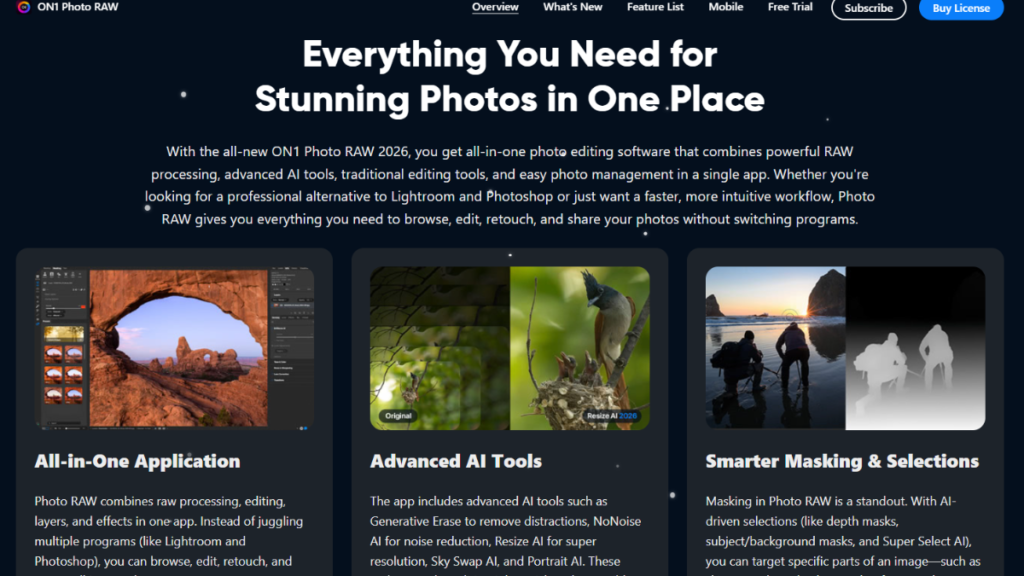
ON1 Photo RAW is designed specifically for wedding and event photographers, offering AI-powered editing tools and batch processing capabilities. The platform’s AI retouching features perfect skin in seconds, while batch editing tools ensure consistency across entire galleries. ON1 Photo RAW’s advanced retouching features allow photographers to remove distractions and enhance details, delivering professional results quickly. The software’s intuitive interface makes it easy to navigate, even for beginners. ON1 Photo RAW is a smart and efficient photo editor for wedding pictures, ideal for photographers on tight deadlines.
ON1 Photo RAW Key Features:
- AI Retouching: Instant skin and detail enhancement.
- Batch Editing: Consistent results across large galleries.
- Distraction Removal: Effortlessly remove unwanted elements.
- User-Friendly Interface: Easy to use for all skill levels.
How to Use for Wedding Pictures:
Upload your wedding photos to ON1 Photo RAW and use the AI retouching tools to enhance skin and details. Apply batch edits for consistency, and remove distractions as needed. ON1 Photo RAW is a fast and efficient editor for wedding pictures, perfect for busy photographers.
Evoto AI: User-Friendly Wedding Photo Editor
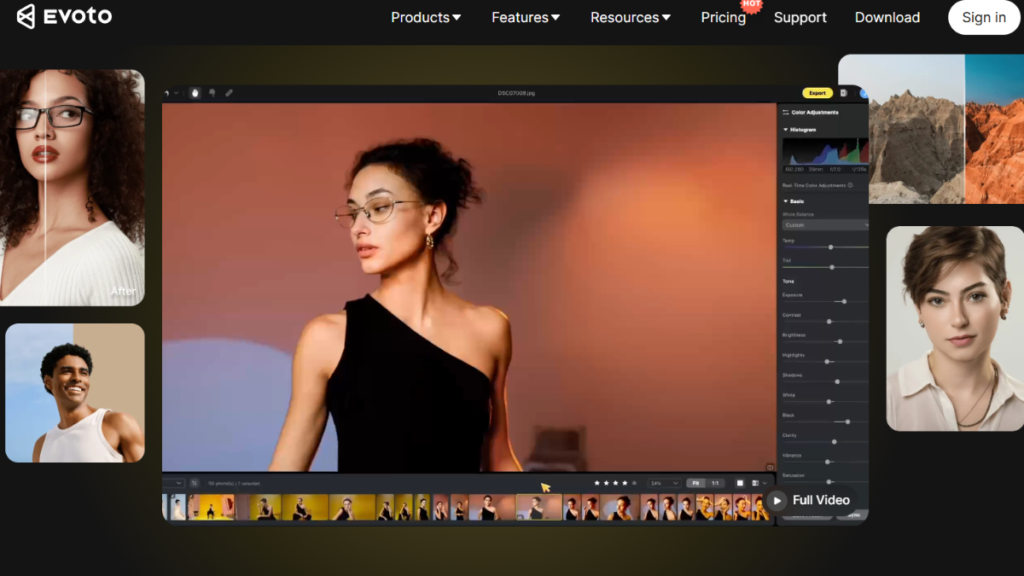
Evoto AI is a user-friendly photo editor for wedding pictures, offering a pay-as-you-go approach and AI-powered enhancements. The platform provides a range of features specifically designed for weddings, including gorgeous presets, background editing, and dazzling effects. Evoto AI’s intuitive interface makes it easy for photographers to achieve professional results without a steep learning curve. The software’s AI analyzes each photo and applies optimal adjustments, ensuring that every image is polished and vibrant. If you need additional background resources for your wedding photos, browse through stock image websites for high-quality options. Evoto AI is a versatile and efficient photo editor, ideal for photographers seeking quick, high-quality results.
Evoto AI Key Features:
- AI Enhancements: Automatic color, lighting, and focus adjustments.
- Wedding Presets: Pre-designed styles for wedding photos.
- Background Editing: Customize backgrounds for creative effects.
How to Use for Wedding Pictures:
Upload your wedding photos to Evoto AI and select a preset for a consistent look. Use the AI enhancements to optimize each image, and experiment with background editing for creative effects. Evoto AI is a user-friendly photo editor for wedding photos, delivering professional results with ease.
Common Wedding Photo Editing Mistakes to Avoid
Avoiding common mistakes is crucial when using a photo editor for wedding pictures. Even the most advanced tools can’t compensate for poor editing choices that detract from the natural beauty and emotion of wedding photos. Here are the most frequent errors to watch out for:
- Over-Editing Skin: Excessive skin retouching can make portraits look artificial and remove the couple’s unique features. Always aim for a natural finish that preserves skin texture and expression.
- Inconsistent Color Grading: Applying different presets or color adjustments across a gallery can create a disjointed look. Stick to a cohesive style that matches the mood and lighting of the wedding day.
- Ignoring the Background: Neglecting background distractions or clutter can draw attention away from the couple. Use tools to remove or blur unwanted elements for a cleaner composition.
- Overusing Filters and Effects: Heavy filters or dramatic effects can overpower the photo’s authenticity. Use creative enhancements sparingly to complement, not dominate, the image.
- Forgetting to Back Up Originals: Always keep unedited versions of your wedding photos before making major edits. This ensures you can revert if needed and preserves the original memories.
- Not Considering Client Preferences: Ignoring the couple’s style or cultural traditions can result in edits that don’t resonate with them. Communicate and tailor your editing approach to their vision.
By avoiding these common wedding photo editing mistakes, you can deliver professional, authentic results that truly capture the spirit of the day and impress every couple.
Final Thoughts
In the end, choosing the right photo editor for wedding pictures can make a huge difference in the quality and emotional impact of your work. The best tools help you enhance details, correct colors, and create a consistent look that truly tells the story of the couple’s special day. Remember, avoiding common mistakes like over-editing, neglecting backgrounds, or inconsistent styles will ensure your photos look professional and authentic.
With the right editing software, you can turn ordinary shots into breathtaking memories that clients will cherish forever. Whether you are a beginner or a seasoned professional, investing in the proper tools and applying thoughtful editing techniques will elevate your wedding photography. Every picture has a story. Make sure your edits highlight it beautifully, leaving a lasting impression on everyone who sees your work.

Leave a Reply