

In today’s fast-paced business world, keeping projects on track is challenging. Teams often face missed deadlines, scattered tasks, and unclear responsibilities. Microsoft Project Management Software provides a structured platform to plan, organize, and track projects efficiently. It acts as a single hub for all project information. This helps managers and team members stay aligned and focused.
Think of it as a digital command center for your team. Instead of juggling spreadsheets, emails, and chat apps, everything is in one place. It simplifies complex workflows and improves collaboration. Managers can track progress in real time and adjust schedules quickly. Overall, it ensures projects move forward smoothly and efficiently.
Next, let’s explore what this software does and its purpose. It organizes tasks, streamlines workflows, and gives a clear overview of projects. Complex projects are broken into manageable parts, with responsibilities assigned and progress tracked in real time. It helps teams work efficiently, improves communication, and keeps deadlines on track. Essentially, it acts as a digital hub, keeping everyone aligned and projects moving smoothly.
Meaning and Core Purpose
Microsoft Project management software is a digital tool designed to help teams plan, organize, and track projects efficiently. It takes complex workflows and breaks them into clear, manageable steps, allowing tasks to be assigned, monitored, and completed on time. This ensures projects run smoothly and reduces the chance of missed deadlines or confusion.
At its core, the software provides complete visibility across all project elements, including milestones, deadlines, resources, and progress tracking. Managers can quickly see which tasks are on schedule, which need attention, and how resources are being used. This transparency improves decision-making and keeps everyone aligned.
Additionally, it enhances collaboration by centralizing project information in one platform. Teams can communicate, share updates, and track changes without relying on scattered emails or spreadsheets. This level of organization is similar to the structure offered by the Best IT Project Management Software, ensuring tasks remain clear and deadlines are consistently met.
Step-by-Step Guide – How to Use Microsoft Project Management Software
Using Microsoft Project Management Software becomes much easier when you follow a structured and methodical approach. By breaking down the process into clear steps, teams of any size can stay organized, avoid confusion, and ensure that every task is accounted for. This step-by-step guide provides a practical framework to plan, assign, and track work efficiently, helping teams deliver projects on time while maintaining clarity and accountability throughout.
Step-by-Step Process:
- Set up your workspace: Begin by creating a new project. Define its scope, objectives, and expected outcomes. This helps everyone understand the project’s purpose and direction.
- Add tasks: Break the project into smaller tasks and subtasks. Include detailed descriptions so each team member knows exactly what to do.
- Assign responsibilities: Allocate tasks to team members according to their skills and roles. Clearly defined responsibilities reduce confusion and improve accountability.
- Set deadlines and milestones: Establish realistic timelines for each task and identify key milestones. Milestones help track progress and keep teams motivated.
- Track progress: Use dashboards, Gantt charts, and Kanban boards to monitor task completion in real time. Visual tracking makes it easier to spot delays or bottlenecks.
- Adjust schedules: Projects rarely go exactly as planned. Update timelines, reassign resources, and reprioritize tasks as necessary. Flexibility ensures projects stay on track.
- Generate reports: Regularly review reports on project status, resource utilization, and overall performance. These insights help managers make informed decisions and optimize workflow.
By following these steps, teams can maintain clarity, improve efficiency, and reduce errors. The software acts as a central hub, allowing everyone to stay informed and aligned. Regular updates and real-time tracking ensure that deadlines are met and goals are achieved with minimal stress. When combined with the Best Project Tracking Software, these practices become even more effective, helping teams stay organized and consistently deliver high-quality results.
Popular Microsoft Project Management Tools
Microsoft Project Management Software provides several tools, each tailored to different team sizes, workflows, and project complexity. These tools help teams plan, track, and execute projects efficiently while improving collaboration and visibility.
1. Microsoft Project

Microsoft Project is a comprehensive project planning and management tool designed for professionals who need detailed control over timelines and resources. It allows users to create advanced Gantt charts, manage task dependencies, and monitor budgets. Integration with Microsoft Office 365 enables seamless collaboration with Excel, Teams, and Outlook. Its strong scheduling and tracking capabilities make it suitable even for industries that require strict planning, such as companies seeking Construction Project Tracking Software for managing labor, materials, and deadlines.
Key Features:
- Advanced Gantt charts for task scheduling and dependencies
- Resource management and workload allocation
- Budget tracking and cost management
- Customizable dashboards and reporting tools
- Integration with Microsoft Office 365 apps
2. Project Online
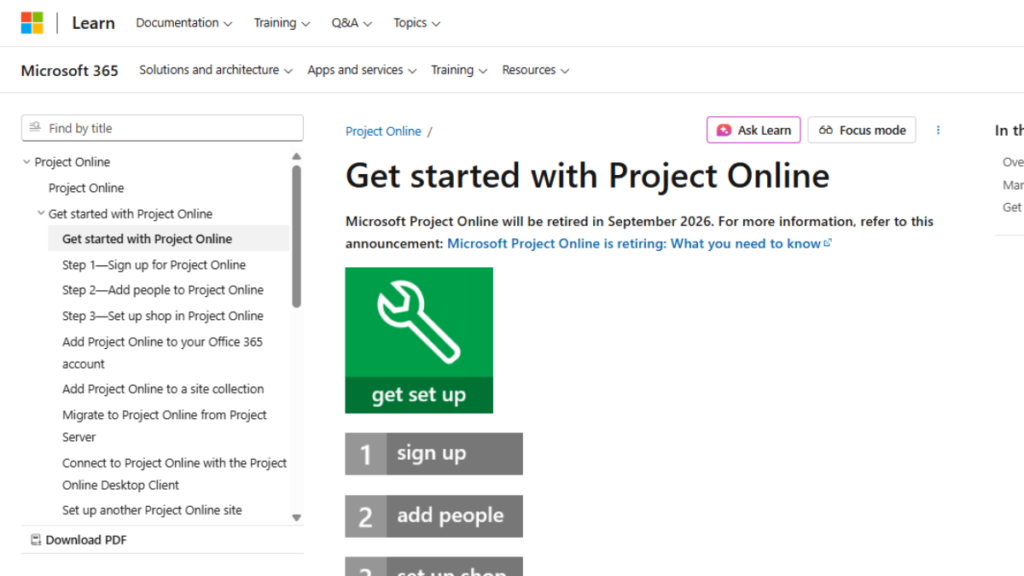
Project Online is a cloud-based version of Microsoft Project, designed for organizations that require remote access and scalability. It enables teams to collaborate in real time, manage portfolios, and track resources across multiple projects. Because it is cloud-based, it offers flexibility for hybrid or remote teams, ensuring updates and project changes are instantly visible to all stakeholders. Project Online also includes analytics and reporting tools to help decision-makers monitor performance and optimize resource usage.
Key Features:
- Cloud-based access for anywhere, anytime collaboration
- Portfolio and resource management for multiple projects
- Real-time updates, notifications, and collaboration tools
- Built-in analytics and reporting for project oversight
- Advanced security and role-based permissions
3. Microsoft Planner
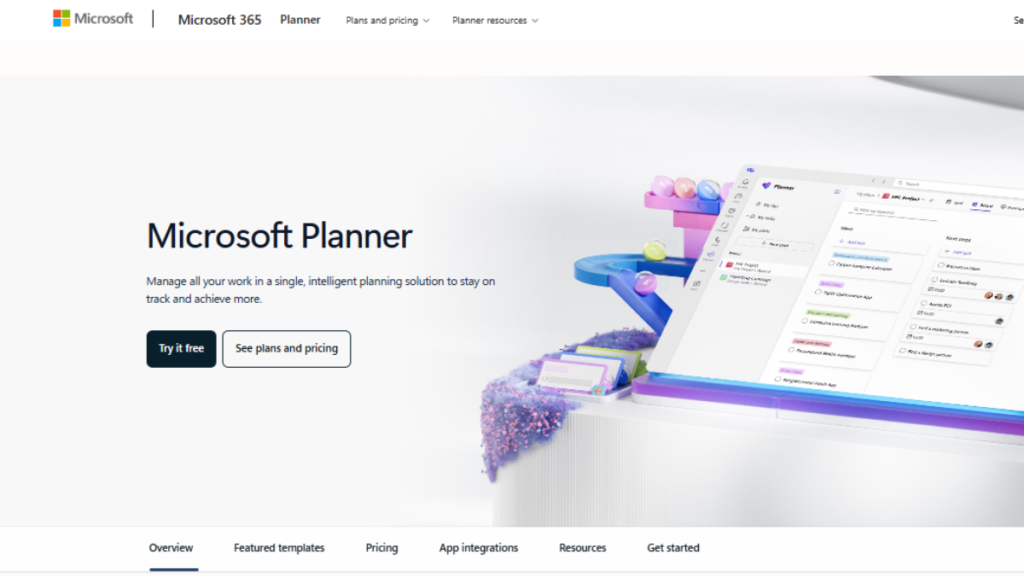
Microsoft Planner is a lightweight, visually-oriented project management tool suitable for small to medium-sized teams. It uses boards, buckets, and color-coded tasks to organize work clearly. Teams can easily assign tasks, set due dates, and track progress with visual charts. Planner integrates with Microsoft Teams, making it easier to communicate and update tasks in a central workspace. It is perfect for daily task management and simpler projects where quick updates and clarity are priorities.
Key Features:
- Visual task boards with buckets and color-coded tasks
- Drag-and-drop task management for easy updates
- Team dashboards to monitor progress at a glance
- Integration with Microsoft Teams and Outlook
- Notifications and reminders for task deadlines
4. Azure DevOps
Azure DevOps is a specialized tool designed for software development teams. It combines agile project planning, version control, continuous integration, and automated testing within a single platform. Azure DevOps allows developers to plan sprints, track bugs, and manage code repositories efficiently. It is ideal for technical projects that require coordination between developers, testers, and project managers, ensuring software is delivered on time and meets quality standards.
Key Features:
- Agile boards and sprint planning for software projects
- Git and TFVC version control for code management
- Continuous integration and deployment pipelines
- Bug tracking, testing, and quality assurance tools
- Analytics and reporting for project performance
Why Choose Microsoft Project Management Software?
Microsoft Software stands out with its flexibility, scalability, and seamless integration with other Microsoft applications, making it a dependable choice for businesses of all sizes. Whether you’re managing IT operations, construction work, or enterprise-level portfolios, its features are comparable to the Best Program Management Software used in large organizations.
Reasons to prefer Microsoft Project Management Software:
- Comprehensive Planning: Offers tools for task scheduling, resource allocation, and timeline management, helping teams plan projects thoroughly.
- Real-Time Collaboration: Cloud-based solutions like Project Online enable teams to collaborate from anywhere, ensuring everyone stays aligned.
- Integration with Microsoft 365: Seamlessly works with Outlook, Teams, Excel, and SharePoint, improving workflow efficiency.
- Scalability: Suitable for small teams as well as large enterprises managing complex portfolios.
- Improved Visibility: Dashboards and reports provide clear insights into project progress, resource utilization, and potential bottlenecks.
- Accountability and Transparency: Clearly defines roles, responsibilities, and deadlines to keep teams accountable.
Additionally, Microsoft Project Management Software adapts to different methodologies, whether you follow Agile, Waterfall, or hybrid project management approaches. Its advanced reporting and analytics help managers make informed decisions, reduce risks, and ensure projects are delivered on time.
In summary, choosing Microsoft Software helps teams work smarter, stay organized, and achieve consistent project success.
Comparison Table of Microsoft Project Management Tools
Here’s a clear and detailed comparison of the popular Microsoft project management tools to help you choose the right one for your needs:
| Tool Name | Best For | Ease of Use | Key Features | Performance |
|---|---|---|---|---|
| Microsoft Project | Large, complex projects | Medium | Gantt charts, task dependencies, resource & budget tracking, reporting dashboards | High |
| Project Online | Remote or distributed teams | Easy | Cloud access, portfolio management, real-time updates, advanced security | High |
| Microsoft Planner | Small to medium-sized teams | Very Easy | Visual task boards, drag-and-drop tasks, team dashboards, task notifications | High |
| Azure DevOps | Software development projects | Medium | Agile boards, version control, CI/CD pipelines, bug tracking, testing tools | High |
Summary:
- Microsoft Project handles highly detailed and large-scale projects effectively.
- Project Online excels for cloud-based collaboration and multi-project management.
- Microsoft Planner is simple, visual, and perfect for day-to-day task tracking.
- Azure DevOps helps technical teams implement agile workflows and streamline development.
Microsoft’s ecosystem handles large, complex workflows with deep planning tools. By contrast, tools like Asana Project Management Software are often preferred for smaller teams and collaborative task tracking where ease of use and quick setup matter most.
Conclusion
Microsoft Project Management Software transforms how teams plan, track, and execute projects. It brings structure, clarity, and efficiency to workflows, reducing errors and improving collaboration. By using these tools, teams can break complex projects into manageable tasks, assign responsibilities clearly, and monitor progress in real time.
Choosing the right Microsoft project management tool whether it’s Microsoft Project, Project Online, Planner, or Azure DevOps, depends on your team size, project complexity, and workflow needs. Each tool offers unique features that improve visibility, accountability, and overall project success.
In summary, adopting Microsoft Project Management Software helps teams work smarter, meet deadlines, and achieve better results. It acts as a central hub that keeps everyone aligned, simplifies communication, and ensures projects are delivered efficiently, making it an indispensable asset for modern businesses.
