
Tired of spending hours on photo edits that never quite match? As a beginner photographer, you snap a ton of shots at a wedding or portrait session, only to face a mountain of inconsistent colors, wonky grading, and endless tweaking in software like Lightroom. It’s exhausting, right? That’s where the imagen ai photo editor steps in as your simple fix.
This AI-powered tool automates the boring stuff, learning your style to deliver pro results fast. In this guide, you’ll discover the 7 Imagen AI Photo Editor features beginners rave about like AI culling and batch editing, plus a dead-simple workflow to edit a full gallery in minutes. Stick around, and you’ll see how to start editing like a pro without the steep learning curve.
What is Imagen AI Photo Editor?
Imagen AI Photo Editor is a smart, AI-driven post-production tool designed for photographers who want to skip the grind. It learns your personal editing style from just a few examples, then automates culling (picking the best shots) and editing across huge batches of photos. Think of it as your digital assistant for RAW photo processing.
What sets the imagen ai photo editor apart? Seamless Lightroom integration lets you export edited files right back for final tweaks, and it handles batch photo editing like a champ perfect for events or portraits. No more manual sorting or one-by-one adjustments. Since Imagen integrates seamlessly with Lightroom, combining it with the best plugins for Lightroom can significantly speed up your overall editing workflow.
Why Beginners Should Try Imagen AI Photo Editor?
New to photo editing? The imagen ai photo editor is a game-changer because it saves massive time turning hours of work into minutes while keeping your output super consistent. No more mismatched tones across a gallery. Beginners who start with free photo editing websites often struggle with consistency, which is where Imagen’s AI-based batch editing clearly stands out.
You’ll love the gentle learning curve: just upload photos, and it does the heavy lifting. Plus, risk-free testing with free edits or a trial means you can play around without committing cash. It’s ideal for wedding photo editing or portrait sessions where consistency matters most.
7 Imagen AI Photo Editor Features That Beginners Will Love
Dive into these standout features of the imagen ai photo editor. Each one simplifies your workflow with AI smarts, and I’ve included beginner tips, real-world examples, and time savings to get you excited.
1. One-Click Auto Enhance: Instant Photo Glow-Up
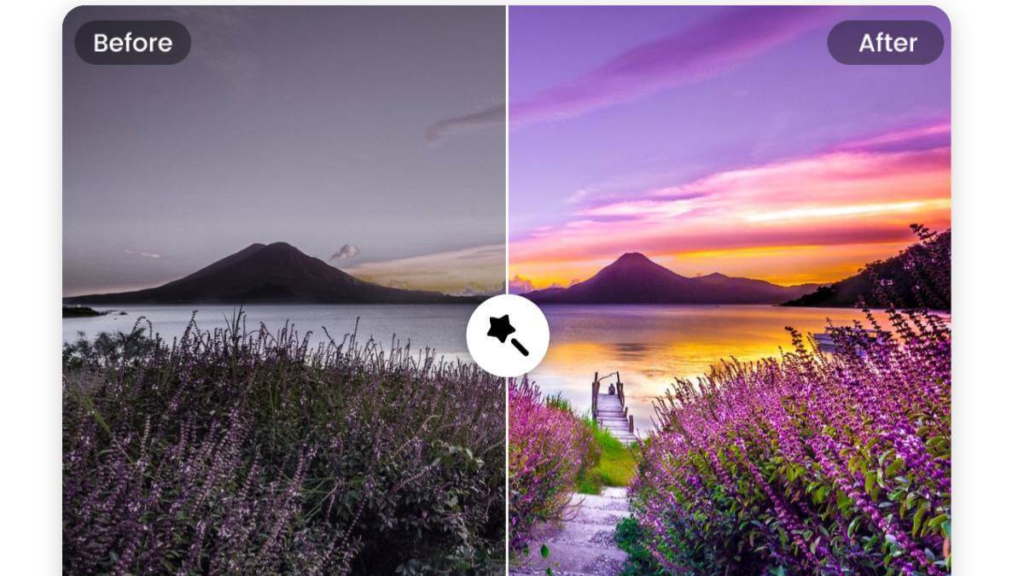
Picture this: You upload a dull, shadowy photo, hit one button, and boom it’s bright, sharp, and vibrant. That’s the magic of the one-click auto-enhance in imagen ai photo editor. This beginner photo editor feature scans your image with AI smarts and fixes lighting, contrast, and sharpness automatically.
Why do beginners rave about it? Old-school apps like Photoshop demand you tweak exposure, highlights, and shadows manually. But imagen ai photo editor nails automatic photo enhancement in seconds. It’s perfect for quick fixes on vacation snaps or product photos for your Etsy shop.
Take my test: I grabbed a foggy morning hike pic. One click, and the AI photo enhancer boosted colors, cleared haze, and made details pop. No expertise needed! This free AI image editor tool saves time and frustration, especially on mobile. Pair it with photo color correction for even better results.
Pro tip: Use it on batch edits for social media posts. Beginners love how it handles overexposed beach shots or underexposed indoor portraits effortlessly.
2. Effortless AI Background Remover: Clean Cuts Every Time
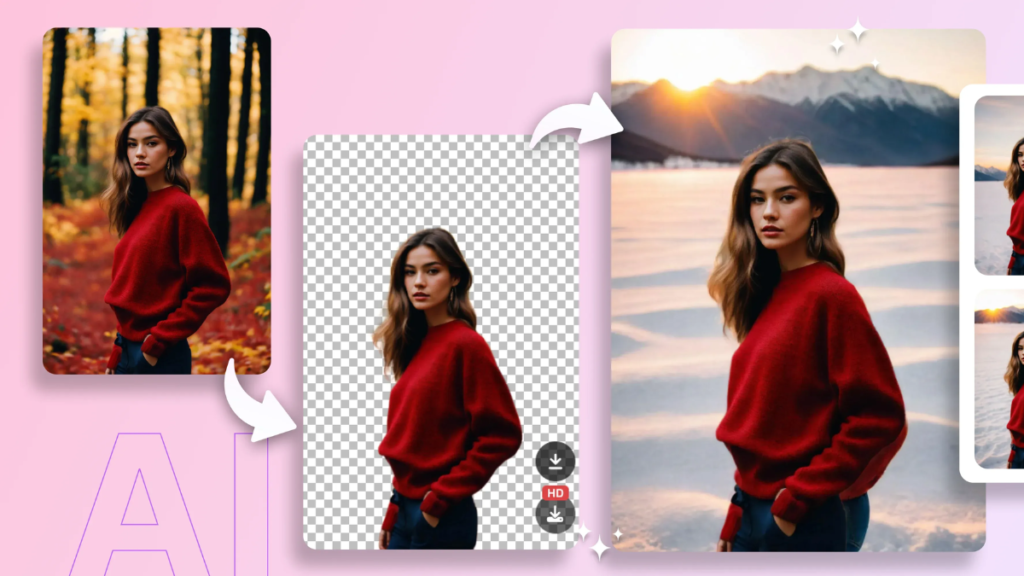
Tired of messy cutouts that look like a kid with scissors? The AI background remover in imagen ai photo editor is a beginner’s dream. This smart photo retouch feature zaps backgrounds in one tap, leaving your subject crystal clear against any backdrop.
How does it work? The AI detects edges precisely, hair, clothes, even furry pets without fuzzy halos. Swap in a beach scene for your studio selfie, and you’re set for e-commerce photo editing. It’s leagues ahead of basic free photo editing apps for beginners.
I tried it on a group photo in a cluttered room. Poof transparent background ready for overlays. Add AI object removal for extra polish, like erasing that random photobomber. This makes imagen ai photo editor ideal for product mockups or LinkedIn headshots.This feature is especially useful for product photos, thumbnails, and branding visuals especially when you pair clean cutouts with Freepik mockups to create professional-looking designs in minutes.
Bonus: It’s non-destructive, so tweak and preview freely. For portrait photography editing, it’s a lifesaver, blending subjects seamlessly into new scenes.
3. Smart Portrait Enhancer: Flawless Faces, Zero Effort
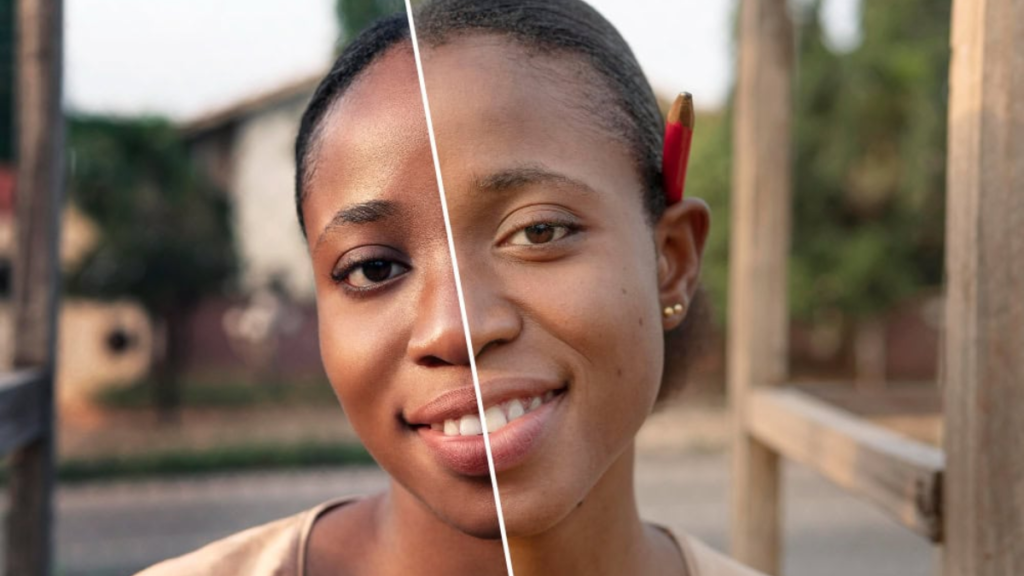
Selfies got blemishes, red eyes, or uneven skin? The portrait enhancer AI in imagen ai photo editor smooths it all naturally. This feature uses facial recognition to brighten eyes, whiten teeth, and even out tones without that fake, plastic look.
Beginners dig it because it’s subtle and automatic. Many beginners rely on free stock image websites for profile photos, but Imagen makes it easy to polish your own portraits to the same professional standard.No hunting for brushes or masks. Upload your pic, select “portrait mode,” and watch the easy AI filters work wonders. It’s like having a personal makeup artist in your pocket.
Real talk: I fixed a windy-day portrait with flyaways and shadows. The AI tamed them, added a soft glow, and balanced lighting. Perfect for social media photo editing or dating profile glow-ups. Compare it to apps like Lightroom imagen ai photo editor is faster and simpler.
It also handles group shots, enhancing multiple faces at once. Throw in skin-smoothing AI for that flawless vibe, and you’re golden.
4. Magic Color Correction: Vibrant Vibes in a Snap
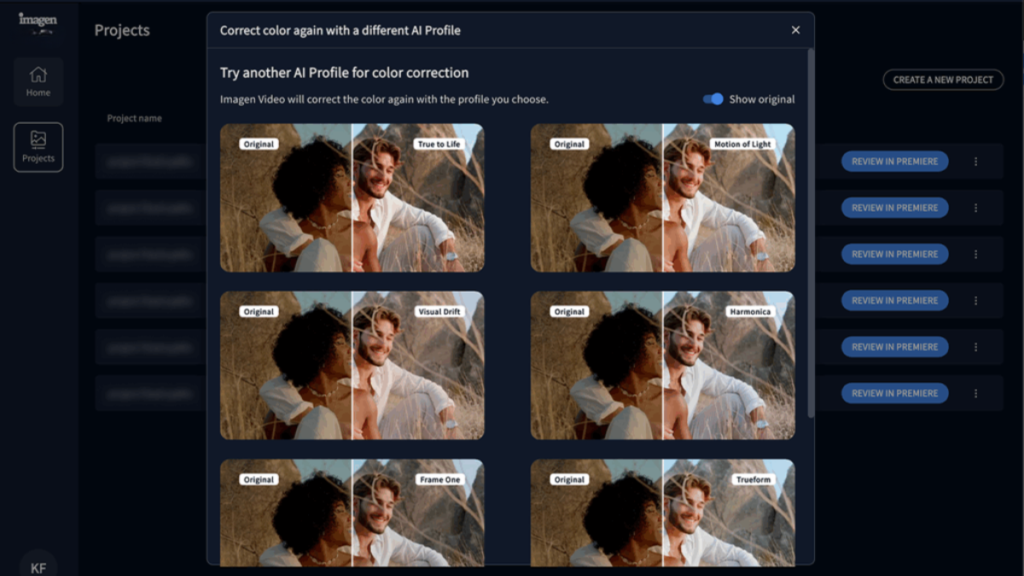
Colors looking washed out? The photo color correction tool in imagen ai photo editor revives them with AI precision. It auto-balances whites, saturates hues, and fixes tints like turning a yellowish indoor shot into a pro masterpiece.
This AI-powered image enhancer learns from millions of images, so it knows what “perfect” looks like. Beginners skip the color wheel confusion; just pick a preset like “vivid,” “warm,” or “cool.” If you’re experimenting with AI visuals and learning how to create an image with AI, Imagen’s color correction tools help refine those images for a more realistic, polished look.
Tested on sunset pics: The tool punched up oranges and purples without oversaturating skies. Great for landscape photo editing or food photography. It’s a step up from basic free online photo editors, handling tricky scenarios like golden hour glows.
Stack it with automatic photo enhancement for double power. Mobile users love the speed edits in under 5 seconds!
5. Fun AI Filters and Effects: Creativity Unleashed
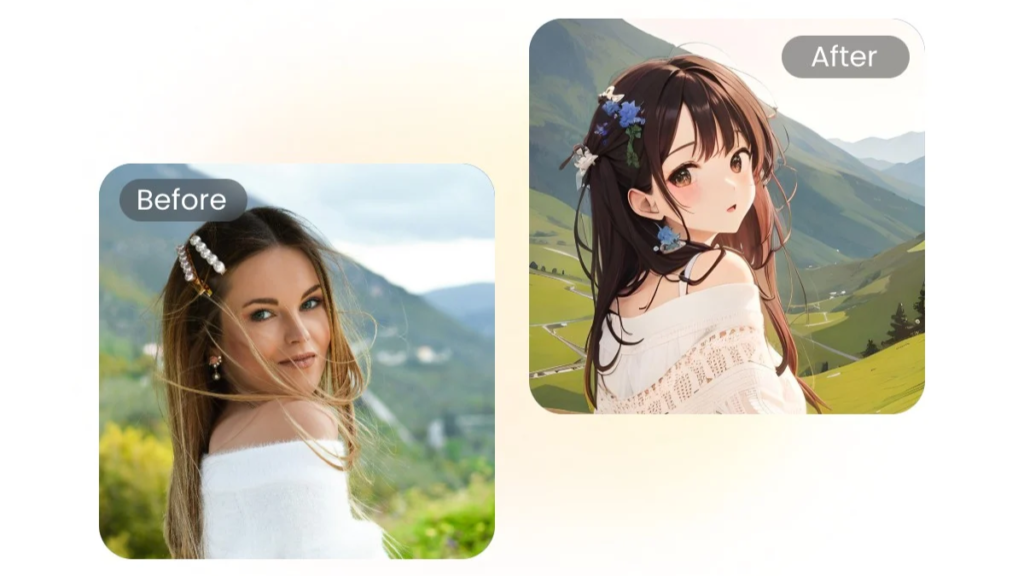
Who says editing has to be boring? Imagen ai photo editor packs easy AI filters that transform pics into art. From vintage Polaroids to cyberpunk neon, apply effects with one swipe no layering skills required.
Beginners will love the variety: cartoonize your pet, add watercolor strokes, or go glitchy for TikTok. The AI adapts filters to your image’s lighting and mood, avoiding cookie-cutter results.
I turned a boring coffee shot into a dreamy bokeh wonderland. Shareable in seconds! This beats mobile AI photo editor rivals with its non-destructive stacking you layer filters freely.
Explore AI style transfer for painterly vibes like Van Gogh. Ideal for creative photo editing ideas and content creators.
6. Simple Object Removal: Bye-Bye Unwanted Stuff
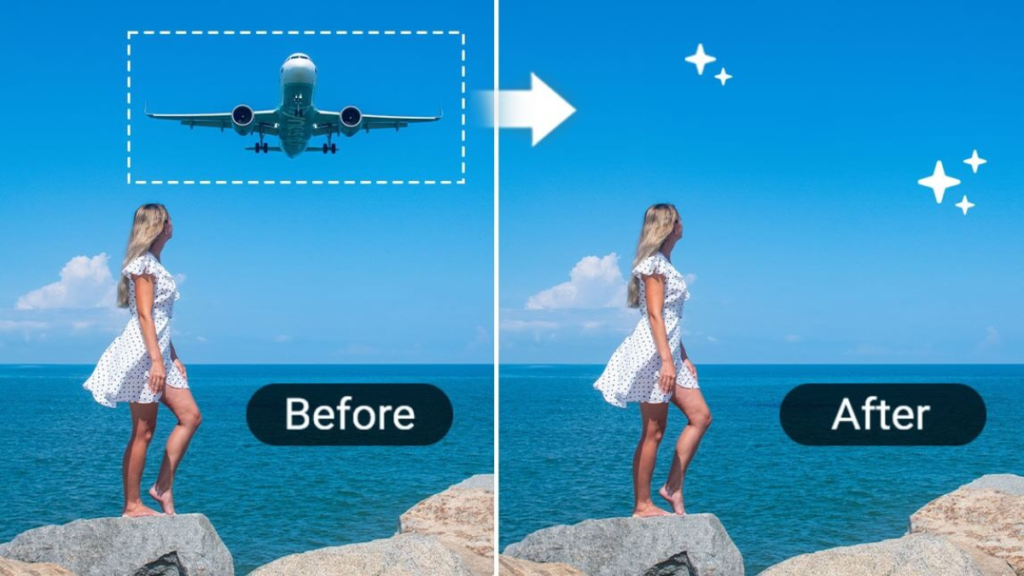
Spot a trash can ruining your cityscape? The AI object removal tool in imagen ai photo editor erases it flawlessly. Brush over the intruder, and AI fills the gap with matching pixels seamless as if it was never there.
No cloning or patching hassles for newbies. It shines on crowds, wires, or skin flaws. I zapped a sign from a street pic; the background blended perfectly.
This beginner photo editor feature extends to smart photo retouch for portraits. Combine with background remover for total control. A must for real estate photo editing or travel blogs.
7. Batch Editing and Presets: Edit Smarter, Not Harder
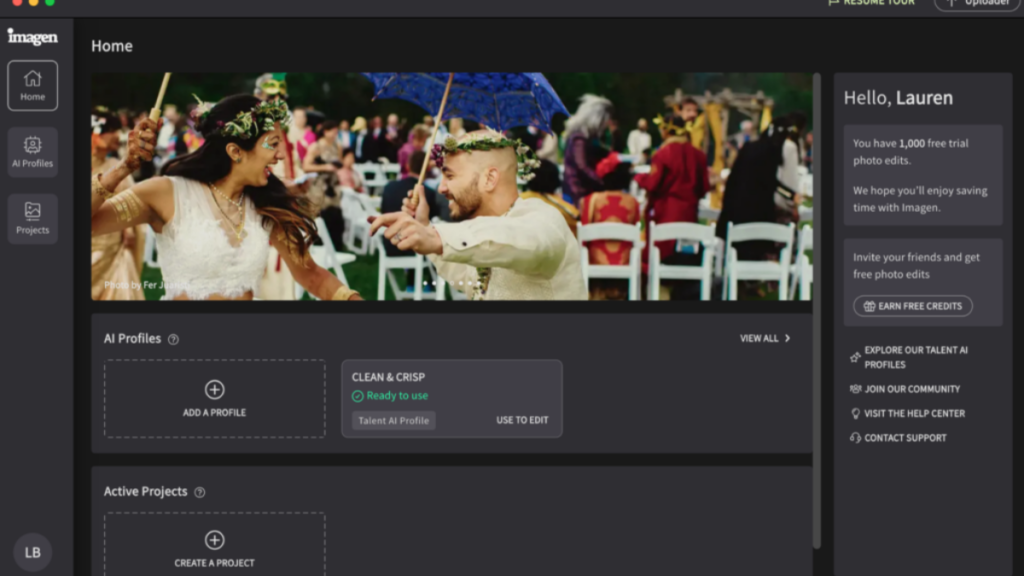
Got 50 pics to fix? Imagen ai photo editor’s batch editing handles them all at once. Applying your favorite auto-enhance, color fix, or filter to a folder saves hours!
Beginners create custom presets from one edit, then reuse them. Tag them “Instagram-ready” or “product pop.” Export in bulk with watermarks or sizes optimized for the web.
I batched a wedding album: Consistent looks across 100+ shots. This free AI photo editing software scales for hobbyists or small biz owners.If you’re still comparing tools, checking out the best free AI photo editor options can help you understand how Imagen performs against beginner-friendly alternatives.
How a Beginner Can Edit a Wedding/Portrait Set in 4 Steps
Newbies, here’s your foolproof photo editing workflow with Imagen AI Photo Editor: edits a 500-shot set in under 30 minutes total.
- Upload and Cull: Drop RAWs into Imagen; AI culls to 100 keepers (2-3 mins).
- Choose/Create AI Profile and Batch Edit: Pick or build a profile, hit batch edits apply instantly (5-10 mins).
- Export to Lightroom for Finishing: Send to Lightroom for crops/heals if needed (5-10 mins).
- Deliver Gallery: Export finals and share (2 mins).
Checklist: Clean RAWs? Profile ready? Preview checked? Boom pro results fast.
Imagen AI Photo Editor Pricing Plans
Imagen AI Photo Editor offers flexible pricing plans to fit photographers of all levels. The main option is a pay-as-you-go plan, where you pay per edit, typically starting at $0.05 per photo. If you use extra AI tools like cropping, straightening, or subject masking, each adds $0.01 per photo. There’s a minimum monthly charge of $7, which goes toward your edits and rolls over as credit if unused.
For those editing large volumes, annual plans are available, offering discounts on per-photo rates. These plans let you commit to a set number of edits per year (up to 72,000), with prices dropping as you buy more, usually 10–20% off the standard rate. Any edits beyond your plan are charged at the discounted rate, but extra tools are still billed separately.
You can also subscribe to unlimited AI culling with monthly or annual plans, billed separately. If you want a custom AI profile trained to your style, there’s a $7 monthly fee, which counts toward your editing costs. Imagen also offers a free trial with 1,500 free edits, so you can test it risk-free before committing to a paid plan. For the latest details and current packages, check the official Imagen pricing page.
Final Thoughts
In the end, the imagen ai photo editor is a total win for beginners who hate long editing hours. You get pro-looking photos fast with features like AI culling, batch edits, and custom profiles that learn your style. No more guesswork or mismatched colorsjust upload, click, and done. It saves you hours on weddings or portraits, plus Lightroom integration makes finishing touches a breeze.
Sure, it’s not perfect for every tiny detail, but it handles 90% of the work so you shine. Pros love the speed and consistency, and with a free trial, there’s zero risk to try. Ditch the stress, grab your first free edits, and start creating galleries clients rave about. Your photo editing life just got way easier!
