

Building a website no longer requires advanced technical skills or a background in web development. Over the past decade, website builders have transformed how individuals, freelancers, startups, and small businesses establish their online presence. Instead of hiring developers or spending weeks learning code, users can now design, publish, and manage websites using intuitive visual tools. Among these modern solutions, the google website builder has gained popularity for its simplicity and deep integration with familiar Google services.
Today, a website acts as more than just an online brochure. It serves as a digital storefront, a portfolio, a communication channel, and often the first impression for potential customers. Visitors expect fast-loading pages, clean layouts, and seamless mobile experiences. Website builders respond to these expectations by offering ready-made templates, responsive designs, and built-in hosting. By reducing costs and development time, these platforms empower users to focus on content, branding, and audience engagement rather than technical barriers.
What Is Google Website Builder?
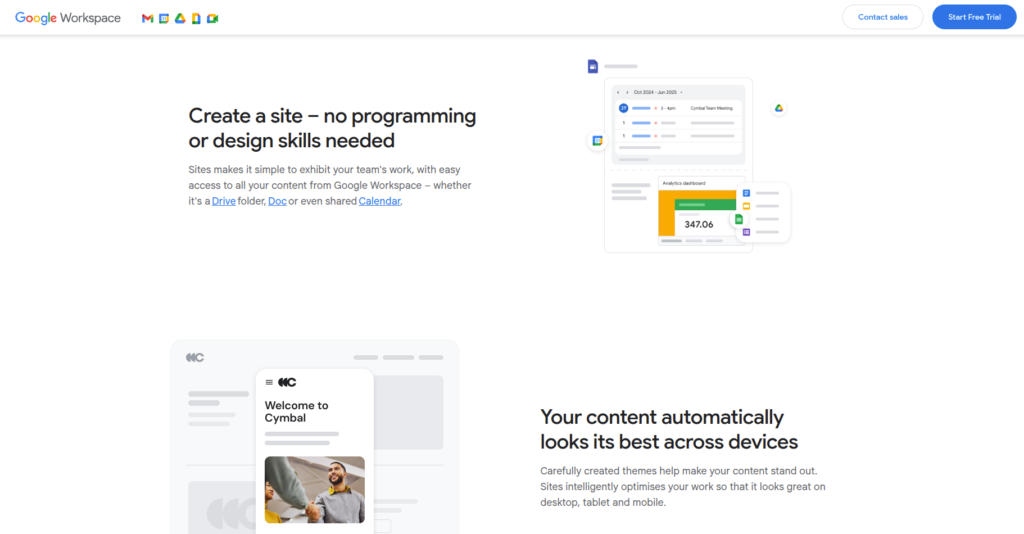
The google website builder refers to Google Sites, a free website creation tool designed to help users build functional and visually clean websites with minimal effort. Google introduced this platform to simplify website creation for beginners, educators, teams, and small organizations that need reliable online spaces without complexity. The tool uses a drag-and-drop interface, allowing users to arrange content visually rather than through code.
Google Sites emphasizes ease of use over advanced customization. It removes the need to manage servers, install software, or configure security settings. Once a site is published, Google hosts it automatically and ensures it remains accessible and secure. Real-time collaboration also plays a major role, as multiple users can edit a site simultaneously. This approach makes Google Sites especially effective for internal company pages, project hubs, portfolios, and informational websites where clarity and speed matter more than design flexibility.
Getting Started with Google Sites
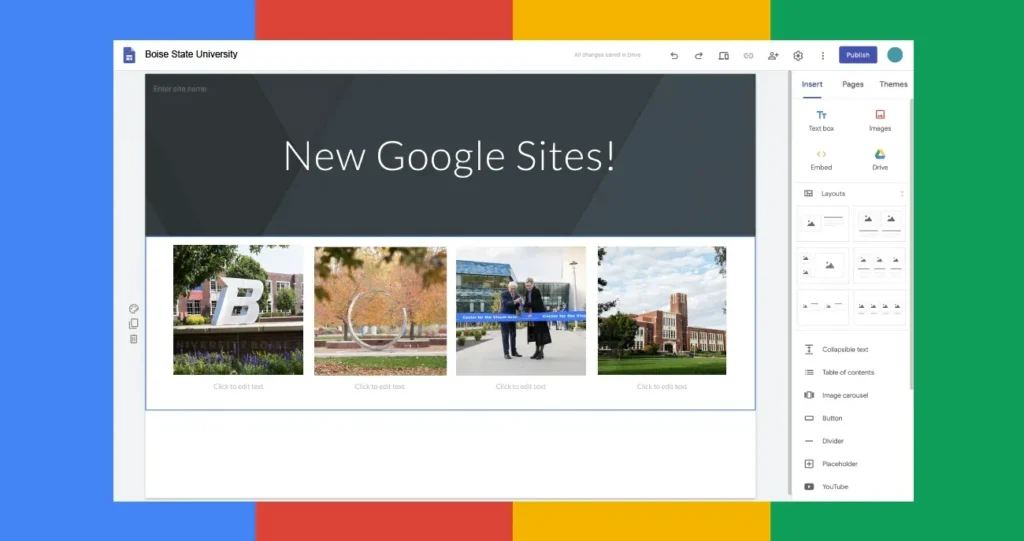
Getting started with the google website builder is remarkably straightforward. Users only need an active Google account to begin creating a website. After logging in, they can choose from a selection of pre-designed templates or start with a blank layout for full control over structure. The interface mirrors other Google Workspace tools, making it instantly familiar to many users.
Adding new sections, images, videos, or text blocks takes just a few clicks.
Users can rearrange content visually and preview how pages will appear on different screen sizes. Publishing the website happens instantly, without requiring a separate hosting service or technical setup. Google automatically manages updates, performance, and availability. This smooth onboarding process allows beginners to move from concept to live website in a matter of hours, making it an excellent solution for time-sensitive projects.
Design and Customization Options
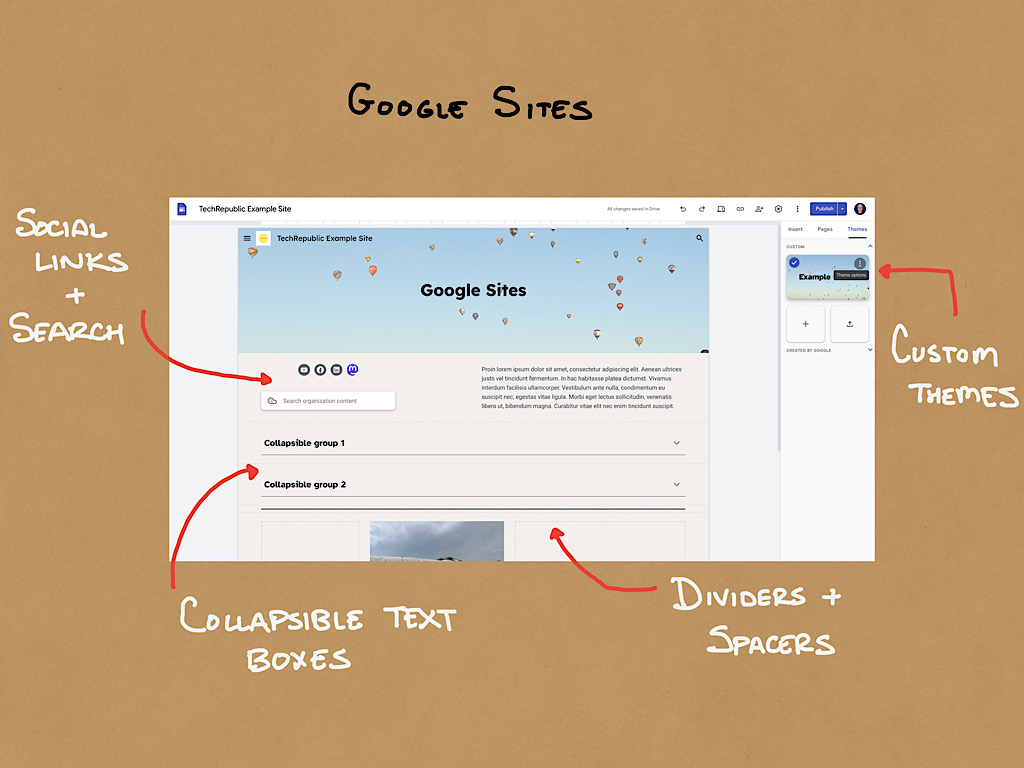
Design quality strongly influences how visitors perceive a website. The google website builder offers a selection of clean, modern templates that maintain consistency across pages and devices. These templates automatically adapt to mobile, tablet, and desktop screens, ensuring a responsive user experience without additional configuration.
Customization options focus on simplicity rather than complexity. Users can adjust fonts, color schemes, layouts, and section spacing to reflect their branding. While advanced designers may find these controls limited, many beginners benefit from the structured approach. The platform prevents overly complex layouts and encourages visual balance. By guiding users toward clean designs, Google Sites helps maintain professionalism and usability, even for those without prior design experience.
Content Creation and Media Integration
Strong content keeps visitors engaged, and the google website builder simplifies content creation through seamless media integration and intuitive editing tools. Users can add text, images, embedded videos, Google Maps, calendars, and forms directly into pages without relying on external plugins or third-party services. The drag-and-drop interface allows creators to organize content logically, highlight key information, and maintain visual consistency across pages with minimal effort.
The platform integrates deeply with Google Drive, making it easy to display documents, spreadsheets, presentations, and PDFs directly on a website. These embedded files remain live, meaning updates made in Drive automatically reflect on the site without re-uploading content. This feature proves especially valuable for educators, businesses, and teams that rely on Google Workspace for daily operations. YouTube videos integrate natively, ensuring smooth playback, fast loading times, and optimal performance across devices. Additionally, built-in version control and collaborative editing allow multiple contributors to manage content efficiently. By eliminating technical friction, the builder enables creators to focus on storytelling, clarity, and communication rather than formatting challenges or compatibility issues.
SEO and Performance Considerations
Search engine visibility plays a critical role in a website’s success. While the google website builder does not provide advanced SEO controls, it covers essential optimization needs effectively. Users can edit page titles, URLs, and meta descriptions to improve discoverability in search results. Google also automatically applies HTTPS security and performance optimizations.
Performance stands out as one of the platform’s strongest advantages. Websites load quickly because Google hosts them on its global infrastructure. Mobile responsiveness comes built-in, ensuring consistent experiences across devices. Although professional marketers may prefer platforms with deeper SEO customization, beginners benefit from automated performance and security features that reduce technical overhead and improve reliability without extra effort.
Comparing Google Website Builder to Other Platforms
When comparing the google website builder to other website creation tools, its simplicity becomes its defining feature. Platforms such as the shopify website builder or other commerce-focused solutions prioritize online selling, inventory management, and payment processing. Google Sites, in contrast, focuses on content-driven websites rather than transactional ones.
Users searching for an ecommerce website builder may find Google Sites limiting due to its lack of native shopping cart features. However, for informational websites, team portals, event pages, and landing pages, it performs exceptionally well. The choice between platforms depends on project goals. Users who prioritize speed, collaboration, and ease of use often favor Google Sites, while those focused on selling products require more specialized tools.
Who Should Use Google Website Builder?
The google website builder works best for individuals and organizations that value simplicity, collaboration, and reliability. Educators use it to create classroom websites and resource hubs. Businesses rely on it for internal documentation, onboarding portals, and knowledge bases. Freelancers and professionals publish portfolios and personal websites efficiently.
Small businesses that do not need complex selling features can establish a credible online presence quickly. While it may not serve as the best ecommerce website builder for small business, it excels at clarity and accessibility. Users who want a low-maintenance solution with minimal technical involvement often find Google Sites meets their needs perfectly.
Limitations to Keep in Mind
Despite its strengths, the google website builder has notable limitations. Customization options remain basic, and users cannot edit underlying code or install plugins. The platform also offers fewer third-party integrations compared to larger website building platform ecosystems.
Ecommerce functionality remains minimal, which limits scalability for online sellers. Additionally, users cannot easily migrate their sites to other platforms if requirements change. These constraints make Google Sites ideal for specific use cases rather than complex, long-term commercial projects. Understanding these limitations helps users make informed decisions and avoid challenges as their digital needs evolve.
How Google Website Builder Fits into the Website Builder Landscape
Within the broader digital ecosystem, the google website builder earns recognition as one of the top ten website builders for ease of use, reliability, and accessibility. Instead of competing directly with feature-heavy platforms, it fills an important gap by supporting users who value speed, simplicity, and minimal setup. As an online webpage creator, it lowers the barrier to entry by removing technical requirements such as hosting configuration, security management, and manual updates. This approach enables users to publish professional-looking websites quickly while maintaining consistent performance and usability.
Many businesses and individuals begin their digital journey with Google Sites and later transition to more advanced platforms as their needs evolve. This gradual approach allows users to experiment, learn, and grow without unnecessary financial or technical risk. Google Sites works especially well as a starting point because it supports:
- Quick deployment, allowing websites to go live in hours rather than weeks
- Low operational costs, since hosting and maintenance come included
- Scalable learning, helping users understand website structure before upgrading
- Reliable performance, backed by Google’s infrastructure
- Collaborative workflows, ideal for teams and educational environments
This flexibility makes Google Sites a practical foundation for testing ideas, building confidence, and establishing a credible online presence before committing to more complex solutions.
Conclusion
Choosing the right website tool significantly impacts how smoothly your project develops, from the initial setup to long-term maintenance. The google website builder provides a dependable, beginner-friendly solution for users who want fast results without technical complexity. Its tight integration with Google services, real-time collaboration features, and automated performance optimizations allow users to focus on creating meaningful content rather than managing technical details. This simplicity makes it especially valuable for individuals, educators, and small teams that need a reliable online presence without ongoing maintenance challenges.
While it does not replace advanced design or ecommerce platforms, it excels within its intended scope by delivering clarity, speed, and stability. For anyone aiming to create an informative, clean, and accessible website quickly, Google Sites remains a practical choice. By clearly defining your goals, understanding platform limitations, and planning for future growth, you can confidently choose a website solution that supports your needs today while leaving room for expansion tomorrow.

Leave a Reply