

Imagine you’ve just crafted the world’s most brilliant logo or an app interface so sleek it could make Elon Musk jealous (Just Joking). But then, Plot twist, you send it to your client, and all they see is a flat image on a boring white background. Their reaction? Crickets. Now picture dropping that same design onto a realistic, stylish mug or a trendy smartphone mockup. Boom! Suddenly, they’re drooling with excitement.
That, my friend, is the magic of freepik mockup templates. These beauties turn your blah designs into jaw-dropping presentations without breaking a sweat. Whether it’s packaging, T-shirts, or digital screens, mockups bridge that gap between cool ideas and real-world “wow” moments. In this guide, you’ll discover the best freepik mockup templates every designer needs.
What Are Mockup Templates?
A mockup template is a pre-designed visual framework or digital file that allows designers to showcase how their design work will look in a realistic setting. It acts as a high-fidelity static representation of a final product, displaying elements like logos, typography, color schemes, and layouts placed on objects or digital screens to give an authentic preview.
These templates are crucial because they provide a polished, near-realistic visualization that helps bridge the gap between concept and reality. Designers use mockup templates to present their ideas more tangibly and professionally, helping clients and stakeholders visualize how designs will appear in real life before actual production or development. This not only enhances communication but also streamlines feedback, reduces costly errors, and accelerates the decision-making process during product development.
Why Do Designers Need Mockup Templates?
Designers need mockup templates because they bridge the gap between abstract design concepts and real-world applications. By using mockups, they can:
- Bridge the Gap Between Abstract Ideas and Reality: Designers need mockup templates because they transform abstract design concepts into concrete, real-world applications that clients and stakeholders can easily understand.
- Communicate Design Intent Clearly: Mockups visually express your design ideas in a detailed and realistic way, reducing misunderstandings by ensuring clients and teams share a unified vision.
- Receive Early and Valuable Feedback: Showing near-final visuals through mockups invites precise feedback from clients and collaborators early in the process, facilitating timely improvements.
- Save Time and Effort in Presentation: By placing designs into ready-made, professionally crafted scenes like packaging, apparel, devices, or printed materials, designers avoid building visuals from scratch, speeding up workflows.
- Test Design Variations in Context: Mockup templates enable designers to experiment with different design options in practical settings, helping choose the best-performing variations.
- Enhance Marketing and Portfolio Appeal: Using polished mockup imagery makes presentations, portfolios, and marketing materials more engaging and persuasive, attracting more clients and boosting credibility.
In essence, mockup templates streamline the creative process, improve collaboration, and increase the chances of client approval by transforming digital designs into convincing, real-life previews that tell a compelling visual story. This makes them indispensable tools in graphic design, web and app development, product branding, and marketing workflows.
The Best Freepik Mockup Templates for Designers
Now, let’s delve deeper into standout Freepik mockup templates that cover a wide range of design categories from branding and packaging to digital screens and fashion. Each category not only serves a specific function but also tells its own visual story, helping you showcase your work in the most compelling way possible.
1. Social Media Mockups:
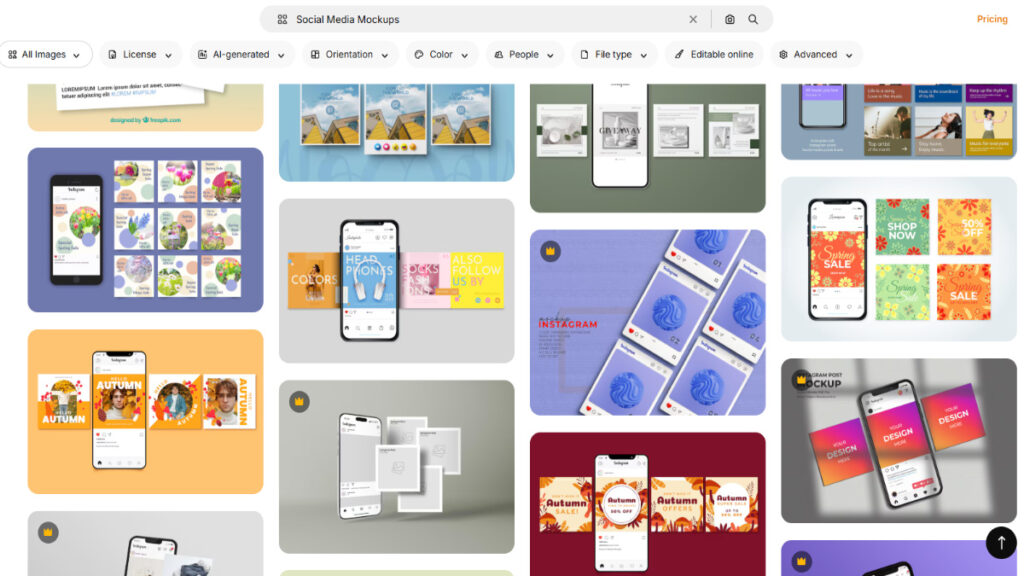
For brands that thrive on social media marketing, nailing a consistent and professional visual identity is more than just a nice-to-have; it’s essential. Instagram and social media platforms are visual playgrounds where every post, story, and carousel competes for attention. That’s why free mockups, like the ones from Freepik, are absolute game-changers.
They let you see how your Instagram posts, stories, and multi-image carousels will actually look before you hit “publish.” No more awkward last-minute surprises or posts that clash with your carefully crafted feed theme.
Why They Work:
Mockups streamline your content planning and brand assessment, saving you serious time and headaches. They help ensure your tone and style are consistent across all your socials. You get to preview colors, layouts, fonts, and logos in context side-by-side, making sure everything aligns.
Pro Tip:
Use Instagram story mockups to design your story highlights. This guarantees a uniform, polished look that helps your brand stand out from the endless scroll.
Campaign Planning Made Visual and Easy
Think beyond one-off posts. Social media mockups empower you to visualize entire campaigns across platforms. You’ll see how your messaging flows from post to story to carousel, so your audience gets a cohesive experience, not a random mix of content.
This visual planning leads to smarter refinements, stronger brand recall, and ultimately, campaigns that hit harder and convert better.
2. Branding Stationery Mockups
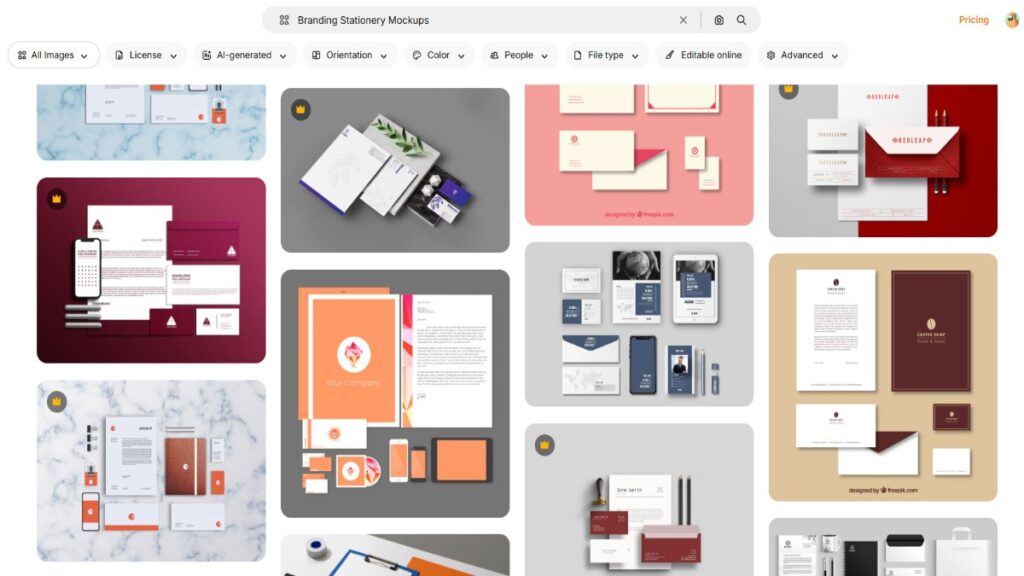
When you work on brand identity or corporate design, showcasing how a logo or brand elements extend across different stationery is crucial. Freepik offers a dedicated section filled with professional stationery mockups. These typically include elegant presentations of letterheads, business cards, envelopes, notebooks, and pens, artfully arranged on clean, minimalistic backgrounds that let your branding shine.
Why They Work:
The secret behind their effectiveness lies in how they unify your brand visuals across tangible corporate materials. Instead of just showing a logo on its own, you display a living, breathing brand identity that clients can realistically imagine using in everyday business settings. This cohesive showcase builds client trust and confidence by providing a tangible sense of how their brand looks in action.
Pro Tip:
Opt for minimalist stationery mockups with neutral tones. Such color schemes don’t compete with vibrant logos but enhance them, giving a balanced, professional finish.
Using Branding Mockups for Brand Guidelines:
Beyond client presentations, stationery mockups are incredibly effective when composing brand guideline documents. Including these mockups ensures that anyone, whether clients or internal teams, can easily visualize how logos, colors, and fonts should be applied consistently across multiple materials. This use of mockups helps maintain brand integrity as the business expands and different marketers or designers handle the branding.
3. Device and UI Mockups
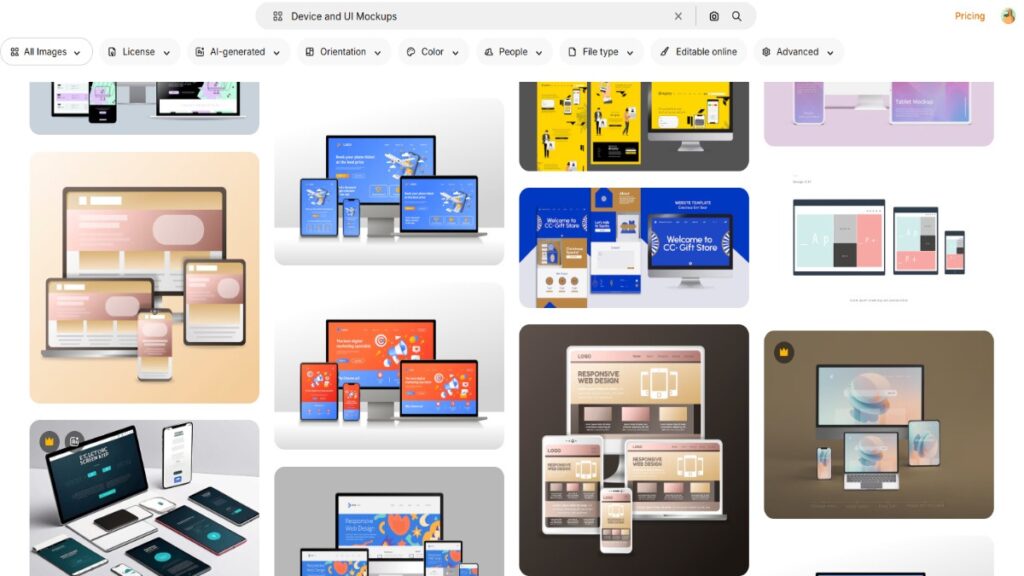
UI and web designers often struggle with flat screen presentations. Freepik’s device mockups solve this by adding depth, realism, and professional context to every interface. These templates showcase designs on iPhones, laptops, tablets, and smartwatches, so designers present their work in a polished real-world environment. They also help clients visualize the final user experience clearly, making approvals faster and smoother.
Why They Work:
These mockups highlight the polished usability and modern look of your designs, making them instantly more engaging. They help clients clearly understand how users will interact with the app or website in real scenarios. As a result, clients make decisions faster and approve concepts with greater confidence.
Pro Tip:
Select mockups with gradient backgrounds or soft shadows that project a sleek, futuristic vibe, making your interfaces pop.
Showing User Interaction with Device Mockups:
Incorporating images of hands holding devices or gestures (such as tapping or swiping) adds narrative depth. It helps stakeholders visualize user interaction flows, improving understanding of complex UX designs beyond static screenshots.
4. Product Packaging Mockups
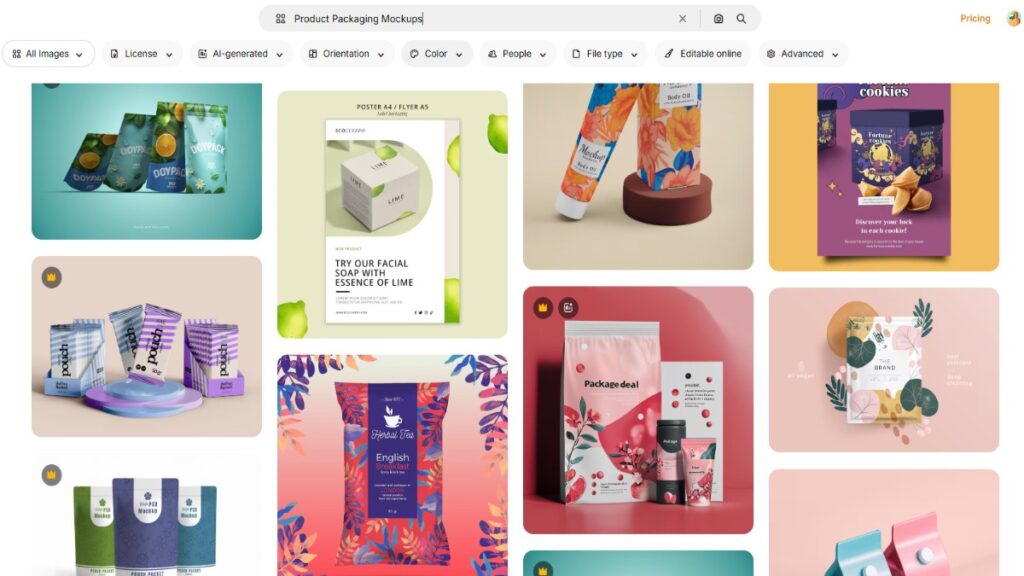
Packaging is where design creativity meets physical reality. Freepik’s product packaging mockups shine by offering ready-made, photorealistic scenes from coffee bags and cosmetic bottles to eco-friendly food boxes. These mockups don’t just present a flat design; they impart depth, realistic textures, and accurate lighting, showcasing how your packaging will appear on retail shelves.
Why They Work:
By transforming flat graphics into three-dimensional, touchable products, these mockups tell a compelling story about your design’s market presence. They help clients visualize the final product, making approvals faster and more confident.
Pro Tip:
Choose packaging mockups with natural shadowing to increase realism and appeal.
Using Packaging Mockups to Test Brand Impact:
Packaging mockups are excellent tools for experimenting with variations such as switching between a matte or glossy finish, tweaking color schemes, or relocating labels. These visual tests allow clients and designers to fine-tune their branding before production, ensuring the final product is not only attractive but strategically effective in enticing consumers.
5. T-Shirt and Apparel Mockups
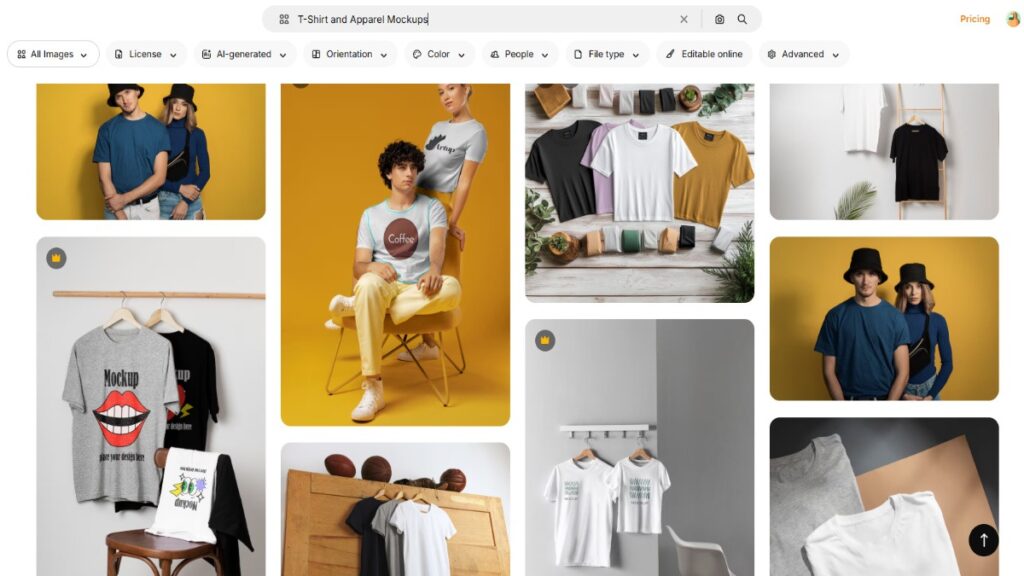
For fashion designers and merch creators, Freepik’s apparel mockups are essential. These templates let you showcase logos, patterns, or artwork on realistic items like cotton t-shirts, hoodies, tote bags, and caps.
Why They Work:
People connect more easily to tangible items. When designs appear on garments modeled by real people or neatly folded, clients and shoppers can better imagine wearing the product, helping to increase desire and trust in your designs.
Pro Tip:
Maintain consistent models and garment colors across product shots to ensure a harmonious, professional look throughout your online store or portfolio grid.
Additional insights – Seasonal Collections and Apparel Mockups:
Using specialized apparel mockups for seasonal collections, whether warm-knit sweaters for winter or bright tees for summer, can visually tie your merchandise to current trends. This seasonal adaptation of your mockups helps build excitement and urgency among potential buyers, boosting marketing effectiveness.
6. Poster and Frame Mockups
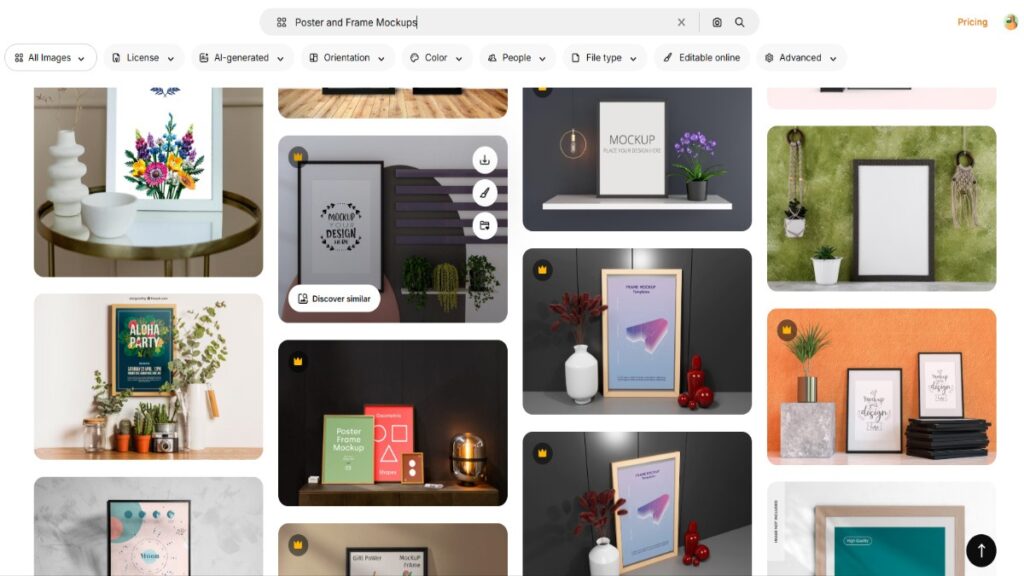
Artwork, posters, and photography deserve high-quality display formats to truly shine. Freepik’s poster and frame mockups place your digital prints in aspirational settings, whether cozy living rooms or trendy cafes, that emotionally engage viewers.
Why They Work:
They transform your work from artwork to lifestyle statement. Viewers start imagining the pieces adorning their own walls, increasing appeal and perceived value.
Pro Tip:
Use soft vignette or blur effects to subtly focus the audience’s attention on the main artwork.
Interior Design Presentations:
Pair framed poster mockups with interior design elements like furniture and décor to create full-room visualizations. This approach helps interior designers and artists sell complete aesthetics rather than individual pieces, boosting client satisfaction and commissioning chances.
How to Use Freepik Mockups Effectively?
Even the best mockup template needs a thoughtful presentation. Here’s a simple guide to getting the most out of your Freepik mockup downloads.
- Choose the right mood: Match the lighting and background with your brand’s tone. For example, clean white settings work well for tech, while warm tones suit organic brands.
- Pay attention to resolution: Use high-resolution Freepik PSD mockups to avoid pixelation when exporting.
- Keep it simple: Don’t overcrowd the canvas. Let your design breathe.
- Add subtle shadows and reflections: These small effects can elevate realism.
- Maintain color accuracy: Colors may appear differently depending on the background. Always test before finalizing.
By following these steps, your mockup presentations will stand out in any portfolio or client meeting.
Final Thoughts
In the fast-paced world of design, mockup templates aren’t just nice-to-haves; they’re essential. They turn your amazing ideas from flat files into vivid, real-life visuals that clients actually get and get excited about. Freepik mockup templates make this process effortless, letting you save time, test creative variations, and present your work like a true pro.
Whether you’re showcasing branding, packaging, apparel, or digital interfaces, these templates bridge the gap between imagination and reality, helping you impress clients, boost your portfolio’s wow factor, and win more projects. So next time you’re tempted to send a plain JPG, remember: life’s too short for bad presentations. Grab the right Freepik mockup and turn your designs into showstoppers. Your creativity (and your clients) will thank you.

Leave a Reply