
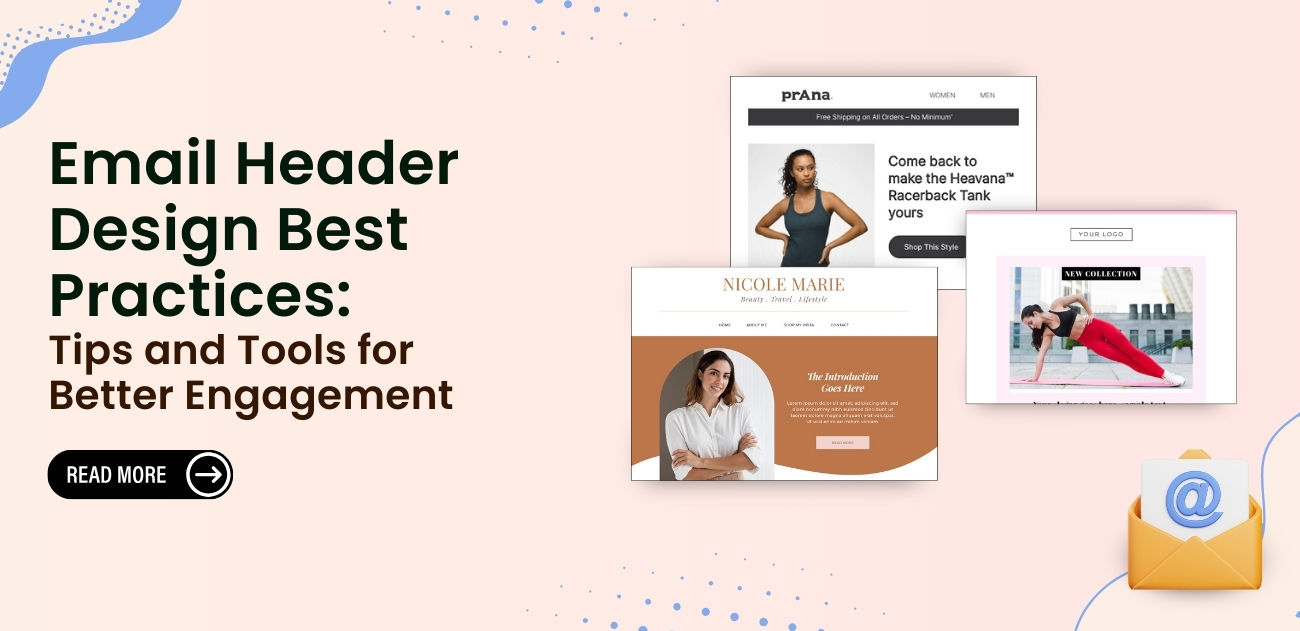
Email header design is one of the most influential yet underestimated components of an email marketing campaign. The header is the first thing subscribers notice, and it immediately sets the overall tone of the message. A well-structured header builds familiarity, strengthens recognition, and helps subscribers quickly identify who the message is from. Consistent use of logos, colors, and style not only reinforces brand identity but also builds trust with your audience over time. Interactive or visually appealing headers can create curiosity, prompting readers to explore the email content further.
By investing time in designing a strong header, marketers ensure their emails stand out in crowded inboxes, making the campaign more memorable and increasing the likelihood of conversions. A thoughtfully designed header also improves readability by adding structure and visual hierarchy. When crafted carefully, it enhances user experience, reduces friction, and makes your email feel more polished, professional, and engaging from the very first glance.
Why Email Header Design Matters
Email header design plays a critical role in shaping how recipients perceive and interact with your emails. It is the first visual element users notice, and within seconds, it determines whether the email feels trustworthy, relevant, or worth reading. A well-crafted header builds instant brand recognition by consistently showcasing your logo, colors, and visual style, helping subscribers quickly identify your message in a crowded inbox.
Beyond first impressions, email headers guide user behavior. A clear and structured header improves readability by setting visual hierarchy and preparing readers for the content that follows. When users immediately understand who the email is from and what to expect, they are more likely to scroll, engage, and take action. Email header design also supports marketing and conversion goals. Strategically placed links, calls to action, or promotional highlights can direct users to key pages such as products, blogs, or limited-time offers without disrupting the email flow. This makes the header a functional tool, not just a decorative element. Most importantly, consistent and thoughtful header design builds trust over time. Familiar visuals create a sense of reliability, which increases open rates, click-throughs, and long-term subscriber engagement. In short, effective email header design strengthens brand identity, improves user experience, and directly contributes to better campaign performance.
Essential Email Header Design Requirements
| Requirement | Guideline |
| Header Width | 600–700px (standard safe width for all email clients) |
| Header Height | Keep between 100–200px (avoid tall headers) |
| Header images | Under 300KB ( Max 1MB ) |
| Format | PNG for logos/graphics, JPG for photos |
| Font Size | 16–20px for readability |
| Color Contrast | Strong contrast for accessibility and clarity |
| Alt Text | Add alt text for all header images |
| Testing | Test in Gmail, Outlook, Apple Mail, and mobile clients |
Make a Great First Impression With a Striking Email Header
An email header is the first visual and contextual touchpoint your reader encounters. In a crowded inbox, it plays a critical role in capturing attention, setting expectations, and encouraging users to continue reading. With modern email design standards, relying on plain text alone is rarely enough to stand out. A well-designed header combines visuals, messaging, and structure to create immediate impact.
1. Header Image Size
Header image size directly affects visibility, engagement, and conversions. A recommended height of up to 350px ensures that essential elements remain visible “above the fold,” even on smaller screens.
A well-optimized header should immediately communicate three things:
- Sender identity: Displaying your brand name and logo builds trust and helps subscribers instantly recognize who the email is from.
- Email intent: Clearly signaling whether the email is promotional, transactional, or informational prevents confusion and aligns with subscriber expectations.
- Primary CTA: A strong call-to-action in the header guides readers toward the next step and increases the likelihood they’ll continue reading or convert.
Keeping these elements visible without scrolling improves clarity and engagement from the very first glance.
2. Keep It Simple
Simplicity in email header design enhances readability and focus. Excessive visuals, fonts, or messaging can overwhelm readers and dilute your core message.
Using ample white space helps guide the reader’s eye toward a single focal point whether that’s a product, headline, or offer. Brands known for clean design often rely on:
- Limited color palettes
- Clear typography
- Minimal elements
This approach reduces distraction and ensures the message is easy to understand at a glance, especially on mobile devices.
3. Experiment With Alignment
Text alignment affects both readability and visual balance. While left-aligned text is generally the most readable, experimenting with alignment can add variety and interest to your design.
For example:
- Centered headlines can create symmetry and emphasis
- Left-aligned body text improves scannability
- Mixed alignment can add structure when used thoughtfully
The key is to maintain balance and avoid overcomplicating the layout. Alignment should enhance clarity, not hinder it.
4. Use Color to Attract Attention
Color is one of the most powerful tools in email header design. Strategic color choices help guide attention, evoke emotion, and highlight important elements.
Bright or contrasting colors can:
- Draw attention to headlines
- Make CTAs stand out
- Improve visual hierarchy
However, color should be used intentionally. Too many bold colors can feel chaotic, while well-planned contrast improves focus and readability.
Recommended Email‑Header / Email Design Tools
1. Brevo

Brevo stands out as a strong choice for email header design because it combines branding control, ease of use, and marketing intelligence in one platform. It allows businesses to design clean, professional headers that instantly reflect brand identity without relying on advanced design software. Using a simple drag-and-drop editor, you can add logos, brand colors, navigation links, promotional text, or CTAs while ensuring the layout remains responsive across all devices. What makes Brevo especially effective is how design aligns with strategy. Email headers can be tailored to different campaign types marketing, newsletters, or transactional emails while staying visually consistent. Its built-in CRM, segmentation, and automation features help ensure headers match the intent of each message, improving relevance and engagement. Strong inbox deliverability ensures that well-designed headers are actually seen, not lost to spam folders.
Brevo also offers excellent value. With a free plan for basic campaigns and affordable, volume-based pricing, it suits both startups and growing businesses. Overall, Brevo delivers the right balance of design flexibility, branding consistency, and long-term scalability, making it a reliable platform for professional email header design.
Key Features
- Brand Library & Auto-Branding: Import logos, colors, and fonts instantly.
- Drag & Drop Editor: Design headers easily with no coding required.
- Personalization Tools: Dynamic subject lines and preview text for higher opens.
- AI Assistance (Aura): Generate engaging subject lines and preheaders.
- Responsive Previews: Perfect display on desktop, tablet, and mobile.
- Advanced Deliverability: BIMI support and strong inbox placement.
2. MailerLite
MailerLite is a smart choice for email header design because it delivers strong design flexibility and marketing features without high costs. Its intuitive drag-and-drop editor makes it easy to build clean, professional headers using logos, images, navigation links, and CTAs, even for beginners. Responsive templates ensure headers look polished across all devices, helping brands maintain consistency and credibility in the inbox. What sets MailerLite apart is how well design integrates with performance-driven tools. Headers can be optimized alongside subject lines, sender names, and content using built-in A/B testing, improving open and click-through rates. Automation, segmentation, landing pages, and pop-ups further support campaigns, ensuring headers align with user intent and brand messaging. Dynamic content on higher plans allows personalized header variations, increasing relevance and engagement.
From a value perspective, MailerLite is highly accessible. The Free plan allows up to 12,000 emails per month and access to core tools like automation, landing pages, and basic design features at no cost, making it perfect for startups and small lists. Paid plans start at around $10/month for the Growing Business tier and around $20/month for Advanced, which unlocks unlimited emails, dynamic content, advanced automations, custom HTML editing, and enhanced support. The pricing scales with your subscriber count, so you only pay for what you need.
Key Features
- Drag & Drop Editor: Build custom headers easily without coding.
- Responsive Templates: Ensure headers display perfectly on all devices.
- Branding Controls: Maintain consistent fonts, colors, and layouts.
- Header Elements: Add logos, images, navigation links, and headlines.
- A/B Testing: Optimize headers with subject line and sender testing.
- Dynamic Content: Personalize headers for different audience segments.
3. Active Campaign

ActiveCampaign is a strong choice for email header design when your goal goes beyond visuals and into performance-driven, personalized campaigns. It allows you to design clean, branded headers using a flexible drag-and-drop editor and professionally built templates, while ensuring consistency across every email through reusable header and footer sections. This saves time and reinforces brand identity automatically across campaigns. What truly makes ActiveCampaign stand out is how deeply header design connects with automation and personalization. Headers can dynamically change based on contact data, behavior, or segments, making emails feel more relevant and timely. This is especially valuable for businesses running complex customer journeys, where headers support context, intent, and conversions rather than just aesthetics. Responsive design ensures headers look polished on all devices, while advanced segmentation and predictive features help maximize engagement.
When you’re ready to upgrade, ActiveCampaign’s paid plans start with the Starter (Lite) plan, which typically begins around $15–$29 per month, depending on your contact list size and billing choice. This entry tier includes essentials like the drag-and-drop email builder, responsive templates, audience segmentation, and basic automation helping you craft branded headers that resonate with audiences. Higher tiers, such as Plus ($49/mo) and Professional ($79–$149+/mo), unlock advanced marketing automation, deeper segmentation, predictive send features, and CRM capabilities, which are ideal if you’re designing complex campaigns or integrating email headers into broader user journeys.
Key Features
- Drag & Drop Builder: Design precise, branded headers with ease.
- Global Header Settings: Maintain consistent headers across all emails.
- Responsive Templates: Mobile-friendly layouts for every screen size.
- Personalization & Merge Tags: Customize headers per contact.
- Dynamic Content: Show different header elements to different segments.
- HTML Editing: Full code control for advanced customization.
4. ConvertKit

ConvertKit is a great choice for email header design because it combines simplicity, usability, and effectiveness, making it ideal for creators, bloggers, and small businesses. Its clean, minimalist email builder allows you to craft professional headers with logos, navigation links, or custom messaging that reinforce brand identity without distracting from the main content. Headers can be paired with visual automation funnels, ensuring each subscriber receives personalized, relevant emails that feel thoughtful and well-designed.
The platform also excels at maintaining consistency across campaigns. With tagging, segmentation, landing pages, forms, and email sequences, you can ensure headers remain uniform while still adapting to subscriber behavior. Pricing starts with a Free plan for up to 300 subscribers, making it beginner‑friendly, while paid plans begin around $15/month for more advanced automation, unlimited emails, and subscriber growth tools. For users who want a straightforward system that supports clean, recognizable header design and reliable deliverability, ConvertKit provides both usability and strategic value.
Key Features (One-Liners)
- Header Sections: Separate header, body, and footer for clear structure.
- Image Insertion: Add logos and visuals to reinforce branding.
- Layout & Styling: Customize text, colors, backgrounds, and spacing.
- Personalization: Include subscriber-specific data for relevance.
- Editing Flexibility: Adjust header content per campaign.
- HTML & Custom CSS: Full control for advanced header design.
Mistakes to Avoid
Even the most visually stunning email headers can backfire if handled incorrectly. Here’s what to watch out for to keep your headers effective:
- Too Much Clutter: Crowding your header with excessive elements confuses readers rather than guiding them. Keep it clean and focused.
- Slow-Loading Images: Large or unoptimized images can delay email loading, frustrating users before they even see your content.
- Oversized Logos: A giant logo can dominate the header and distract from your main message. Aim for balance.
- Excessive Navigation Links: Too many links create decision fatigue highlight only the essentials.
- Poor Color Contrast: Low-contrast text or graphics can make your header unreadable, especially on mobile screens.
- Pushing Content Down: Avoid headers that take up too much vertical space, forcing readers to scroll before seeing your key message.
The goal is a sleek, balanced header that guides readers naturally and supports engagement. Think of your email header as a welcoming doorway: clear, inviting, and perfectly sized for what’s inside.
Conclusion
A strong conclusion to your strategy highlights how focusing on email header design can transform the overall performance of your email marketing efforts. When subscribers open an email, they instinctively look for clarity, structure, and professionalism, all of which begin at the top of the message. A clean, balanced header reassures readers that the email is trustworthy, relevant, and worth exploring. It also enhances brand recall by presenting consistent colors, typography, and visuals that align with your identity. Over time, this familiarity strengthens user confidence and increases engagement rates across different campaigns.
By prioritizing readability, optimizing images, maintaining accessible text, and testing across multiple devices, you create a header that works seamlessly for all subscribers. This attention to detail ensures that your emails load quickly, display correctly, and deliver an inviting first impression. Ultimately, a polished header supports your goals, makes your content more compelling, and helps every campaign achieve better results. better user experience, stronger brand recall, and higher engagement across every campaign.
