
Managing IT projects without the right structure often feels like steering a rocket with loose wires. Tasks pile up, deadlines slip, and communication becomes scattered quickly. Because everything moves so fast in IT, even small gaps in planning can create big setbacks. That’s why choosing the best IT project management software is essential from the start.
Today’s teams deal with shifting requirements, frequent updates, and constant collaboration. So, the right tools help bring clarity. They organise tasks, improve communication, and support workflows like Agile, Hybrid, or Classic. With better visibility, teams stay aligned and deliver work with fewer surprises.
In this guide, we’ll walk through what IT project software actually does, why it matters, and how to choose the right platform. After that, we’ll review the leading tools used by IT teams worldwide. By the end, you’ll know exactly what to look for and how to find your ideal project partner.
What Is IT Project Management Software?
IT project management software is a specialised platform built to manage technology-driven projects from planning to delivery. Unlike simple task tools, it’s designed for rapid changes, technical dependencies, and Agile workflows, all rooted in modern Methodology in Project Management.
Why is it different from basic task tools:
IT teams work in sprints, handle bugs, and manage releases. This software supports those realities instead of static to-do lists.
What it typically does:
- Organises sprints, backlogs, and releases
- Tracks bugs, issues, and dependencies
- Centralises tasks, files, timelines, and communication
- Provides real-time dashboards and reports
According to industry data, teams using IT-focused project tools deliver work up to 27% faster and face 35% fewer missed deadlines. In short, the best IT project management software acts as a digital command centre, giving teams clear visibility into priorities, ownership, and progress—so projects move forward without chaos.
Comparing the Best IT Project Management Software
| Software | Best For | Reviews / Ratings (G2 / Capterra) | Users / Adoption | Pricing (Starting) |
|---|---|---|---|---|
| Jira | Agile development teams | 4.3/5 G2, 4.4/5 Capterra | 180,000+ orgs, millions of users | Free up to 10 users; $7.75/user/mo Standard; $15.25/user/mo Premium |
| ClickUp | Mixed technical & non-technical teams | 4.7/5 G2, 4.8/5 Capterra | 10M+ users, 800,000+ teams | Free; $7/user/mo Unlimited; $12/user/mo Business |
| Azure Boards | Microsoft / DevOps environments | 4.4/5 G2, 4.5/5 Capterra | Millions of developers worldwide, 95% Fortune 500 | Stakeholder Free; Basic $6/user/mo; Basic+Test Plans $52/user/mo |
| Taiga | Small teams, startups | 4.5/5 G2, 4.6/5 Capterra | 30,000+ teams globally | Free; Premium $5/user/mo; Self-hosted Contact Sales |
| Asana | IT & cross-functional teams | 4.4/5 G2, 4.5/5 Capterra | 100,000+ paying customers, millions worldwide | Free; Premium $10.99/user/mo; Business $24.99/user/mo |
| Wrike | Enterprises & multi-project teams | 4.2/5 G2, 4.3/5 Capterra | 20,000+ orgs globally | Free; Team $9.80/user/mo; Business $24.80/user/mo; Enterprise Custom |
| Celoxis | IT PMOs, financial tracking | 4.5/5 G2, 4.4/5 Capterra | 2,800+ orgs worldwide | $25/user/mo Essential; $35/user/mo Professional; $45/user/mo Business |
The Best IT Project Management Software Reviewed for Your Team
Choosing the right IT project management software can make or break your team’s productivity. With so many tools offering similar features, it’s important to focus on platforms that truly streamline workflows, improve collaboration, and provide real-time visibility into project progress. Below, you’ll find a clear breakdown of the top tools your IT team can rely on for planning, tracking, and delivering successful projects, no matter the size or complexity.
1. Jira Software (Atlassian)
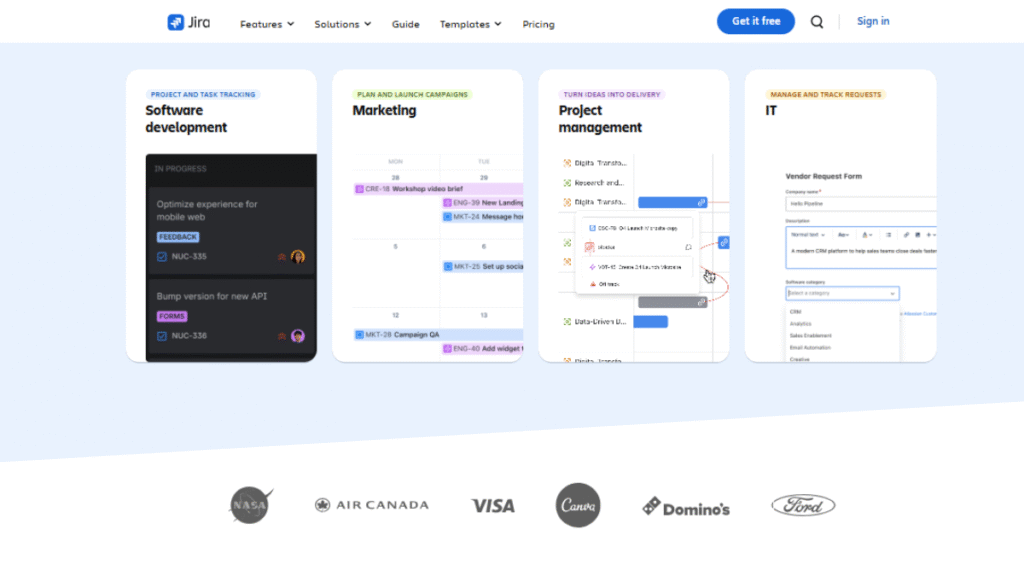
Jira is a dedicated IT project management tool built specifically for software development and Agile teams. It is designed to manage sprints, backlogs, bugs, and releases in environments where requirements change frequently and precision matters.
Today, Jira Project Management Software is used by 180,000+ organisations globally, making it one of the most established platforms in the IT project management space.
Key Capabilities
- Scrum and Kanban boards for Agile delivery
- Sprint planning, backlog prioritisation, and release tracking
- Advanced bug and issue management with dependencies
- Custom workflows, fields, and role-based permissions
- Integrations with Git repositories, CI/CD pipelines, and DevOps tools
Why IT Teams Use Jira
Jira provides the level of structure and control required for complex development projects, while still allowing teams to customise workflows as they scale.
Pro Tip: Keep workflows minimal at first. Add custom fields and automation only after the team is comfortable.
Jira Pricing Overview (Cloud Plans)
| Plan | Team Size | Starting Price |
| Free | Up to 10 users | $0 |
| Standard | Growing teams | $7.75/user/month |
| Premium | Large teams | $15.25/user/month |
Pro Tip: Start with a simple workflow first. Then add automations and custom fields once your team feels comfortable.
2. ClickUp The All-in-One IT Command Center
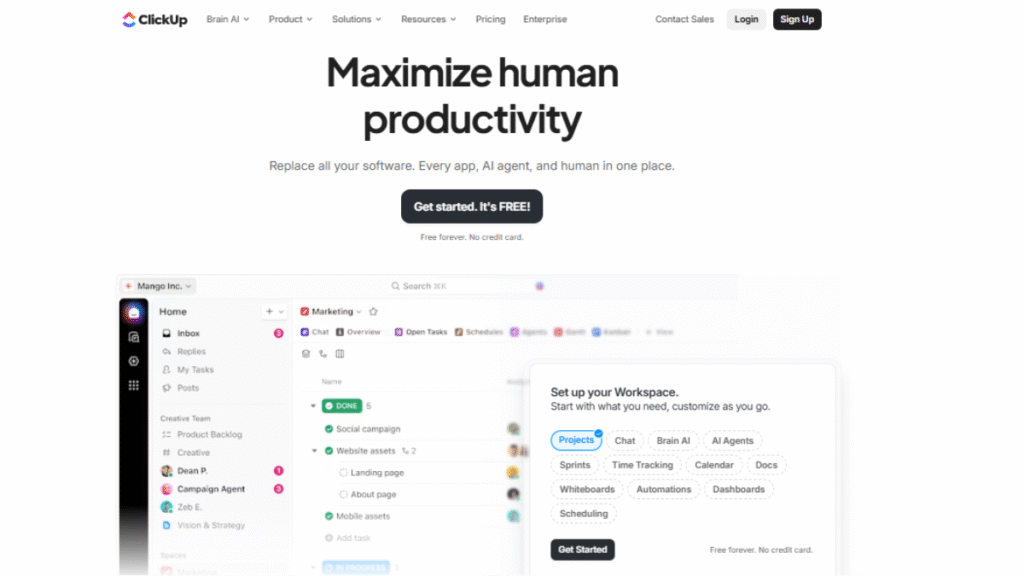
ClickUp is considered as a Best IT project management Software designed to bring tasks, documentation, Agile workflows, and collaboration into one unified workspace. Unlike tools built only for developers, ClickUp supports IT, DevOps, product, and cross-functional teams that need both structure and adaptability.
Today, ClickUp is used by 10+ million users across more than 800,000 teams worldwide, making it one of the fastest-growing platforms in the IT project management space. Teams rely on it to manage sprints, technical tasks, and operational work from a single system, reducing tool switching and improving overall visibility.
Key Capabilities
- Scrum and Kanban boards with custom task statuses
- Sprint planning, backlog management, and milestones
- Built-in docs, knowledge base, and technical documentation
- Automation for repetitive IT workflows
- Multiple views (List, Board, Gantt, Timeline) for better visibility
- Integrations with GitHub, GitLab, Slack, and CI/CD tools
ClickUp Pricing (Cloud Plans)
| Plan | Best For | Starting Price |
|---|---|---|
| Free | Small teams | $0 |
| Unlimited | Growing IT teams | $7/user/month |
| Business | Advanced IT workflows | $12/user/month |
Why IT Teams Use ClickUp
ClickUp is chosen by IT teams that need flexibility without complexity. It supports Agile workflows while also handling documentation, reporting, and cross-team collaboration in one place, making it ideal for teams managing both technical and operational projects.
Pro Tip: Use ClickUp’s custom statuses to mirror your team’s sprint or testing cycle for a clearer workflow.
3. Azure Boards (Microsoft Azure DevOps)
Azure Boards is an IT project management tool within Microsoft Azure DevOps, built for Agile, Scrum, and Kanban teams. It helps IT and DevOps teams plan work, track bugs, manage backlogs, and link tasks directly to code and deployments.
As part of the Azure ecosystem, Azure Boards is used by millions of developers worldwide and benefits from Microsoft Azure’s enterprise reach, which supports over 95% of Fortune 500 companies. Its native integration with repositories, CI/CD pipelines, and test plans makes it a strong choice for DevOps-driven IT teams.
Key Capabilities
- Scrum, Kanban, and custom Agile workflows
- Work item tracking for tasks, bugs, and user stories
- Backlog prioritisation and sprint planning
- Native integration with Azure Repos, Pipelines, and Test Plans
- Extensions marketplace with 1,000+ integrations
- Enterprise-grade security and permissions
Azure Boards Pricing (Cloud Plans)
| Plan | Best For | Starting Price |
|---|---|---|
| Stakeholder | Basic tracking & collaboration | Free |
| Basic | Full Agile planning & boards | $6/user/month |
| Basic + Test Plans | Advanced testing & QA | $52/user/month |
Why IT Teams Use Azure Boards
Azure Boards is ideal for IT teams that want planning tightly connected to development and deployment. It reduces handoffs between tools and gives teams end-to-end visibility from backlog to release, especially in Microsoft-based environments.
Pro Tip: Use the Stakeholder plan for non-technical users to collaborate without increasing licensing costs.
4. Taiga The Open-Source Project Navigator
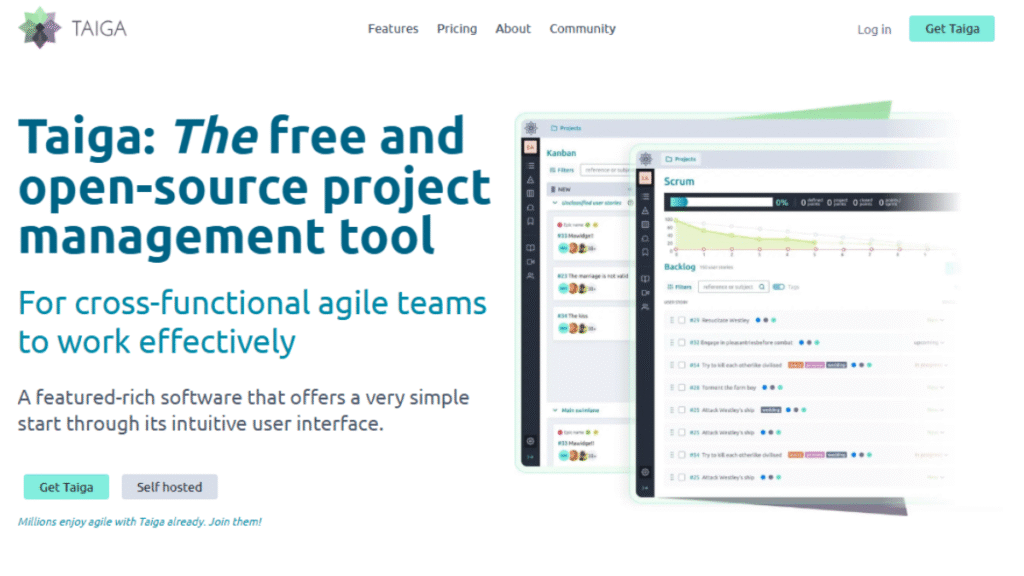
Taiga is a lightweight, open‑source and best IT project management software designed for Agile teams that want simplicity without sacrificing essential planning and tracking features. It is especially popular with startups, small IT teams, and developer communities that need fast setup and clear workflows.
Taiga is used by 30,000+ teams globally, making it a respected choice for teams that prefer open‑source flexibility and on‑premise control over proprietary platforms.
Key Capabilities
- Scrum and Kanban boards for Agile execution
- Backlog and sprint planning
- Simple issue and bug tracking
- Customisable workflows and fields
- Native support for user stories, epics, and tasks
- Optional self‑hosting for greater data control
Taiga Pricing (Cloud & Self‑Hosted)
| Plan | Best For | Starting Price |
|---|---|---|
| Free | Small teams & open source supporters | $0 |
| Premium (Cloud) | Growing Agile teams | $5/user/month |
| Self‑Hosted | Teams with data control needs | Contact sales |
Note: Taiga’s self‑hosted option lets teams run the platform on their own servers, offering full control of data and integrations.
Why IT Teams Use Taiga
Taiga is a great option for IT teams that want Agile planning without complexity. Its clean interface and open‑source model make it easy to adopt, and it can be customised or extended for specific workflows without heavy licensing costs.
Pro Tip: Self-host Taiga if you need more control over data security and custom integrations.
5. Asana – Agile Planning Without Complexity
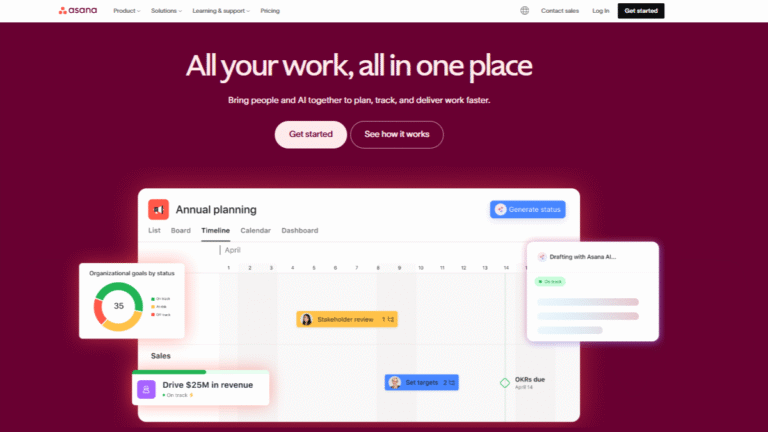
Asana is a structured and best IT project management software designed to help teams plan, track, and manage work across multiple projects with clear ownership and timelines. It works well for IT operations, product teams, and hybrid Agile environments where visibility and coordination are critical.
Asana is used by 100,000+ paying customers and millions of users worldwide, including teams at companies like Google, Deloitte, and Spotify. Recognised as one of the Best Project Tracking Software solutions, IT teams rely on Asana to manage tasks, dependencies, milestones, and release schedules without overcomplicating workflows.
Key Capabilities
- Task and project tracking with clear ownership
- Timelines and dependencies for structured planning
- Agile boards and sprint-style workflows
- Automation rules to reduce manual updates
- Reporting dashboards for progress and workload visibility
- Integrations with Slack, GitHub, Jira, and Microsoft tools
Asana Pricing (Cloud Plans)
| Plan | Best For | Starting Price |
|---|---|---|
| Basic | Small teams & simple projects | Free |
| Premium | Growing IT teams | $10.99/user/month |
| Business | Advanced reporting & automation | $24.99/user/month |
Why IT Teams Use Asana
Asana is a strong choice for IT teams that need clarity, accountability, and structured planning across multiple initiatives. It’s especially useful when coordinating work between IT, product, and non-technical stakeholders.
Pro Tip: Use timelines and dependencies to manage release planning instead of forcing strict Scrum workflows.
6. Wrike – Coordinating IT Work Across Projects
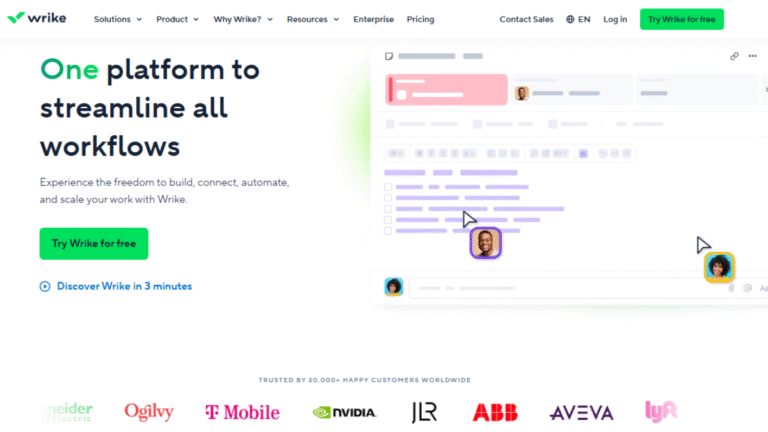
Wrike is a robust project and portfolio management tool designed for IT teams, enterprises, and cross-functional teams handling multiple projects simultaneously. It provides real-time visibility into work, resource allocation, and project timelines, making it an excellent choice for replacing BigPicture in complex IT environments.
Wrike is used by over 20,000 organisations worldwide, including companies like Airbnb, Hootsuite, and Google, making it a trusted solution for multi-project portfolio management and IT team collaboration.
Key Capabilities
- Gantt charts, timelines, and Kanban boards for Agile and hybrid workflows
- Resource and workload management across multiple projects
- Custom dashboards, reporting, and analytics for portfolio visibility
- Automated workflows and task dependencies to reduce manual work
- Integrations with Jira, GitHub, Slack, Microsoft Teams, and other IT tools
Wrike Pricing (Cloud Plans)
| Plan | Best For | Starting Price |
|---|---|---|
| Free | Small teams & simple projects | $0 |
| Team | Growing IT teams | $9.80/user/month |
| Business | Advanced workflows & reporting | $24.80/user/month |
| Enterprise | Large-scale portfolio management | Custom pricing |
Why IT Teams Use Wrike
Wrike is ideal for IT teams that need portfolio-level visibility, resource balancing, and cross-project coordination. It allows teams to manage multiple IT projects efficiently while maintaining alignment, reducing bottlenecks, and improving delivery timelines.
Pro Tip: Use custom dashboards to track high-priority projects and resource allocation without cluttering your workspace.
7. Celoxis A Comprehensive Control for IT Portfolios
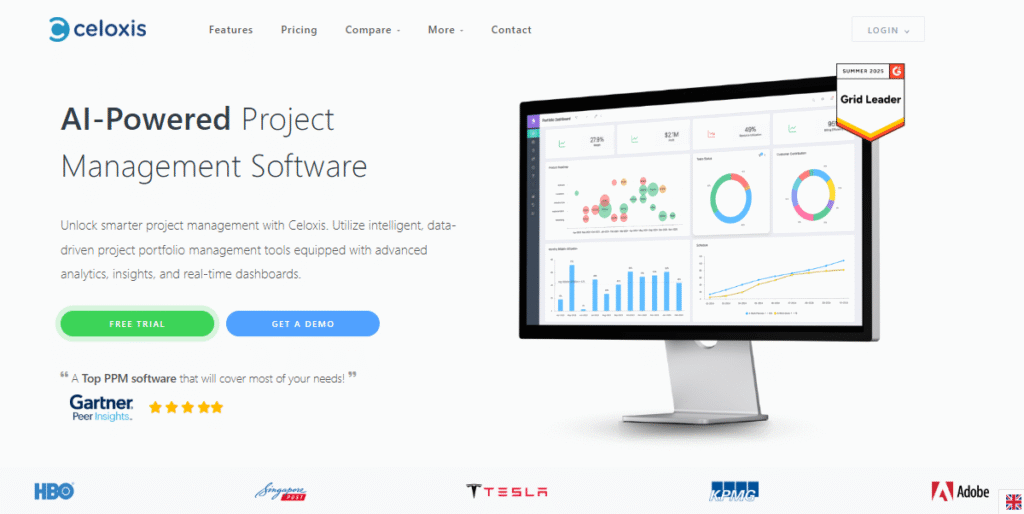
Celoxis is a comprehensive IT project management and project portfolio management (PPM) platform designed for teams that need advanced planning, resource optimisation, and portfolio visibility. It’s used by 2,800+ organisations globally, from mid‑sized enterprises to Fortune 100 companies, across industries including IT, consulting, and manufacturing.
Celoxis excels in environments where teams must manage multiple projects, resources, and budgets simultaneously while maintaining visibility into priorities and performance.
Key Capabilities
- Dynamic Gantt charts and timeline planning
- Advanced resource and workload management
- Real‑time dashboards and customizable reports
- Project portfolio views with KPIs and analytics
- Time and cost tracking across projects
- Integrations with 400+ business apps and APIs
Celoxis Pricing (Cloud Plans)
| Plan | Best For | Starting Price |
|---|---|---|
| Essential | Basic PPM & project tracking | $25/user/month |
| Professional | Enhanced analytics & reporting | $35/user/month |
| Business | Full resource planning & advanced features | $45/user/month |
| Enterprise | Custom solutions for large organisations | Custom pricing |
Prices are typically billed annually and may vary based on user count and billing cycle.
Why IT Teams Use Celoxis
Celoxis is ideal for IT departments, PMOs, and organisations managing large portfolios with complex dependencies, budgets, and resource demands. Its blend of project management and portfolio intelligence helps teams stay aligned, forecast accurately, and make confident execution decisions.
Pro Tip: Use Celoxis’ real‑time dashboards to monitor progress and risk across all active projects without juggling multiple tools.
How to Choose the Best IT Project Management Software
When comparing tools, focus on features that actually support your team’s daily workflow. If your team works in iterations, choose from proven Agile Project Management Tools with sprint support. To make the decision easier, look for software that offers:
- Flexible workflow support — Scrum, Kanban, Hybrid, or custom structures.
- Strong integrations — connects smoothly with code repos, CI/CD tools, chat apps, and documentation platforms.
- Ease of use — simple navigation, clear dashboards, and views that match how your team works.
- Scalability — handles multiple projects, backlogs, and growing workloads without slowing down.
- Automation and reporting — reduces manual work and gives you real-time visibility.
- Resource and workload management — helps balance tasks and avoid bottlenecks.
- Customisation options — let you adapt fields, workflows, and permissions to your environment.
By checking these essentials, you can quickly identify the Best IT Project Management Software for your team’s goals and project style.
Conclusion: Finding Your Ideal Digital Co-Pilot
IT projects move fast, and your tools need to keep pace. With so many choices available, the goal isn’t to pick the biggest platform; it’s to choose the one that fits your team’s workflow, size, and long-term goals. The Best IT Project Management Software brings clarity to your processes, keeps teams aligned, and reduces the chaos that usually slows projects down.
As you compare your options, think about how each tool handles planning, communication, resources, and integrations. When these pieces come together smoothly, your team gets the stability it needs to deliver quality work consistently. Ultimately, the right software becomes a co-pilot that supports every sprint, release, and technical challenge ahead.
FAQs
The best IT project management software depends on your needs. Jira suits Agile teams, ClickUp fits mixed IT teams, and Azure Boards works best for DevOps environments.
It centralises tasks, timelines, and communication, helping IT teams reduce delays, manage workloads, and deliver projects faster.
Free plans work for small teams, but growing IT teams usually need paid plans for automation, reporting, and scalability.
Agile boards, sprint planning, bug tracking, integrations, automation, and real-time reporting are essential features.
For large teams, Jira, Azure Boards, Wrike, and Asana are reliable enterprise-grade options.
