

The built-in VPN in Windows offers basic privacy and encryption, but it falls short of meeting the expectations of modern internet users. While it can establish a secure connection, it lacks many advanced features needed for consistent performance across streaming, remote work, gaming, and everyday browsing. As users increasingly rely on multiple devices such as laptops, smartphones, tablets, and smart TVs, the limitations of the default Windows VPN become more noticeable.
Today’s users expect faster speeds, stable multi-device connectivity, intuitive dashboards, real-time server insights, and stronger encryption standards. Features like automatic kill switches, leak protection, optimized servers, and support for modern protocols such as WireGuard or OpenVPN are now considered essential. Unfortunately, these capabilities are either limited or unavailable in the Windows built-in option.
Because of these gaps, many users are actively searching for VPN alternatives to Windows built-in VPN provider that deliver better performance, stronger security controls, broader server coverage, and a smoother overall experience for both casual and advanced use cases.t-in VPN provider.
Top VPN Alternatives to the Windows Built-In VPN Provider (Feature Comparison)
| VPN Provider | Best For | Server Count | Supported Protocols |
|---|---|---|---|
| ExpressVPN | Fast and reliable global access | 3,000+ in 94 countries | Lightway, OpenVPN, IKEv2 |
| NordVPN | Strong privacy and security tools | 5,500+ in 60+ countries | NordLynx, OpenVPN, IKEv2 |
| Surfshark | Unlimited devices + value | 3,200+ in 95 countries | WireGuard, OpenVPN, IKEv2 |
| CyberGhost | Beginner-friendly & media streaming | 9,000+ in 90+ countries | WireGuard, OpenVPN, IKEv2 |
| Private Internet Access (PIA) | Advanced configuration + power users | 35,000+ in 78+ countries | WireGuard, OpenVPN |
| IPVanish | Performance monitoring + speed | 1,900+ in 75+ locations | WireGuard, OpenVPN, IKEv2 |
| TunnelBear | First-time users / VPN beginners | 500+ in 49+ countries | OpenVPN, IKEv2 (with GhostBear) |
| Hotspot Shield | High-speed streaming & gaming | 3,200+ in 80+ countries | Catapult Hydra, OpenVPN, IKEv2 |
In-Depth Look at the Best Windows VPN Alternatives
This section breaks down the strongest alternatives to windows built-in vpn, highlighting their key strengths, limitations, and ideal use cases.
1. ExpressVPN – Secure Windows VPN Alternative

ExpressVPN is one of the most premium and reliable alternatives to Windows built-in VPN, designed for users who want high-speed performance without sacrificing security. Often regarded as a fastest VPN provider, it delivers consistent speeds, strong encryption, and excellent global coverage. The service supports Windows, macOS, Linux, iOS, Android, routers, smart TVs, and browser extensions, allowing users to secure nearly any device with a single subscription. Its balance of ease of use, performance, and privacy makes it a top choice for both everyday users and professionals.
- Security & Protocols : ExpressVPN uses AES-256 encryption with OpenVPN and IKEv2/IPSec . Its Lightway protocol improves speed and stability, while TrustedServer technology runs on RAM only, preventing long-term data storage.
- Unique Features : Split tunneling, DNS and IPv6 leak protection, an automatic kill switch, and a strict no-logs policy provide strong privacy and reliable security.
- Performance & Speed : With 3,000+ servers in 94 countries, ExpressVPN delivers fast speeds and low latency for streaming, gaming, remote work, and video calls.
- User Experience & Use Cases : A simple interface suits beginners and advanced settings support experienced users. It’s ideal for travelers, remote workers, and privacy-focused users.
2. NordVPN – Privacy-Focused Alternative to Windows Built-In VPN

NordVPN is one of the most trusted alternatives to Windows built-in VPN, offering a strong mix of usability, privacy, and performance. It is well suited for individuals as well as organizations looking for a dependable business VPN solution that can secure daily browsing, remote work, and sensitive data transfers. With support for Windows, macOS, Linux, iOS, Android, and major browser extensions, NordVPN allows users to protect multiple devices under one account while maintaining consistent security across platforms.
- Security & Protocols : NordVPN uses AES-256 encryption with support for OpenVPN, IKEv2/IPSec, and its WireGuard-based NordLynx protocol. DNS, IPv6, and WebRTC leak protection help keep user data private at all times.
- Unique Features : Double VPN and Onion Over VPN add extra layers of encryption, while CyberSec blocks ads, trackers, and malicious websites. Its no-logs policy has been independently audited.
- Performance & Speed : With 5500+ servers in 60+ countries, NordVPN delivers fast, stable speeds for streaming, gaming, and video conferencing. NordLynx further improves connection speed and reliability.
- User Experience & Use Cases : The map-based interface is easy for beginners and flexible enough for advanced users. NordVPN is ideal for frequent travelers, remote professionals, and teams that need a secure and scalable business VPN solution without sacrificing speed.
3. Surfshark– Affordable Windows VPN Replacement with Unlimited Devices

Surfshark is a budget-friendly yet powerful alternatives to Windows built-in VPN, designed for users who want strong security without high subscription costs. Its standout feature is unlimited simultaneous device connections, making it an excellent choice for households or individuals managing multiple devices. Surfshark supports Windows, macOS, Linux, iOS, Android, smart TVs, and browser extensions, allowing users to protect everything from desktops to streaming devices under a single account.
- Security & Protocols : Surfshark uses AES-256 encryption and supports OpenVPN, WireGuard, and IKEv2/IPSec. DNS, IPv6, and WebRTC leak protection help maintain secure and private connections.
- Unique Features : MultiHop adds an extra encryption layer, CleanWeb blocks ads and malicious content, and Whitelister enables split tunneling. An automatic kill switch protects data during connection drops.
- Performance & Speed : With 3,200+ servers across 95 countries, Surfshark delivers fast speeds for streaming, browsing, and downloads. WireGuard ensures stable performance across multiple connected devices.
- User Experience & Use Cases : The interface is clean and easy to use where quicker setup and regular updates are possible. Surfshark is ideal for families, travelers, remote workers, and users who want flexible protection without complex configuration.
4. CyberGhost – Beginner-Friendly Windows VPN Alternative for Streaming

CyberGhost is a beginner-friendly and reliable alternatives to Windows built-in VPN, built for users who want strong privacy without complicated setup or technical controls. Its simple design is supported by a large global server network, making it suitable for everyday browsing, streaming, and secure connections. CyberGhost supports Windows, macOS, iOS, Android, Linux, routers, and smart TVs, offering flexible protection for both single users and multi-device households.
- Security & Protocols : CyberGhost uses AES-256 encryption and supports OpenVPN, WireGuard, and IKEv2. An automatic kill switch and DNS/IPv6 leak protection help maintain privacy during unexpected disconnections.
- Unique Features : Dedicated servers optimized for streaming, gaming, and torrenting allow users to connect quickly without manual server selection.
- Performance & Speed : With 9,000+ servers across 90+ countries, CyberGhost delivers stable global performance. WireGuard improves speeds, while streaming-optimized servers reduce buffering and latency.
- User Experience & Use Cases : The visual dashboard is easy to navigate, with clearly grouped features and server lists. CyberGhost is ideal for beginners, casual users, and streaming enthusiasts who want strong privacy with minimal configuration.
5. Private Internet Access (PIA)– Advanced Windows VPN Alternative for Power Users

Private Internet Access (PIA) is a versatile and highly configurable alternatives to Windows built-in VPN, designed for users who want both strong security and advanced customization. It supports Windows, macOS, Linux, Android, iOS, and routers, making it suitable for beginners who want simple protection and for experienced users who want full control over settings. With its large server network and flexible encryption options, PIA delivers reliable performance for streaming, browsing, remote work, and torrenting.
- Security & Protocols:PIA offers AES-128 or AES-256 encryption and supports OpenVPN and WireGuard. It includes DNS/IPv6 leak protection, an automatic kill switch, and adjustable authentication and port settings. Its no-logs policy is independently audited.
- Unique Features:Customizable encryption and handshake settings, advanced kill switch options, browser extensions, and the MACE ad/malware blocker give users control and extra privacy.
- Performance & Speed:With 35,000+ servers across 78 countries, PIA offers low latency and high speeds. WireGuard improves connection performance, and adjustable encryption allows balancing speed with security.
- User Experience & Use Cases:The clean interface provides quick one-click connections for beginners while supporting deep configuration for advanced users. PIA is ideal for anyone who wants a highly customizable VPN experience without sacrificing reliability.
6. IPVanish– Performance – Focused VPN Instead of Windows Built-In VPN
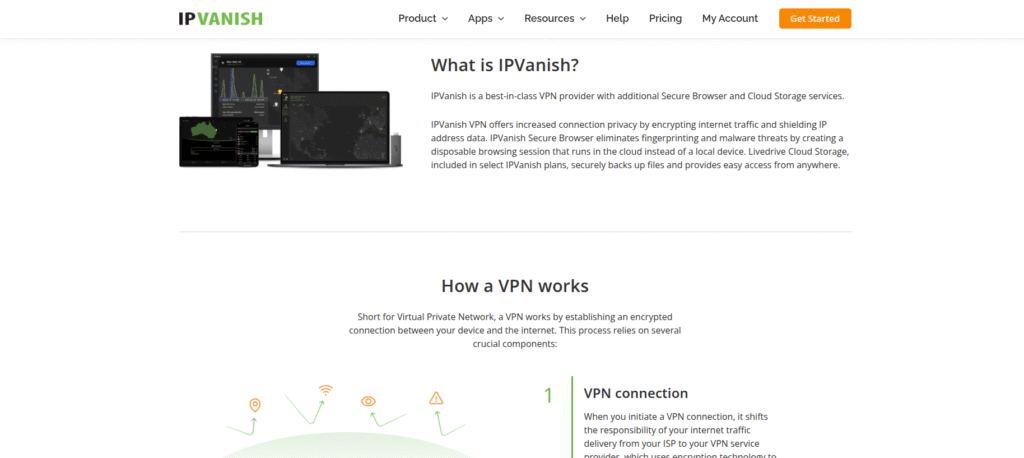
IPVanish is a speed-oriented alternatives to Windows built-in VPN, designed for users who prioritize performance, control, and multi-device support. It is compatible with Windows, macOS, Linux, iOS, Android, and routers, making it suitable for households, remote teams, and office environments. With strong encryption, real-time monitoring tools, and a no-logs policy, IPVanish offers both security and insight for users who want to track and optimize their VPN usage.
- Security & Protocols:IPVanish uses AES-256 encryption and supports OpenVPN, WireGuard, and IKEv2. Built-in kill switch and DNS/IPv6 leak protection help maintain privacy at all times.
- Unique Features:Real-time bandwidth statistics, usage graphs, and server performance indicators provide insight, while unlimited device connections and advanced network settings enhance control.
- Performance & Speed:With 1,900+ servers across 75+ locations, IPVanish delivers consistent speeds for streaming, gaming, file transfers, and cloud workflows. WireGuard boosts performance and keeps latency low.
- User Experience & Use Cases:The interface balances one-tap connections for beginners with detailed dashboards for advanced users. IPVanish is ideal for families, power users, and professionals who want visibility and control over their VPN performance.
7. TunnelBear – Easy-to-Use Alternative to Windows Built-In VPN

TunnelBear is a friendly and highly approachable alternatives to Windows built-in VPN, designed for beginners who want simple, reliable online security. Its playful design and lightweight apps make it easy to understand and use, while still providing strong protection across Windows, macOS, Linux, iOS, Android, and browser extensions. TunnelBear combines accessibility with privacy, making it a great choice for users who want to secure their online activities without dealing with technical complexity.
- Security & Protocols:TunnelBear uses AES-256 encryption and supports OpenVPN and IKEv2. VigilantBear (kill switch) and GhostBear obfuscation keep connections secure even in restrictive networks.
- Unique Features:Independently audited security, strict no-logs policy, and a visually clear map-based interface make TunnelBear transparent and easy to use.
- Performance & Speed:Servers in 49 countries deliver smooth browsing, emailing, social media, and light streaming. GhostBear may slightly reduce speed but enhances privacy when needed.
- User Experience & Use Cases:Animated, map-based apps and simple onboarding make TunnelBear ideal for first-time VPN users and casual users who want privacy with minimal effort.
8. Hotspot Shield – High-Speed VPN Instead of the Windows Default Client

Hotspot Shield is a performance-focused alternative to Windows built-in VPN, designed for users who need fast, reliable connections for streaming, gaming, video calls, and everyday browsing. Its broad platform support, including Windows, macOS, iOS, Android, smart TVs, and major browsers, makes it easy to secure multiple devices. With its proprietary Catapult Hydra protocol, Hotspot Shield combines strong security with optimized traffic routing, delivering some of the fastest speeds among consumer VPNs.
- Security & Protocols:Hotspot Shield uses AES-256 encryption and supports OpenVPN and IKEv2. Its Catapult Hydra protocol improves connection speed while DNS leak protection and a kill switch maintain privacy.
- Unique Features:Unlimited bandwidth, malware protection, quick one-tap connections, and built-in filtering for unsafe websites enhance usability and security.
- Performance & Speed:With 3,200+ servers in 80+ countries, Hotspot Shield provides consistently fast connections. Catapult Hydra optimizes traffic for lower latency and better overall speed.
- User Experience & Use Cases:The intuitive dashboard and minimal setup make it ideal for beginners, remote workers, and entertainment-focused users who want high-speed performance with easy access.
Conclusion
Choosing dedicated alternatives to the Windows built-in VPN provider is essential for users seeking stronger privacy, faster speeds, and a smoother online experience. While the Windows client provides basic encryption, third-party VPNs offer advanced protocols like WireGuard and OpenVPN, kill switches, leak protection, global server networks, and intuitive dashboards. Providers such as ExpressVPN and NordVPN deliver fast, secure international connections for travelers and remote workers, while Surfshark and PIA stand out for multi-device support and customization. CyberGhost and TunnelBear focus on simplicity and beginner-friendly design. Many VPNs also enhance streaming, gaming, and collaboration with optimized routing and frequent updates. For users looking to avoid recurring payments, a VPN with lifetime subscription provides long-term security, consistent performance, and reliable privacy across all devices. Upgrading to these dedicated services ensures better protection, faster speeds, and a more capable solution than the built-in Windows VPN.
Frequently Asked Questions
The Windows built-in VPN offers basic encryption but lacks advanced features like fast server switching, streaming support, and detailed security controls.
Third-party VPNs provide better speed, stronger privacy tools, global server access, and user-friendly apps across multiple devices.
Yes, reputable providers use strong encryption, no-logs policies, and secure protocols like WireGuard and OpenVPN to protect user data.
Most providers support multiple devices, and some like Surfshark and IPVanish allow unlimited simultaneous connections.
