
Yo, creative hustlers! Struggling to keep up with design deadlines, photo edits, or video projects? Adobe Creative Cloud Pro might just be your secret weapon. This guide spills all the tea on its game-changing benefits, must-know features, and pro use cases that photographers, designers, and video wizards swear by.
Whether you’re a solo freelancer or leading a creative team, Adobe Creative Cloud Pro streamlines your chaos into smooth workflows. We’ll cover Creative Cloud Pro pricing, AI-powered tools, cloud magic, and more, everything you need to decide if it’s worth the switch.
What is Adobe Creative Cloud Pro?
Adobe Creative Cloud Pro represents the evolution of the company’s All Apps plan. Essentially, Adobe repositioned and enhanced this comprehensive suite to better serve creative professionals. Therefore, it now includes more AI-powered features and streamlined collaboration tools.
What’s included:
- 20+ industry-leading applications — including Photoshop, Illustrator, Premiere Pro, After Effects, InDesign, Acrobat Pro, and Lightroom
- Adobe Firefly creative AI — both standard and premium generative features for faster creative exploration
- Cloud services and assets — substantial cloud storage, Adobe Fonts library, Stock integration, and Behance Portfolio tools
- Mobile app ecosystem — seamlessly sync projects across desktop and mobile devices
Notably, Adobe Creative Cloud Pro consolidates everything under one subscription. As a result, professionals gain access to the entire creative toolkit without purchasing individual licenses.
Top 7 Benefits of Adobe Creative Cloud Pro for Creative Professionals
1. All-in-One Access to 20+ Industry Apps
Adobe Creative Cloud Pro provides complete access to Photoshop, Illustrator, Premiere Pro, After Effects, InDesign, Acrobat, Lightroom, and more. Furthermore, cross-app workflows let you move assets seamlessly between programs. For instance, you can start a design in Illustrator and refine it in Photoshop without file conversion hassles. Similarly, video editors can pull After Effects compositions directly into Premiere Pro timelines. This integration saves valuable production time daily.
2. Adobe Firefly Creative AI: Faster Creative Exploration
Adobe Firefly transforms how creatives approach ideation and production. Specifically, the platform offers text-to-image generation, generative fill, and generative expand features. Moreover, premium subscribers receive additional video and audio credits for advanced capabilities. For example, text-to-video generation and audio translation features accelerate content creation significantly. Consequently, you can create an image with AI and iterate faster than traditional methods allow.
3. Seamless Collaboration & Cloud Assets
Cloud storage integration makes team collaboration effortless. Additionally, Creative Cloud Pro includes access to thousands of Adobe Fonts and Behance integration for portfolio showcasing. Teams can share libraries, maintain version control, and access assets from anywhere. Therefore, remote collaboration feels as smooth as working side-by-side. Cloud sync ensures everyone works with the latest files automatically.
4. Consistent Updates & New Tools
The subscription model delivers continuous value through regular updates. Specifically, Adobe releases new features, security patches, and compatibility improvements throughout the year. Furthermore, you always have access to the latest tools without additional upgrade costs. This approach keeps your software current with industry standards. Moreover, it ensures compatibility with new operating systems and file formats.
5. Advanced Asset Licensing Options
Teams and Pro Plus subscribers benefit from expanded Adobe Stock licensing. Essentially, these tiers provide more flexible asset usage rights for commercial projects. Additionally, Stock integration saves time by letting you license images directly within your workflow. Compared to browsing stock image websites separately, this streamlined approach improves efficiency dramatically.
6. Integrated Device + Mobile Workflows
Mobile apps extend your creative workspace beyond the desktop. For instance, Photoshop Express, Lightroom Mobile, and Premiere Rush work seamlessly with desktop versions. Furthermore, cloud sync keeps projects updated across all devices automatically. Consequently, you can capture ideas on mobile and refine them on desktop without manual file transfers. File versioning ensures you never lose important iterations.
7. Learning Resources & Ecosystem
Adobe provides extensive templates, tutorials, and community support through Behance. Additionally, built-in learning resources help you master new tools quickly. The creative community shares techniques, templates, and inspiration constantly. Therefore, you’re never alone when facing creative challenges or technical questions.
Adobe Creative Cloud Pro: Key Features Creatives Use Every Day
Understanding which features matter most helps maximize your Creative Cloud Pro investment daily. Therefore, let’s explore the applications and tools that professionals rely on consistently. These core features transform how creative teams approach projects from concept to final delivery.
Photoshop & Firefly (Images + Compositing):
Photoshop remains the industry standard for image editing and manipulation worldwide. Notably, Firefly integration brings generative fill, text-to-image creation, and advanced masking capabilities directly into your workflow. Additionally, nondestructive workflows preserve original files while you experiment freely with multiple creative directions. These powerful features rival many best free AI photo editors available today, yet deliver professional-grade results consistently.
The generative fill tool revolutionizes how designers approach composition and retouching work. For instance, removing unwanted objects or extending backgrounds happens in seconds rather than minutes. Moreover, content-aware fill intelligently analyzes surrounding pixels to create seamless results. Similarly, neural filters apply complex effects that previously required extensive manual work. Photographers often combine Photoshop with specialized best plugins for Lightroom to create complete post-processing workflows efficiently.
Use case: Marketing teams generate rapid concept iterations for ad campaigns across multiple platforms. For instance, generative fill removes unwanted elements or extends backgrounds instantly without degrading image quality. Consequently, designers present multiple variations to clients within hours instead of days. Furthermore, the ability to create an image with AI directly in Photoshop accelerates brainstorming sessions dramatically.
Illustrator & Vector Workflows:
Illustrator excels at creating scalable graphics for branding, packaging, and digital design projects. Moreover, smart objects and variable fonts provide incredible flexibility when designing responsive systems. Additionally, export options optimize files for both web and print applications seamlessly. The precision drawing tools and shape builders make complex illustrations achievable for designers at any skill level.
Use case: Brand designers develop complete icon systems and visual identities from initial concepts to final deliverables. Furthermore, vector formats ensure logos look crisp at any size or resolution. Therefore, one master file serves everything from tiny favicon images to massive billboard installations. Designers can quickly generate multiple color variations and export formats without quality loss.
Premiere Pro, After Effects & Video Workflows:
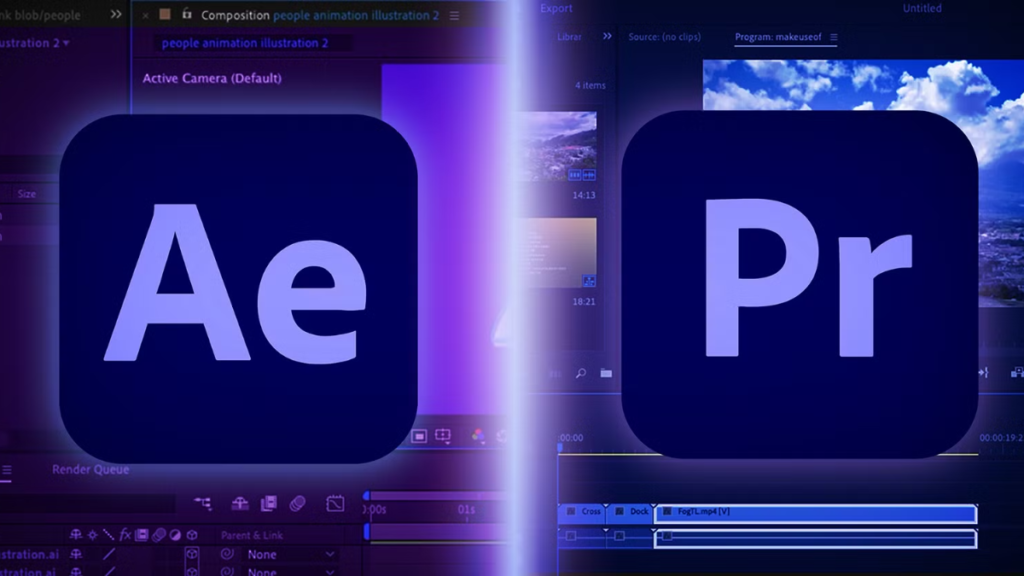
Premiere Pro handles professional video editing while After Effects creates stunning motion graphics and visual effects. Together, they form a powerful video production pipeline that rivals dedicated editing suites. Additionally, Firefly premium features include text-to-video generation and audio translation capabilities for global audiences. These advanced tools use a credit-based model for premium AI features. Similarly, color grading tools and audio mixing capabilities match broadcast standards precisely.
The integration between these applications eliminates time-consuming render-and-import workflows completely. For example, After Effects compositions appear as editable clips within Premiere Pro timelines. Moreover, dynamic linking means changes in After Effects update automatically in Premiere Pro. This seamless connection significantly accelerates post-production timelines for video teams.
Use case: Social media teams produce platform-optimized clips efficiently across Instagram, TikTok, and YouTube simultaneously. For example, one master edit generates vertical, square, and landscape versions quickly using automated workflows. Moreover, automated translations expand audience reach without additional production costs or outsourcing expenses. Teams can repurpose long-form content into dozens of platform-specific clips within hours.
InDesign, Acrobat & Publishing:

InDesign manages long-form layouts for magazines, books, reports, and marketing collateral professionally. Furthermore, Acrobat Pro creates interactive PDFs with forms, navigation, and embedded multimedia elements. Additionally, print-ready export ensures files meet professional printing specifications and commercial press requirements. These tools complement free photo editing websites for comprehensive publishing workflows that span digital and print media.
How Creative Professionals Apply Creative Cloud Pro
Seeing Adobe Creative Cloud Pro in action reveals its true value beyond feature lists. Consequently, these practical examples demonstrate how different creative professionals leverage the platform daily. Each use case highlights specific workflows that solve real business challenges efficiently.
Freelance Graphic Designer: Brand Identity Package:
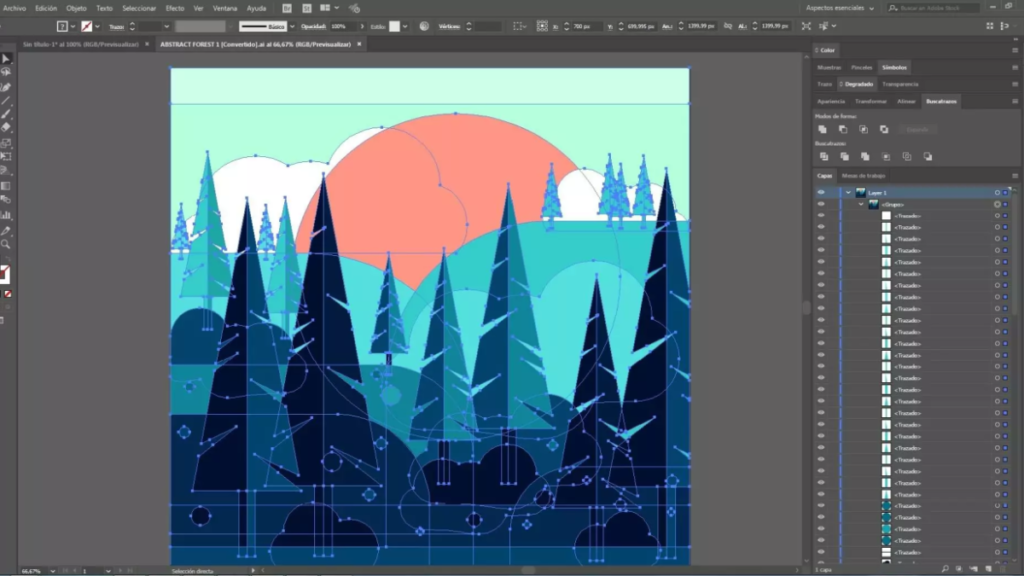
Solo designers create comprehensive brand packages efficiently with Adobe Creative Cloud Pro’s integrated toolkit. First, they generate mood boards using Photoshop and Firefly AI tools to explore visual directions rapidly. Next, vectors are developed in Illustrator for logos, icons, and brand marks with perfect scalability. Finally, InDesign assembles brand guidelines with interactive PDF exports through Acrobat for client presentations.
The workflow seamlessly connects multiple applications without cumbersome file conversions or compatibility issues. For instance, designers can iterate on logo concepts in Illustrator while simultaneously preparing mockups in Photoshop. Moreover, cloud libraries ensure brand colors and assets remain consistent across all deliverables automatically. This integrated approach surpasses juggling multiple free photo editing websites and standalone design tools separately.
Benefit: Complete projects reach clients 40% faster than traditional workflows allow overall. Moreover, AI-assisted ideation helps explore more creative directions quickly without increasing billable hours. Consequently, freelancers can take on more projects while maintaining quality standards consistently.
Small Video Studio: Social-First Content Pipeline:
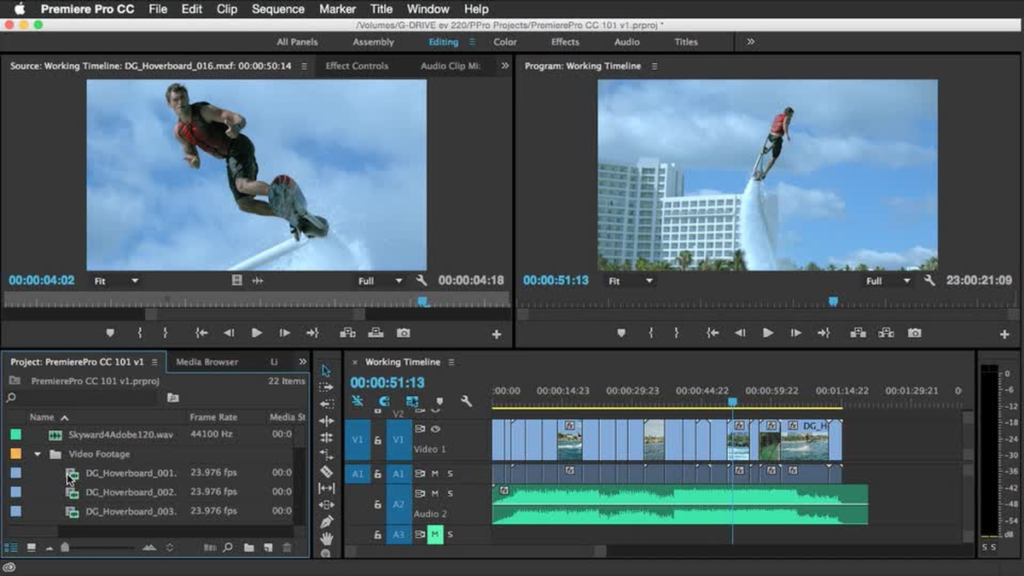
Production teams streamline video creation using Premiere Pro and After Effects together for efficient workflows. Additionally, color grading with built-in LUTs maintains consistent brand aesthetics across all video content. Furthermore, Firefly’s audio translation and video generation features help scale multilingual content for international audiences. Therefore, studios produce more content without proportionally increasing production costs or hiring additional editors.
The dynamic link between applications eliminates time-consuming render steps that traditionally slow production pipelines. For example, motion graphics created in After Effects update automatically in Premiere Pro timelines. This real-time collaboration between applications mirrors the efficiency of working with Freepik mockup templates for quick design iterations.
Benefit: Social media output increases by 3x while maintaining quality standards that clients expect. Consequently, clients see better engagement across platforms like Instagram, TikTok, and YouTube simultaneously. Furthermore, faster turnaround times allow studios to serve more clients without expanding staff significantly.
Marketing Team at SMB: Templated Campaign Production:
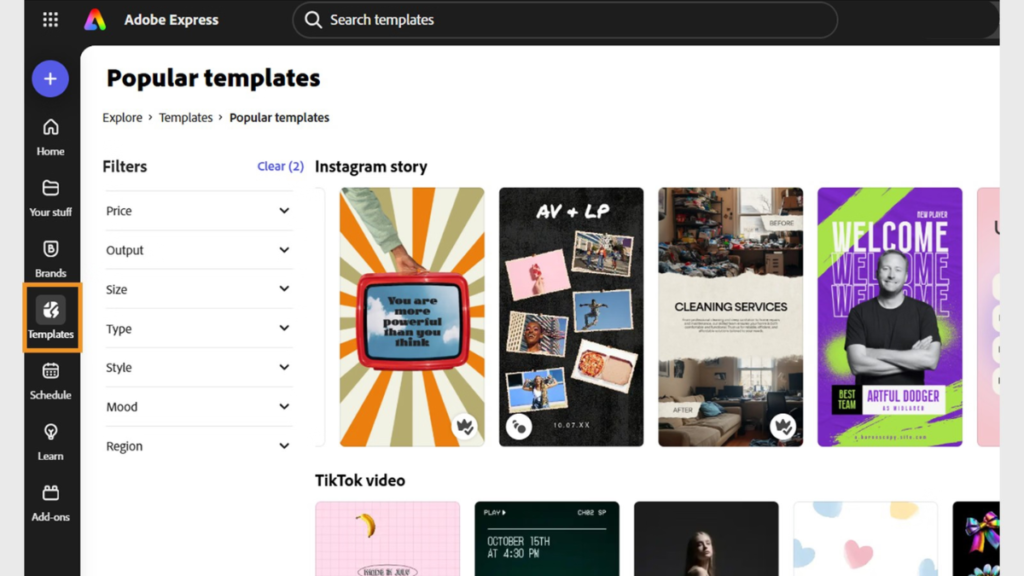
In-house marketing teams leverage Adobe Express templates with shared Creative Cloud libraries for consistent branding. Specifically, brand assets remain consistent across all touchpoints automatically without manual checking or version control issues. Additionally, team members access approved fonts, colors, and logos instantly from centralized libraries. This approach works similarly to using standardized templates but with professional-grade customization options available.
Benefit: Campaign production time decreases by 50% while brand consistency improves dramatically across channels. Moreover, non-designers can create on-brand materials confidently without extensive training or design expertise. Therefore, marketing managers spend less time reviewing work and more time on strategy development.
Product/UX Designer: Prototyping + Developer Handoff:
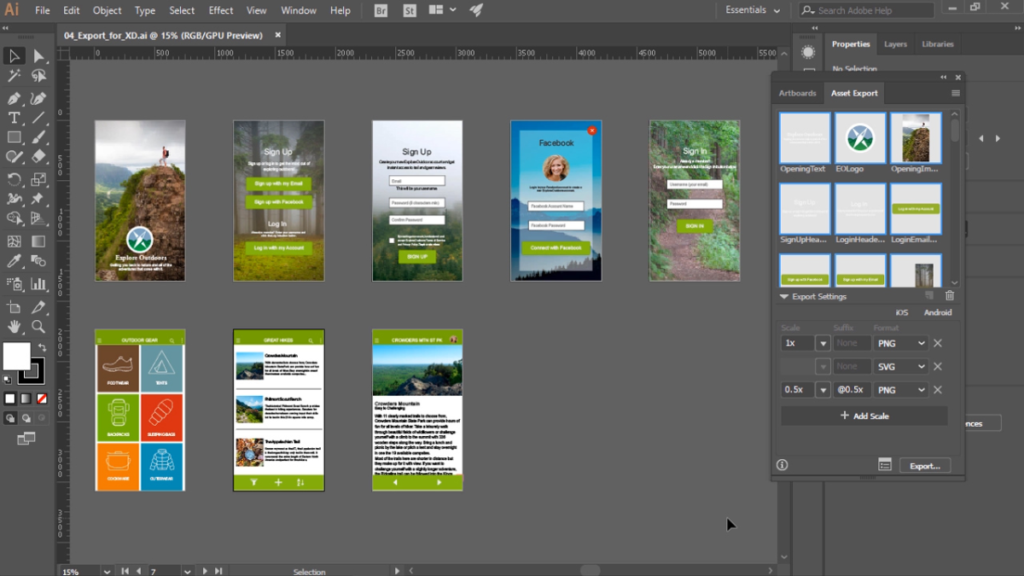
UX professionals use Illustrator and Photoshop for interface design and asset creation with pixel-perfect precision. Additionally, organized layer structures simplify developer handoff significantly by providing clear component hierarchies. Furthermore, component libraries ensure design systems remain consistent across projects and product updates. When comparing Photoshop vs Lightroom for photo editing, UX designers typically choose Photoshop for its superior interface design capabilities.
Benefit: Development teams receive pixel-perfect assets with clear specifications and measurements included. Consequently, implementation matches designs more accurately, reducing revision rounds and development time substantially.
Agency/Creative Director: Asset Libraries and Licensing
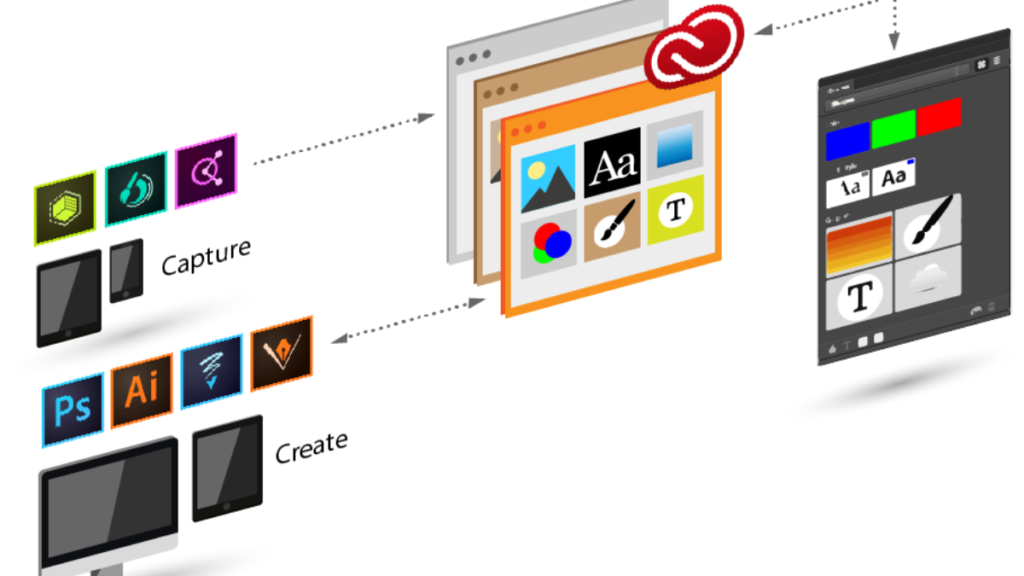
Creative directors manage centralized asset libraries for entire teams across multiple client projects simultaneously. Specifically, Pro Plus tiers expand Adobe Stock licensing for commercial projects without per-asset negotiations. Additionally, shared libraries ensure everyone uses current, approved assets without confusion or duplicate file versions. This centralized approach surpasses managing multiple stock image websites separately with different licensing terms and login credentials.
Benefit: Asset management overhead decreases while project consistency improves across all client deliverables. Moreover, licensing clarity reduces legal risks and eliminates time spent tracking usage rights manually.
Adobe Creative Cloud Pro Pricing
Adobe Creative Cloud Pro replaces the previous All Apps plan with enhanced features. Specifically, pricing varies between individual Pro subscriptions and team/Pro Plus tiers. Additionally, regional pricing and promotional offers affect final costs significantly. Therefore, check Adobe’s official pricing page for current rates in your location.
| Plan Type | Price (USD) |
| Monthly | $104.99/month |
| Annual, billed monthly | $69.99/month |
| Annual, prepaid | $779.99/year |
| Team, per license (annual) | $99.99/month |
Decision checklist for choosing Adobe Creative Cloud Pro:
- How many applications do you regularly use in projects?
- Do you need Firefly premium credits for AI-generated content?
- Will Adobe Stock integration save significant research time?
- Does your team require collaboration tools and shared licensing?
Interestingly, the cost often matches what photographers pay for Adobe Photoshop premium price alone. Consequently, multi-app users find tremendous value in the complete suite. Moreover, the best Adobe plan for creatives typically includes everything rather than individual licenses.
Common Concerns & Drawbacks
Cost for occasional users: Single-app plans make more financial sense if you rarely use multiple programs. For instance, hobbyists might prefer standalone subscriptions instead.
Subscription dependency: Adobe no longer offers perpetual licenses for Creative Cloud applications. Therefore, you must maintain active subscriptions to access your tools. However, files remain accessible through free viewers.
Learning curve across many apps: Mastering 20+ applications requires significant time investment. Additionally, training resources help but demand consistent practice. Start with core applications before exploring specialized tools.
Storage and asset management: Cloud storage fills quickly with large video files. Furthermore, organizing assets across projects requires intentional file management strategies. Consider external storage for archival purposes.
Conclusion
Adobe Creative Cloud Pro delivers unmatched speed, scale, and integration for creative professionals worldwide. Moreover, combining industry-standard applications with cutting-edge AI capabilities creates powerful workflows. The suite’s comprehensive nature means you handle any creative challenge confidently.
Whether you’re comparing Photoshop vs Lightroom for photo editing or exploring video production, Creative Cloud Pro covers everything. Ultimately, the investment pays dividends through increased productivity and creative possibilities. For serious creatives, Adobe Creative Cloud Pro remains the best Adobe plan for creatives seeking professional results.
