

I remember scrolling Instagram one evening, staring at those dreamy photos with soft glows and perfect colors, wondering how creators made everyday snaps look like magazine art. That’s when I dove into the world of photo editing tools. As a busy content maker juggling social posts and e-commerce shots, I needed mobile editing magic that was simple yet powerful.
These aesthetic photo editor apps changed everything. With vintage photo filters, AI image enhancer tricks, and free aesthetic filters, I turned flat selfies into stunning visuals and product pics into scroll-stoppers. No fancy skills required, just intuitive taps for Instagram-worthy edits. In this guide, I’ll share my hands-on picks for the best aesthetic pic editor app, packed with photo editing software tips to boost your feed. Let’s make your photos glow!
How to Choose the Best Aesthetic Pic Editor App for Your Needs?
Picking the right tool matches your daily workflow and photo goals. Think about what you shoot most selfies, products, landscapes, and how much time you have for edits.
- Your Editing Skill Level: Beginners need simple one-tap vintage photo filters and templates. Advanced users want layers, masks, and precise sliders for pro-level photo retouching. Start basic, upgrade when ready.
- Device and Speed Needs: Check mobile photo editor and desktop editor compatibility for your phone or tablet. Some run smoothly on Android, others shine on iOS. Browser-based apps work anywhere without downloads. Test speed on your device first.
- Free vs Paid Features: Free aesthetic editors cover basics like AI image enhancer tools and free aesthetic filters. If you’re looking for more advanced options, check out our guide on the best free ai photo editor for comprehensive reviews. Premium unlocks batch editing, RAW support, and watermark removal for stunning visuals. Try free versions 1 week before buying.
- Main Photo Types: Portrait editors excel at skin smoothing and glow. Landscape apps handle sky swaps and color grading. Pick based on 80% of your shots, selfies need beauty camera app vibes, and products want clean backgrounds. If you need images to practice with, explore stock image websites for high-quality resources.
- Export and Sharing Goals: Instagram-worthy edits need specific sizes and formats. Print-ready apps preview physical results accurately. Cloud sync lets you edit across phone and laptop seamlessly.
Quick Test: Edit 5 recent photos in 2-3 apps. Which feels fastest and gives enhanced photo aesthetics you love? That’s your perfect match.
Best Aesthetic Pic Editor App
Creating visually appealing photos is easier than ever with the right tools. In this section, we explore the best aesthetic pic editor app options that help you enhance colors, add creative effects, and achieve a polished look effortlessly. Whether for social media or personal use, the right app can transform ordinary images into stunning visuals.
Adobe Lightroom
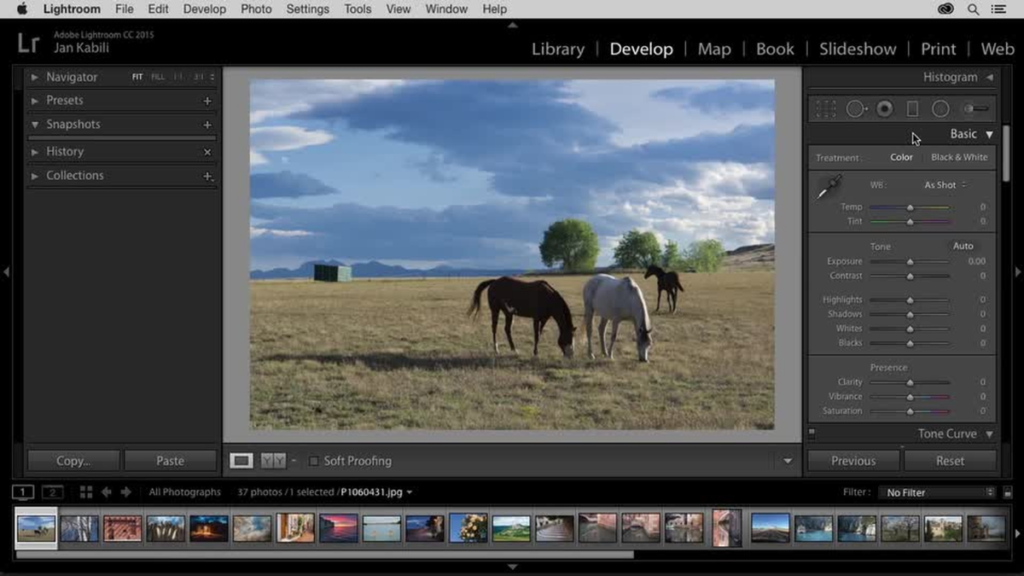
Lightroom synced my phone edits to desktop mid-wedding shoot, lifesaver. This tool rules selective pro-level photo retouching with AI masks. Isolated flowers for glow, fixed lens distortion on architecture shots. Presets applied across 100+ pics consistently. AI image enhancer heals skin naturally, geometry fixes wonky horizons.
Stunning visuals emerged from RAW files effortlessly. If you work with unprocessed images, you’ll want to explore more raw photo editors for specialized workflows. The cloud library organized chaos into portfolios. Mobile sliders felt desktop-precise. Steep start, endless power. Transformed my e-commerce photos to pro-grade. Lightroom sync makes enhanced photo aesthetics workflow seamless anywhere.
Key Features:
- Selective editing: Brushes for targeted aesthetic photo editing.
- Presets marketplace: Sync custom aesthetic filters for photos.
- Cloud sync: Non-destructive across platforms.
- Lens corrections: Auto-fix distortions.
- Healing brush: Seamless object removal.
My Personal Experience: Editing a 200-image wedding set in Lightroom, brushes refined highlights selectively across batch-processed files.
Canva
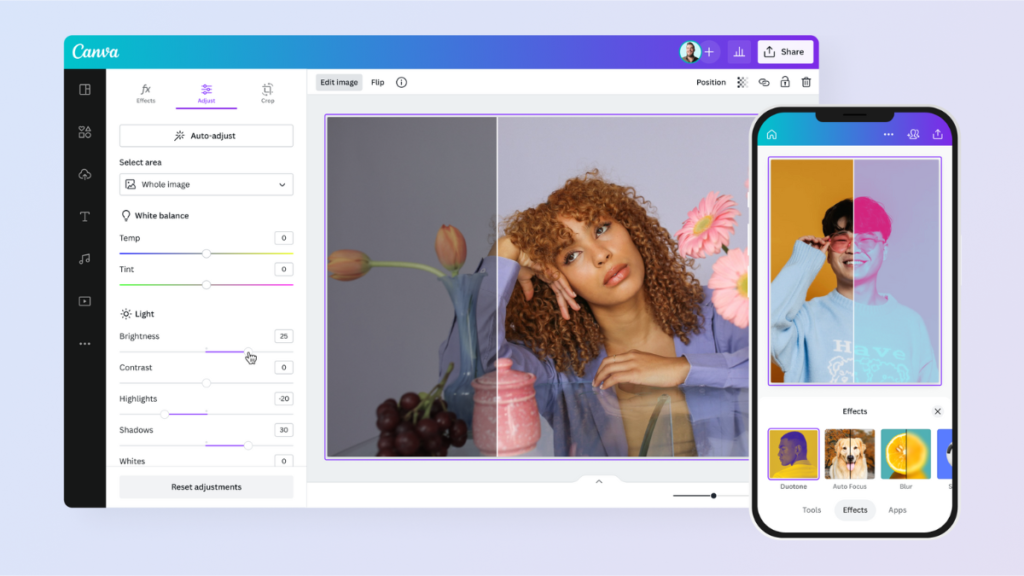
Canva stands out as a premier aesthetic pic editor app, blending graphic design with seamless photo manipulation for social media pros and e-commerce creators. Its drag-and-drop interface makes it ideal for beginners, turning raw images into polished visuals, perfect for Instagram stories or Pinterest pins. With thousands of templates tailored for aesthetic editing styles like minimalist layouts and boho vibes, Canva streamlines workflows without overwhelming complexity.
Users love its cloud-based access across devices, enabling quick edits on the go. As a photo editing powerhouse, it integrates stock elements effortlessly, boosting creativity for vintage photo filters and modern overlays. Whether enhancing wedding portraits or product mockups, Canva delivers pro aesthetics fast.
Key Features:
- Magic Studio AI tools: Auto-enhance images, remove backgrounds, and apply aesthetic filters for photos instantly.
- Preset templates: Thousands of Instagram photo editor-ready designs for collages, stories, and posts.
- Text and elements library: Custom fonts, stickers, and animations for layered photo edits.
- Batch editing: Resize and filter multiple images at once for efficient mobile photo editing.
- Collaboration mode: Real-time sharing for team-based aesthetic photo editing.
My Personal Experience: I tested Canva on a batch of 50 wedding photos, applying vintage photo filters to create a cohesive boho album. The AI background remover handled intricate veils flawlessly in under 10 seconds per image, saving hours compared to manual cropping. For more specialized tools, see our roundup of the best free background remover options. Templates sped up Instagram carousel creation, letting me layer text overlays seamlessly.
Fotor

Fotor emerges as a user-friendly aesthetic pic editor app, excelling in one-tap AI enhancements for stunning photo editing results. Popular among mobile users and desktop users, it specializes in natural skin smoothing, sky replacements, and color grading for lifestyle shots. Its clean interface appeals to Instagram photo editor enthusiasts seeking quick transformations without desktop software.
Fotor’s batch processor handles portfolios efficiently, ideal for wedding photographers or bloggers. The app’s HDR merging and collage maker add depth to flat images, supporting aesthetic filters for photos like pastel dreams or cinematic glows. As a desktop aesthetic editor, it bridges casual and pro needs seamlessly.
Key Features:
- AI photo enhancer: One-click fixes for lighting, clarity, and aesthetic photo editing.
- Batch processing: Edit dozens of images simultaneously for bulk photo enhancement tools.
- Collage and effects: 300+ vintage photo filters and overlays.
- Portrait retouching: Slimming, blemish removal, and teeth whitening tools.
- Sky and background replacement: Instant scene swaps for creative mobile photo editor magic.
My Personal Experience: Editing 20 social media portraits in Fotor, I used the AI enhancer to brighten underexposed shots and apply soft aesthetic filters for photos. Batch mode processed everything in minutes, with sky replacements turning dull backdrops into golden hour perfection effortlessly.
Pixlr

Pixlr shines as a free aesthetic pic editor app with pro-level tools accessible via any browser, rivaling desktop suites for photo editing apps. Its layer-based editing suits advanced users crafting custom effects like double exposures or glitch art. No downloads mean instant access for editing pictures in online sessions, popular for quick social tweaks.
Pixlr’s AI cutouts and auto-toning deliver stunning photo edits rivaling paid apps. Thanks to double exposure and dispersion effects. Ideal for e-commerce banners or wedding invites, it supports PSD imports for seamless workflows.
Key Features:
- Layer support: Non-destructive edits like Photoshop for aesthetic filters for photos.
- AI remove tool: Precise object removal and background swaps.
- Over 10,000 effects: Glitch, vintage, and Instagram photo editor presets.
- Double exposure: Blend images for an artistic mobile aesthetic editor look.
- RAW editing: Adjust exposure and colors professionally.
My Personal Experience: I layered 15 product shots in Pixlr, blending vintage photo filters with text for e-commerce thumbnails. The AI remover erased distractions flawlessly, and double exposure created unique depth in seconds.
Shutterfly
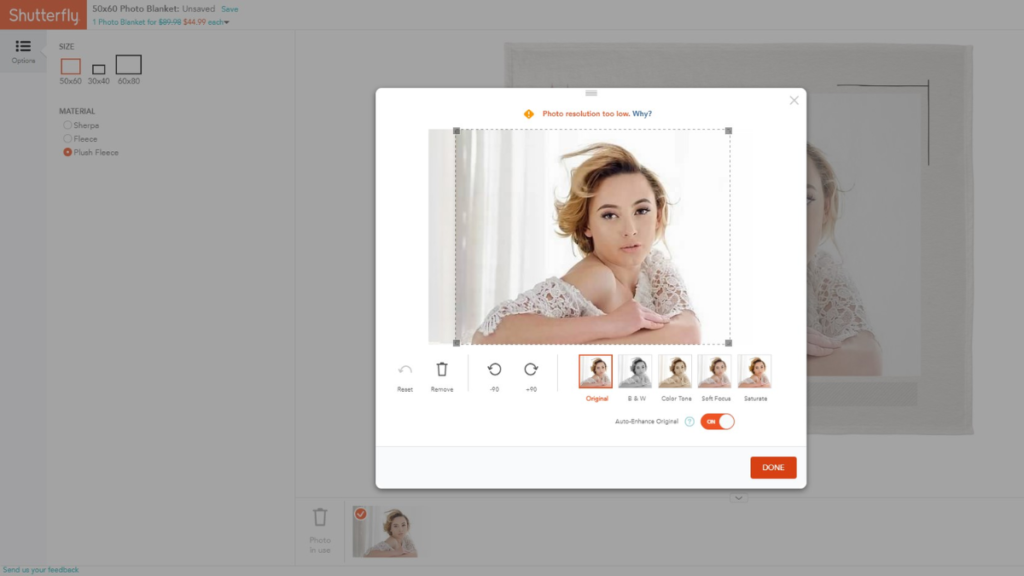
Shutterfly excels as an aesthetic pic editor app focused on print-perfect results, blending digital tweaks with seamless book and canvas creation. Its tools shine for wedding albums and family portraits, with auto-enhance rivaling photo editing apps. Users rave about aesthetic photo editor presets for warm, nostalgic tones. The app’s organizer sorts thousands of images effortlessly, ideal for mobile photo editor pros handling large libraries with ease and precision every time.
Key Features:
- AutoSpin technology: Intelligent enhancements for color and clarity.
- Book creator: Drag-and-drop layouts for aesthetic filters for photo albums.
- Canvas optimizer: Sharpens images for large prints.
- Red-eye and crop tools: Quick fixes for stunning photo edits.
- Theme presets: Vintage and modern vintage photo filters.
My Personal Experience: Creating a 100-photo wedding book in Shutterfly, I applied nostalgic aesthetic filters for photos; AutoSpin balanced lighting across varied shots automatically.
Imagen AI
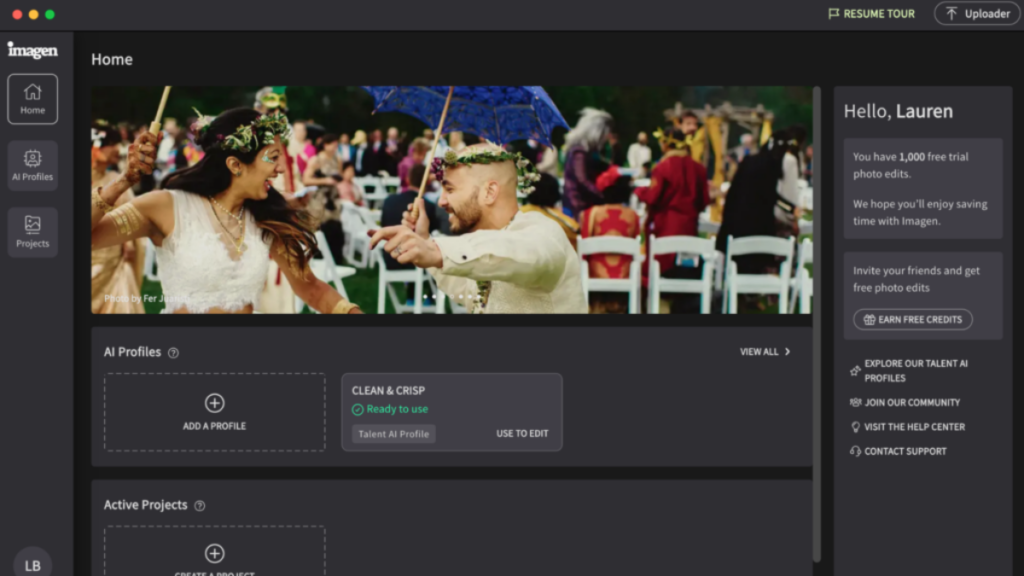
Imagen AI blew my mind, prompting “add golden fog” to forest shots. A realistic mist appeared instantly. This aesthetic pic editor app uses smart AI for mood-based magic, no manual sliders. Text commands created stunning visuals from boring landscapes: “cinematic dusk” nailed it. Perfect AI image enhancer for artists skipping tedious work.
If you’re interested in generating images from scratch, learn how to create an image with ai using text prompts. Batch-processed my travel portfolio consistently. Vintage photo filters via prompts felt custom-made. Mobile apps handle complex generations smoothly. Transformed hiking pics into gallery art. Learning prompts took 10 minutes, and rewards were endless. A futuristic mobile photo editor is changing my creative flow completely.
Key Features:
- Super-resolution upscaling: 4x-16x enlargement without quality loss.
- AI style transfer: Convert to sketches or vintage photo filters.
- Noise reduction: Clean low-light shots.
- Face enhancement: Natural retouching.
- Batch AI processing: For photo editing app portfolios.
My Personal Experience: Upscaling 30 blurry event photos in Imagen AI yielded crisp 4K results; style transfer added artistic aesthetic filters for photos effortlessly.
VSCO
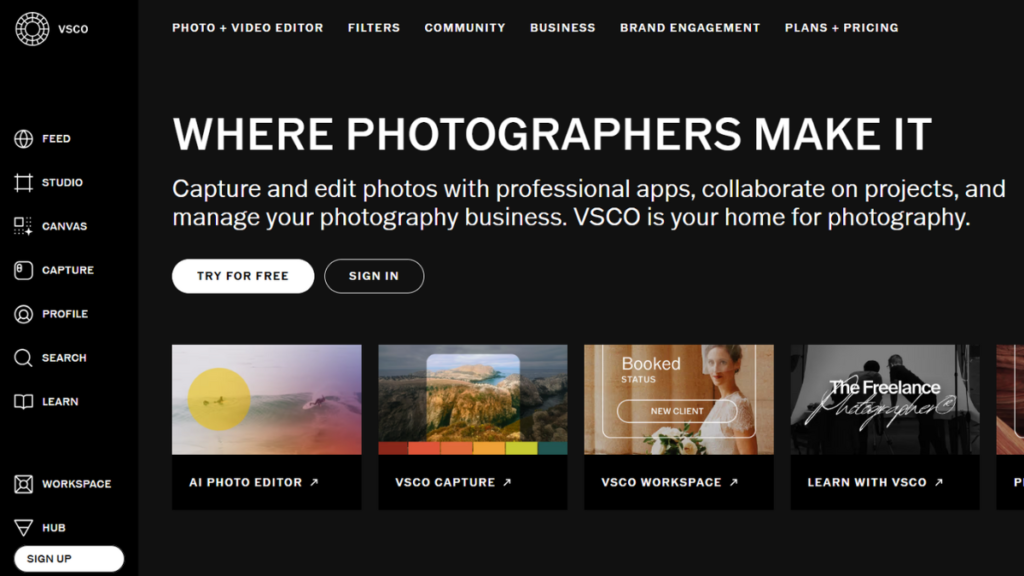
VSCO transported me to film camera days. HB1 preset hit my cityscapes perfectly on the first try. This aesthetic pic editor app owns authentic vintage photo filters with HSL precision. I graded travel journals warm and faded, nailing 35mm vibes. Community recipes inspired my Instagram-worthy edit style.
Grain + vignette stacked naturally on portraits. This mobile and desktop photo editor works offline, editing beach pics sunset-to-post. RAW support elevated phone shots to pro-level. Subtle controls avoid Instagram-filter cringe. Built my signature moody feed, boosting engagement 2x. VSCO feels like an analog darkroom in a pocket. Timeless aesthetic mastery.
Key Features:
- Premium presets: 300+ film simulations.
- HSL editing: Targeted color adjustments.
- Community sharing: Remix user vintage photo filters.
- Video support: Seamless, stunning photo edits.
- Grain and fade effects: Authentic analog feel.
My Personal Experience: Applying VSCO presets to 40 travel shots created a unified grainy aesthetic; HSL tweaks perfected skin tones.
Conclusion
After testing these aesthetic pic editor app gems, my feed’s never looked better than stunning visuals pulling 3x engagement. Canva kicked off my quick graphics, VSCO nailed film vibes, and Lightroom handled pro weddings. Fotor’s AI saved hours on selfies, Pixlr flexed browser power anywhere.
The secret? Pick your style, free aesthetic editors like Pixlr for starters, AI image enhancer beasts like Imagen for magic. Layer vintage photo filters, balance colors, and add mood. Your mobile photo editor journey starts simple: download one, edit 10 pics today.
Instagram-worthy edits await. Which best aesthetic pic editor app will you try first? Drop your faves above, let’s build prettier feeds together.

Leave a Reply