
A WhatsApp eCommerce Bot allows online businesses to automate customer interactions on WhatsApp and deliver a smooth, conversational shopping experience. It can instantly respond to product inquiries, share catalogs, recommend items, answer FAQs, and guide customers through the buying journey ,all without human intervention. This makes it easier for customers to browse and shop directly from their favorite messaging app.
By automating order placement, payment links, order confirmations, and delivery updates, a eCommerce bot helps businesses increase conversions while reducing support workload. It also enables personalized follow-ups, cart recovery messages, and post-purchase engagement, making it a powerful tool for improving customer satisfaction and driving repeat sales.
What Is a WhatsApp Ecommerce Bot?

Shopping behavior has changed a lot,people expect instant help, personalized picks, and a smooth, no‑hassle purchase path. Instead of hopping through pages or waiting on slow emails, most shoppers want a quick chat that points them right to the right product. That’s why WhatsApp has become such a powerful channel for online shopping. A ecommerce bot lets businesses deliver a natural, engaging, and highly efficient buying experience inside an app users already use every day.
With the bot, customers can browse products, check stock, ask questions, place orders, and track deliveries all within the same chat. Automation handles routine tasks, smart flows answer common questions instantly, and teams spend less time on manual replies,all while the store scales. The result is higher engagement, faster decisions, and better conversions.
Under the hood, this bot is powered by the WhatsApp Business API and a provider platform, giving access to automation, templates, media, and integrations,features designed for scalable, business‑grade messaging. In short: a ecommerce bot turns a simple chat into a full shopping assistant that works 24/7, keeps data in sync, and helps brands serve more customers without extra manual effort.
Why WhatsApp Ecommerce Bots Are Essential for Online Businesses
Modern eCommerce requires businesses to be fast, accessible, and highly interactive. Customers no longer want to wait for email responses or navigate complicated websites. They prefer a direct, conversational experience, which is exactly what a bot delivers.
1. 24/7 Automated Shopping Assistant: Your customers can browse products, check prices, and ask questions at any time. A WhatsApp bot provides instant answers, eliminating delays and improving customer satisfaction.
2. Higher Engagement and Conversion Rates: WhatsApp messages have open rates above 98%, making it the perfect platform for engagement. Automated product recommendations increase conversions significantly.
3. Reduced Support Load: Instead of handling repetitive questions manually, businesses can automate FAQs, order updates, return instructions, and catalog browsing.
4. Better Customer Retention: Automated reminders, restock alerts, follow-up messages, and personalized offers help nurture customers effortlessly.
5. More Sales Through Personalized Suggestions: A WhatsApp bot can use customer preferences, browsing history, or past purchases to recommend products that match individual needs.
This blend of automation, personalization, and convenience is what makes it essential for every eCommerce business.
Key Benefits of Using a WhatsApp Ecommerce Bot
A ecommerce bot automates customer support, speeds up response times, and reduces manual workload. It handles common queries like order tracking and returns, while improving customer experience and boosting sales through quick replies and personalized recommendations.
- 24/7 Automated Customer Support: A ecommerce bot enables businesses to assist customers round the clock. Users can browse products, check order status, and get instant answers without waiting for human agents.
- Faster Customer Responses: Instant automated replies significantly reduce response time. This improves customer satisfaction and prevents drop-offs caused by delayed support.
- Higher Engagement and Conversion Rates: With open rates exceeding 98%, WhatsApp stands out as one of the most effective channels for capturing attention and driving customer engagement.
- Increased Sales and Conversions: By guiding customers through product discovery, recommendations, and checkout directly within WhatsApp, bots reduce friction and boost conversion rates.
- Reduced Support Workload: Automating common questions, order updates, and return requests reduces manual workload, so support teams can prioritize more urgent or complex customer issues.
How to Set Up a WhatsApp Ecommerce Bot (Step-by-Step)
To build a fully automated shopping experience on WhatsApp, follow the steps below for setting up your bot.
Step 1: Understand the Purpose of a WhatsApp eCommerce Bot
Before you start the setup, it’s essential to understand the role of a eCommerce bot in your business. A eCommerce bot automates customer interactions such as product inquiries, order tracking, abandoned cart reminders, payment assistance, and post-purchase support.
Since WhatsApp has exceptionally high open and response rates, using a bot allows businesses to respond instantly, reduce manual support efforts, and guide customers through the buying journey in real time. Defining this purpose early helps you design automation flows aligned with your goals,whether that’s increasing conversions, improving customer support,or scaling operations efficiently.
Step 2: Create or Upgrade to a WhatsApp Business Account
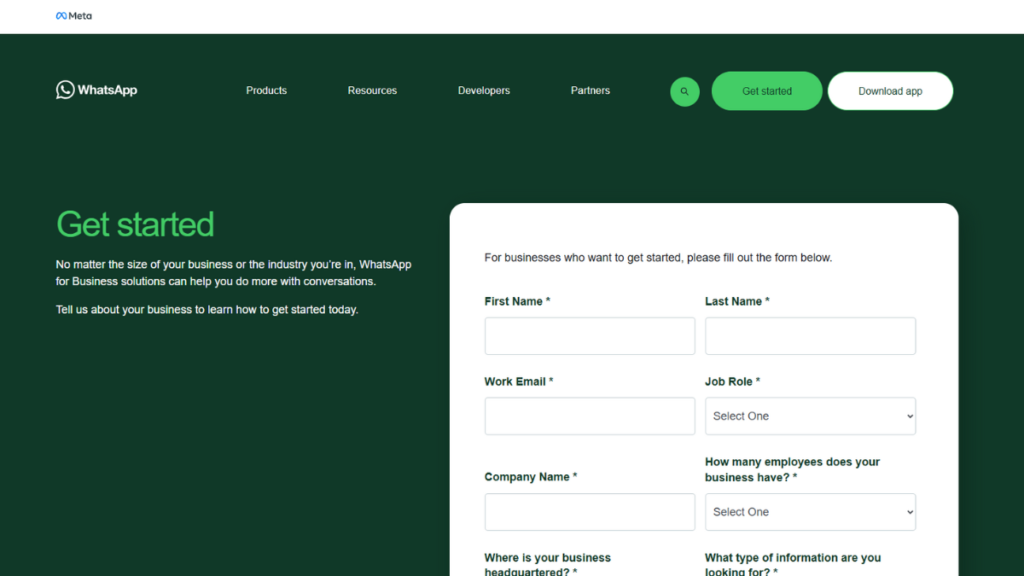
To run an eCommerce bot effectively, your business needs to be set up on a WhatsApp Business account.If you are currently using the regular WhatsApp app, switch to WhatsApp Business.You can install it directly from the App Store or Google Play Store.
For advanced automation features, access to the WhatsApp Business API is required. The API enables automated replies, chatbot integration, message templates, and transactional notifications. During setup, verify your business number, complete OTP verification, and update your business profile with your brand name, logo, category, website URL, and description. A complete profile builds credibility and increases customer trust.
Step 3: Choose the Right WhatsApp eCommerce Bot Platform
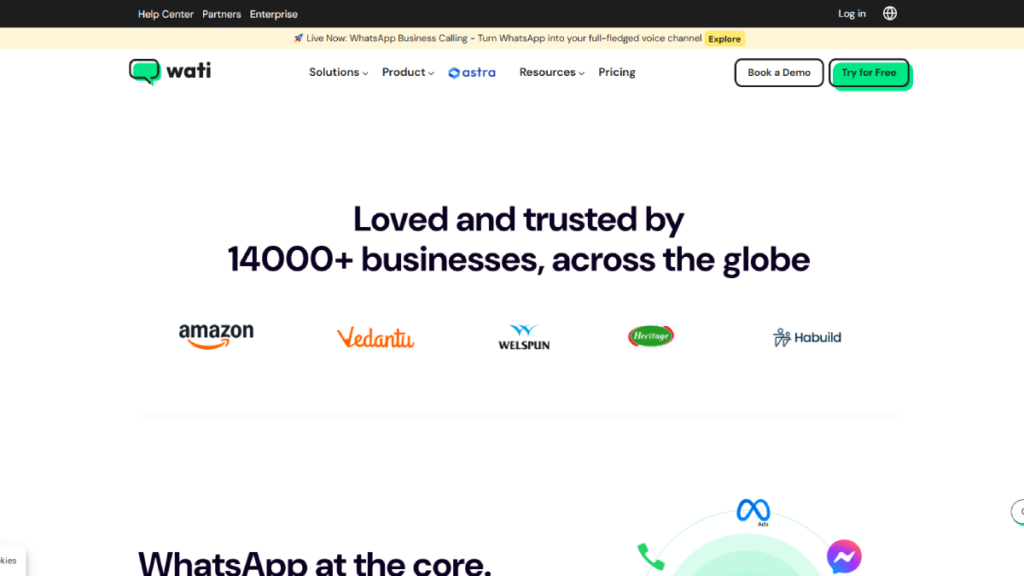
Selecting the right WhatsApp chatbot platform is a critical step. Platforms such as WATI, Interakt, Twilio, Zoko, Tidio, AiSensy, and Gupshup whatsapp api act as a bridge between your website, WhatsApp Business API, and eCommerce store.
When choosing a platform, ensure it supports essential features like product catalog integration, abandoned cart recovery, order notifications, payment links, CRM integration, and analytics. A well-equipped platform simplifies setup and allows you to automate key eCommerce workflows effectively.
Step 4: Connect the WhatsApp Business API with the Bot Platform
After selecting your platform, connect it with your whatsapp business cloud api This usually involves verifying your Facebook Business Manager account, linking your WhatsApp business number, and submitting message templates for approval.
Message templates are mandatory for automated outbound messages such as order confirmations, shipping updates, and promotional alerts. At this stage, you can also configure greeting messages, fallback replies, and business hours. Once connected, your WhatsApp bot can send and receive messages automatically.
Step 5: Integrate the WhatsApp Bot with Your eCommerce Store
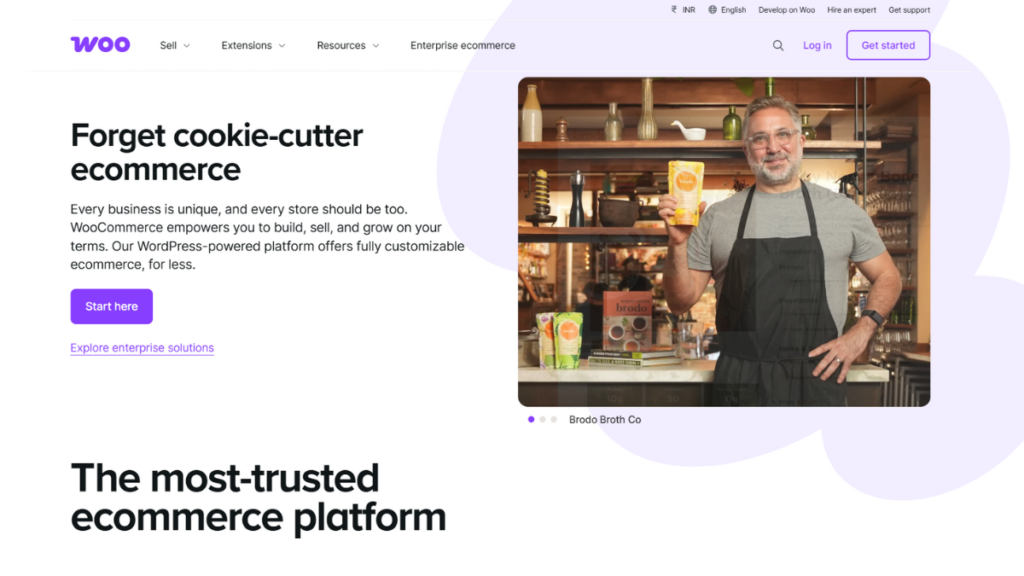
To enable full eCommerce functionality, integrate your WhatsApp bot with platforms like Shopify, WooCommerce, Magento, or custom-built stores. Most chatbot providers offer native integrations or plugins for popular platforms.
After integration, the bot can access real-time product data, pricing, stock availability, order details, and customer information. This allows customers to browse products, check availability, track orders, and receive personalised recommendations directly inside WhatsApp,creating a seamless shopping experience.
Step 6: Design SEO-Friendly and User-Centric Chatbot Flows
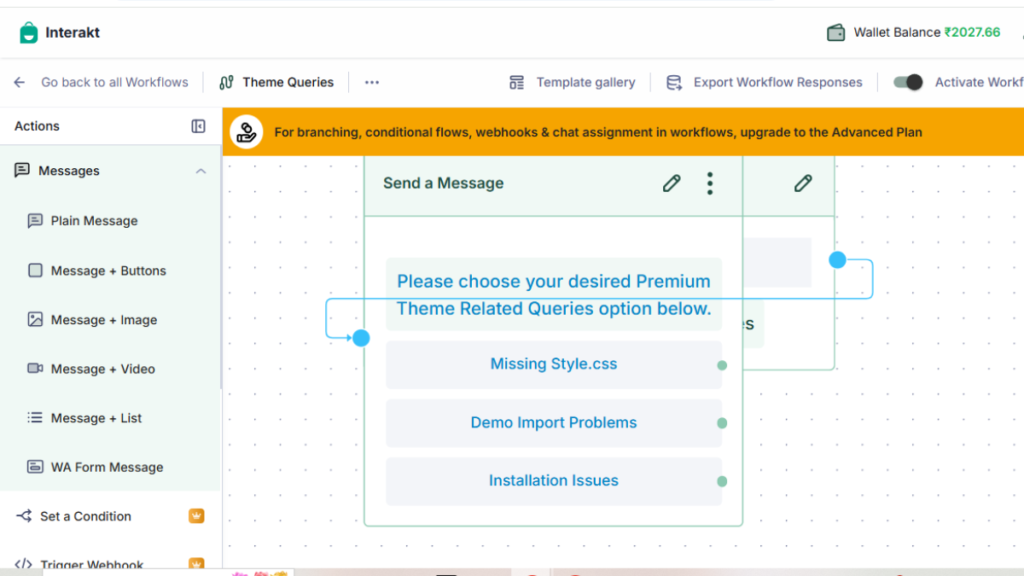
A well-structured chatbot flow is essential for engagement and conversions. Start with a welcome message that introduces your brand and presents clear options such as “View Products,” “Track Order,” “Support,” or “Offers.”
Use buttons and quick replies instead of long text to guide users efficiently. Create dedicated flows for product discovery, FAQs, shipping details, return policies, and payment support. Clear and intuitive flows reduce drop-offs, improve customer satisfaction, and increase conversion rates.
Step 7: Add a WhatsApp Chat Widget to Your Website
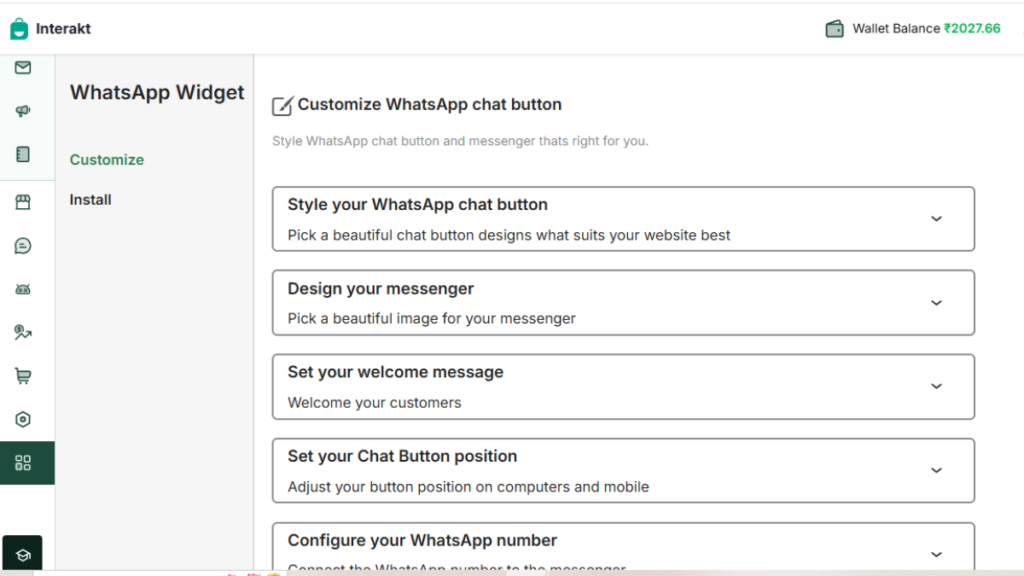
Once the bot is ready, embed a WhatsApp chat widget on your website to enable instant conversations. The widget typically appears as a floating WhatsApp icon.
Most platforms provide an embed script or WordPress plugin for easy installation. Customise the widget with your brand colours, greeting message, and a strong call-to-action like “Chat with us on WhatsApp.” This helps convert website visitors into engaged WhatsApp users.
Step 8: Enable Key WhatsApp eCommerce Automation Features
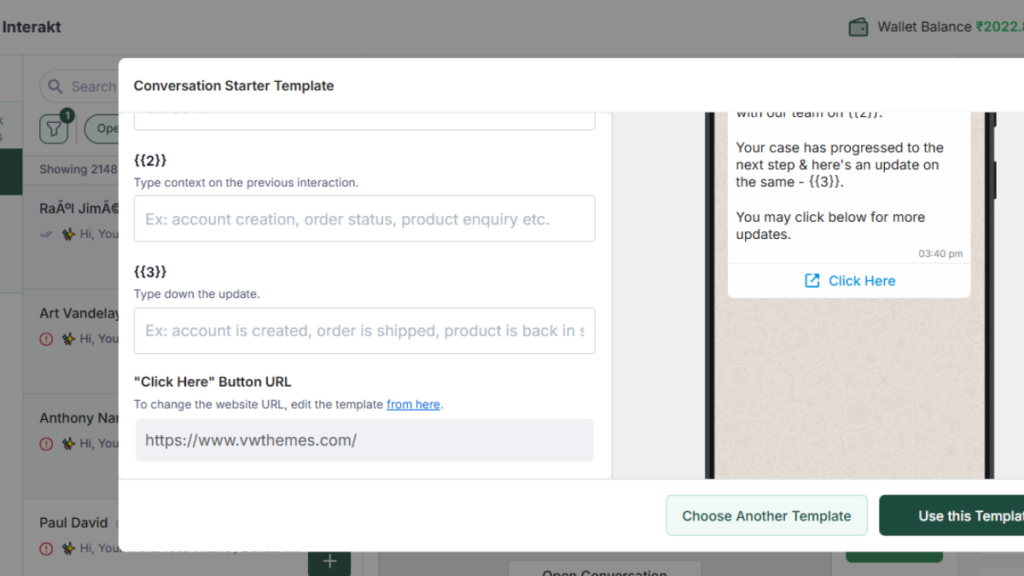
Activate automation features that directly support sales and customer engagement. These include order confirmation messages, delivery updates, abandoned cart reminders, COD verification, payment link sharing, and post-purchase follow-ups.
You can also schedule promotional broadcasts for product launches or seasonal sales, ensuring compliance with WhatsApp message template guidelines. Automation improves response speed, reduces manual workload, and maximises revenue opportunities.
Step 9: Test the WhatsApp eCommerce Bot Thoroughly
Before launching, test your eCommerce bot across multiple scenarios. Verify welcome messages, product accuracy, order tracking, payment flows, and fallback responses.
Test edge cases such as incorrect inputs to ensure the bot guides users correctly. Proper testing ensures a smooth customer experience and prevents issues after launch.
Step 10: Launch, Monitor, and Optimise for Better Results
Once testing is complete, launch your eCommerce bot and monitor its performance using analytics provided by your bot platform. Track metrics such as response rates, click-through rates, conversion rates, and drop-off points.
Use these insights to optimise chatbot flows, improve message copy, and introduce new automation scenarios. Continuous optimisation ensures your WhatsApp bot remains effective, scalable, and aligned with your business growth goals.
WhatsApp Ecommerce Bot vs Traditional Ecommerce Shopping
WhatsApp eCommerce Bot vs Traditional eCommerce Shopping highlights the shift from static online stores to conversational commerce. While traditional eCommerce relies on website browsing and manual navigation, a eCommerce bot offers a faster, chat-based shopping experience with instant responses and guided product discovery.
By enabling real-time interaction, automated support, and personalized recommendations, eCommerce bots simplify the buying process, reduce drop-offs, and create a more engaging customer journey compared to traditional eCommerce shopping.
| Aspect | WhatsApp Ecommerce Bot | Traditional Ecommerce Shopping |
| Shopping Experience | Conversational, chat-based shopping inside WhatsApp | Website-based browsing across multiple pages |
| Response Time | Instant replies, available 24/7 | Delayed responses (emails or limited live chat hours) |
| Ease of Purchase | One-click actions, chat-based checkout, payment links | Multi-step checkout with forms and redirects |
| Personalization | Real-time personalised recommendations | Basic or limited product recommendations |
| Customer Support | Automated FAQs, order tracking, returns in one chat | Separate helpdesk, emails, or support pages |
| Engagement Rate | Very high (WhatsApp open rates ~98%) | Lower engagement (email open rates ~20–30%) |
| Operational Cost | Approx. $20–$80/month (API + automation tools) | Approx. $300–$1,000+/month (support staff + tools) |
Conclusion
Implementing automation in ecommerce has become essential for brands that want to remain competitive, offer quick responses, and deliver personalized customer experiences. A well-designed WhatsApp ecommerce bot helps bridge the gap between convenience and efficiency by simplifying everything from product discovery to order completion. It reduces response times, ensures consistent communication, and allows customers to complete their journey without switching platforms.
By syncing product catalogs, building structured flows, and training the bot to understand real customer queries, businesses can replicate the experience of a human sales assistant at scale. This approach not only boosts conversions but also improves customer satisfaction and retention. As more shoppers prefer messaging-based interactions, leveraging WhatsApp as a dedicated sales and support channel becomes even more impactful. With the right setup and ongoing optimization, this solution can transform how online stores operate and elevate their overall shopping experience.
Frequently Asked Questions
A chatbot on WhatsApp that helps online stores automate sales, support, and customer interactions.
It answers queries instantly, shows products, handles orders, and guides customers through purchase flows.
Yes, advanced ecommerce bots usually require the official WhatsApp Business API.
Some bots support payment links or integrations, depending on the platform and region.
Yes, they help small stores automate sales support and drive conversions with minimal staff.
