
Managing projects without a clear timeline often feels like navigating without a map. This is where gantt project software becomes essential. It provides a visual structure that helps teams see the full scope of a project at a glance, from start dates to final delivery. Instead of juggling scattered to-do lists, everything appears in one organized timeline.
For teams juggling multiple tasks and deadlines, Gantt charts provide clarity and structure. They clearly show task dependencies, making it easier to assign responsibilities and prevent bottlenecks. Adjusting schedules when priorities change becomes simple, reducing confusion and stress. Overall, Gantt charts make planning more predictable and help teams work efficiently toward their goals.
From startups to large enterprises, gantt project software has become a reliable planning companion. It transforms abstract plans into actionable timelines, helping teams stay aligned, manage workloads efficiently, and maintain control throughout the project lifecycle.
What Is Gantt Project Software?
At its core, gantt project software is a digital planning tool built around Gantt charts, which visually represent tasks along a timeline. Each task appears as a horizontal bar that clearly shows its start date, duration, and expected completion. Because everything is laid out visually, teams can understand the entire project at a glance without digging through long task lists.
In addition, This software highlights task relationships and dependencies. When one activity relies on another, the connection is shown directly on the chart. This makes it easier to spot bottlenecks, adjust schedules in advance, and prevent small delays from turning into major setbacks. Teams gain better control over timing and priorities.
Unlike static tools such as spreadsheets, modern gantt software is dynamic and collaborative. Timelines update in real time as progress changes. Team members can track status, shift deadlines, and respond quickly to new requirements. As a result, planning becomes more flexible, more accurate, and far easier to manage as projects grow in complexity.
Key Aspects of Gantt Project Software
Gantt project software is designed to simplify project planning by turning complex workflows into clear visual timelines. Instead of guessing how tasks relate to one another, teams can see the entire project laid out from start to finish. This visibility helps everyone understand priorities, deadlines, and the overall direction of work.
Some of the most valuable aspects are:
- Visual timelines that present tasks, durations, and milestones in a clear sequence
- Task dependencies that show how delays or changes affect related work
- Dynamic scheduling that updates timelines automatically when plans change
- Defined ownership so responsibilities are visible and accountability improves
- Progress indicators that highlight completed, ongoing, and pending work
Additionally, gantt software and other Project Management Apps encourage better decision-making. When progress is visible, teams can respond quickly to risks instead of reacting at the last minute. Planning becomes more proactive, collaboration improves, and projects move forward with greater confidence and control.
Top Gantt Project Software Tools
The choice of gantt project software depends on how your team plans, tracks, and collaborates on work. Some teams need simple visual timelines, while others require advanced dependencies and resource planning. The tools below represent reliable options that help teams manage projects with clarity and consistency.
Each tool offers a unique approach to gantt-based planning. While their features vary, they all focus on making timelines easier to understand and manage. Exploring these options helps teams find a solution that fits their workflow and project complexity.
1. GanttPRO
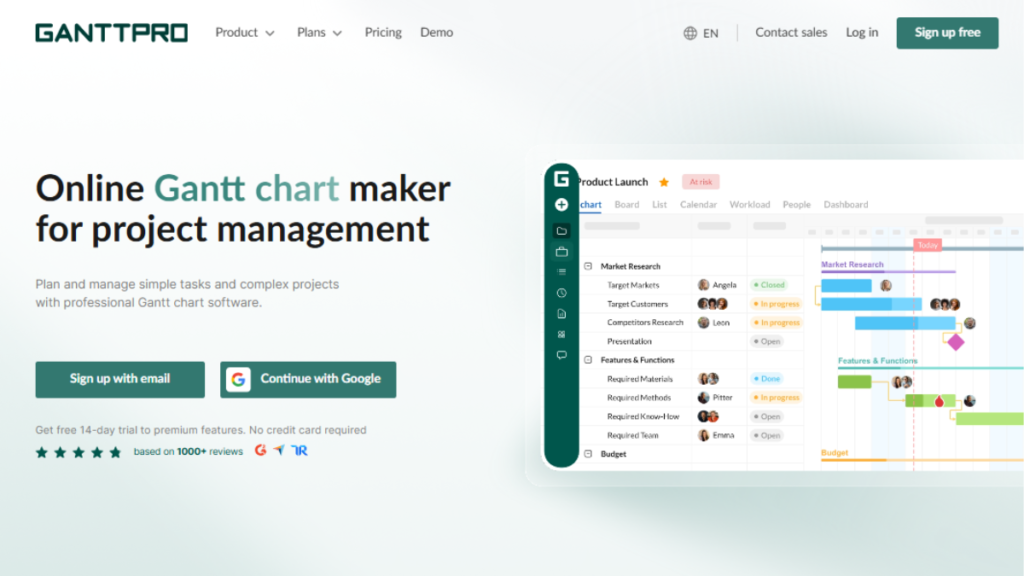
GanttPRO is a dedicated solution built specifically for timeline-based planning. It is designed for teams that want a clean and focused way to manage schedules without unnecessary complexity. Using GanttPRO feels like laying out a project on a well-organized board, where every task has its place and purpose.
The tool makes it easy to break projects into tasks, set dependencies, and track progress visually. As plans change, timelines update smoothly, helping teams stay realistic and organized. GanttPRO works especially well for teams that rely on clear deadlines and structured workflows.
Key Features
- Interactive Gantt charts with drag-and-drop scheduling
- Task dependencies and milestone tracking
- Resource workload management
- Progress tracking with baselines
2. TeamGantt
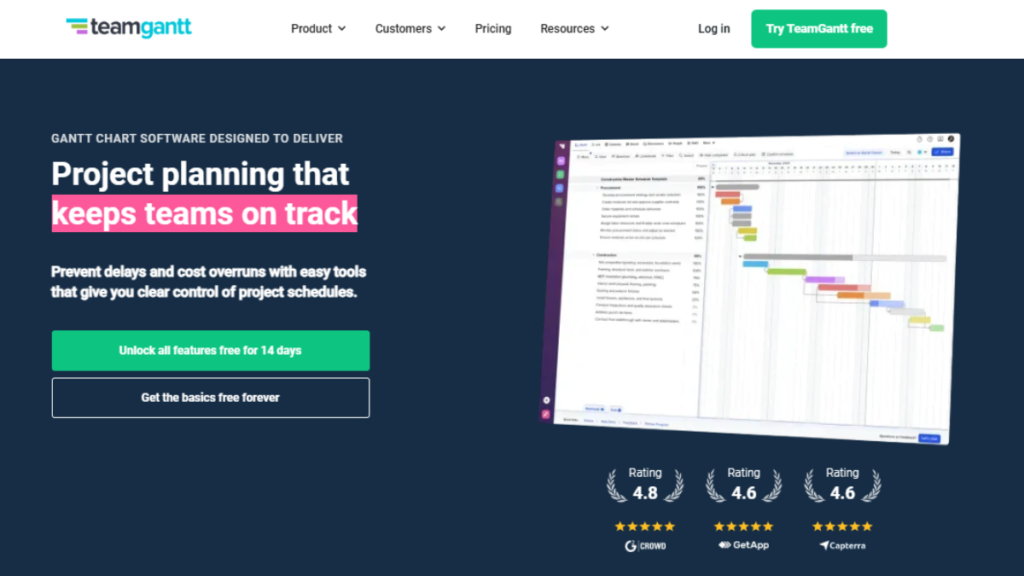
TeamGantt focuses on collaboration while keeping timeline planning simple and accessible. It is well suited for teams that want everyone involved in the planning process without dealing with complex setups. The interface feels intuitive, making it easy for teams to start building timelines quickly.
This tool encourages shared ownership of projects. Team members can see task progress, comment directly on timelines, and understand how their work fits into the bigger picture. When changes happen, updates reflect instantly, which helps teams stay aligned and avoid confusion.
Key Features
- Drag-and-drop Gantt charts
- Task dependencies and shared timelines
- Team collaboration and comments
- Workload and availability tracking
3. Monday.com
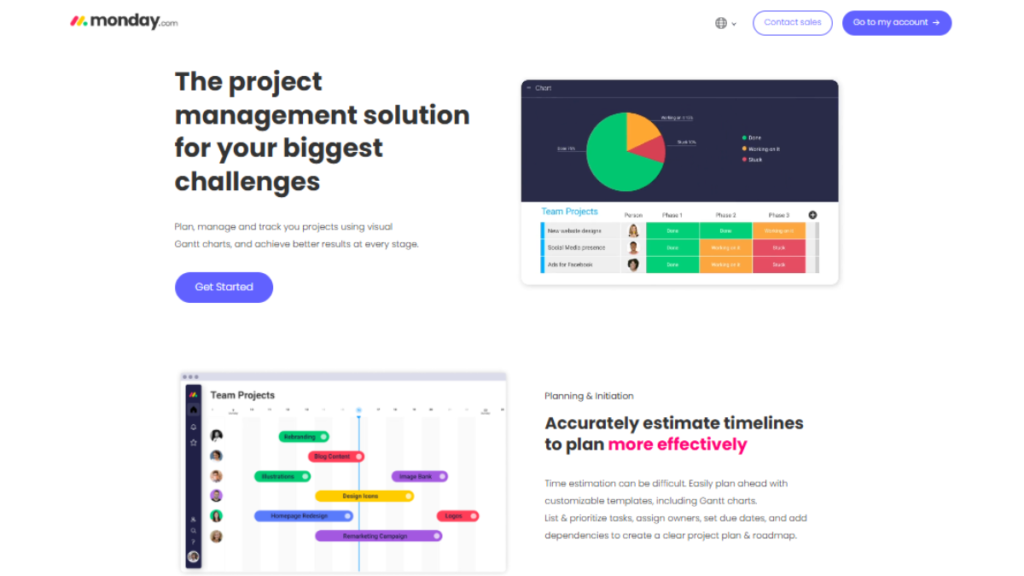
Monday.com offers gantt-style timelines within a flexible project management platform. It works well for teams that manage multiple projects and need a balance between structure and customization. The timeline view helps transform task lists into clear schedules that are easy to follow.
In Monday Project Management Software, gantt charts connect tasks, owners, and deadlines in one visual flow. Automation reduces repetitive work, while dashboards give quick insights into progress. This makes it easier for teams to stay organized without constantly switching between tools.
Key Features
- Gantt and timeline views
- Workflow automation
- Custom dashboards
- Team collaboration tools
4. Wrike

Wrike is designed for teams handling complex projects that require detailed planning and coordination. It offers strong gantt-style scheduling features that help manage dependencies across multiple tasks and teams. This makes it suitable for organizations where timelines need close monitoring.
The platform provides real-time updates, allowing teams to adjust schedules as work progresses. Wrike’s visual timelines help reduce uncertainty by showing how changes impact the overall project plan. As a result, teams can make informed decisions and keep projects moving forward smoothly.
Key Features
- Advanced Gantt charts
- Task and dependency management
- Real-time collaboration
- Detailed reporting tools
5. ClickUp
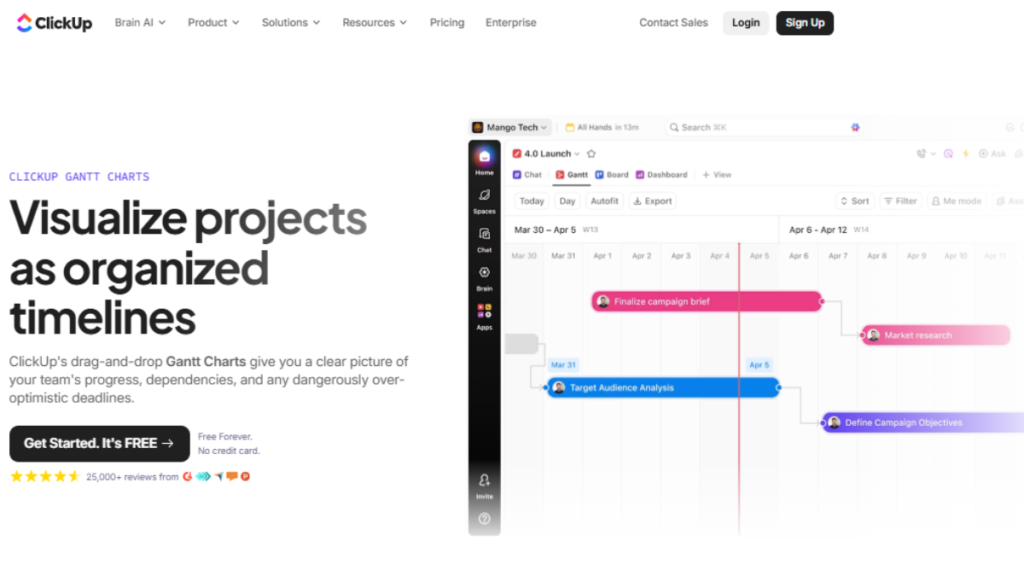
ClickUp combines gantt-style planning with an all-in-one productivity workspace. It is ideal for teams that want flexibility while still maintaining clear timelines. The Gantt view allows teams to visualize tasks, deadlines, and dependencies without losing control over details.
What sets ClickUp Project Management Software apart is its adaptability. Teams can zoom in for daily planning or zoom out to review long-term goals. As projects evolve, timelines adjust smoothly, helping teams stay aligned and focused without constant manual updates.
Key Features
- Customizable Gantt charts
- Task dependencies and rescheduling
- Goal and progress tracking
- Automation and integrations
6. Smartsheet
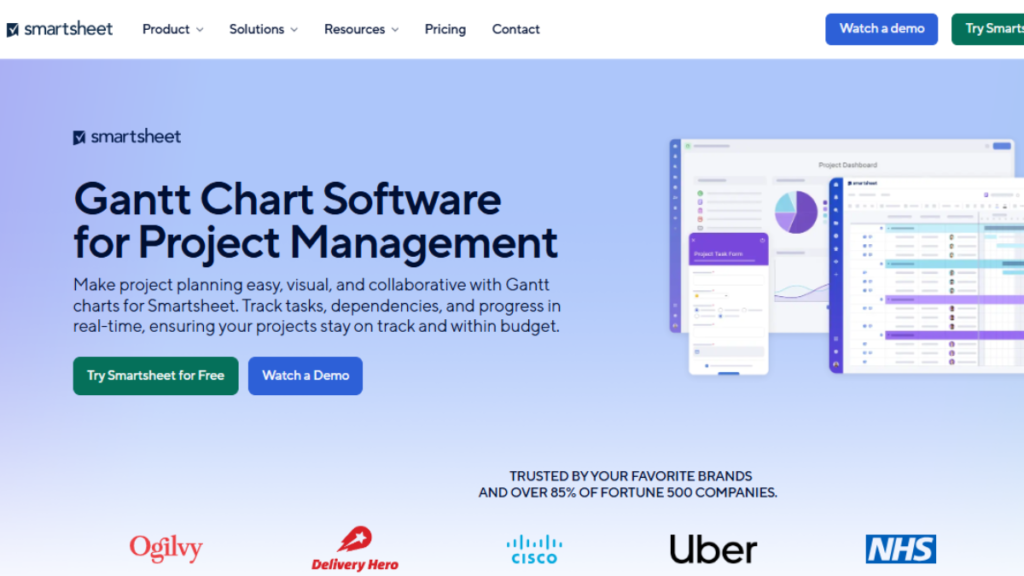
Smartsheet brings gantt-style planning into a familiar spreadsheet-like environment. It works well for teams that are comfortable with rows and columns but need more visual structure for project timelines. This makes it easier to transition from basic spreadsheets to more advanced planning without a steep learning curve.
The gantt view in Smartsheet automatically updates as task dates change, helping teams maintain accurate schedules. Dependencies, milestones, and progress tracking are clearly displayed, which improves visibility across projects. As a result, teams can manage timelines with greater confidence and control.
Key Features
- Spreadsheet-based Gantt charts
- Task dependencies and milestones
- Resource and workload tracking
- Reporting and visual dashboards
Ultimately, choosing the right Gantt project software empowers teams to stay organized, meet deadlines, and enhance collaboration. By leveraging these tools, projects run smoother, and managers gain clear insights into progress and potential bottlenecks. In the end, the right software transforms planning into a more efficient and stress-free process.
How Visual Planning Improves Project Outcomes
Visual planning helps teams see projects as connected workflows instead of scattered tasks. When work is laid out on a timeline, it becomes easier to understand how activities relate to each other and how delays in one area can affect the whole plan. This shared visibility reduces confusion and keeps everyone focused on the right priorities.
Key ways visual planning improves outcomes include:
- Clear understanding of task flow across the entire project
- Early identification of risks and delays before they escalate
- Better prioritization based on timelines and dependencies
- More accurate planning decisions using real-time visual data
Additionally, visual planning strengthens collaboration and accountability. When everyone works from the same timeline, communication becomes simpler and more effective. Teams spend less time explaining progress and more time moving work forward. By incorporating a clear Breakdown Structure in Project Management, tasks are organized hierarchically, making responsibilities and dependencies obvious. As a result, projects are delivered more smoothly, with greater consistency and confidence.
Comparison Table for Gantt Tools
The right tool depends on how your team plans work, collaborates, and manages timelines. While all the tools below offer gantt-style planning, each one serves a slightly different purpose. This comparison highlights their core strengths to help you decide more easily.
| Tool | Ease of Use | Gantt Focus | Collaboration | Best For |
|---|---|---|---|---|
| GanttPRO | High | Very High | Medium | Teams focused on structured timelines |
| TeamGantt | High | High | High | Collaborative and small teams |
| Monday.com | Medium | Medium | High | Multi-project and cross-functional teams |
| Wrike | Medium | High | High | Large and complex project environments |
| ClickUp | Medium | Medium | High | Teams wanting an all-in-one workspace |
| Smartsheet | Medium | High | Medium | Spreadsheet-driven project planning |
This table makes it easier to compare features at a glance. While all options support gantt-based planning, the right choice depends on team size, project complexity, and preferred working style.
Conclusion
Gantt project software provides a structured yet flexible way to manage projects from planning to delivery. By presenting tasks on a visual timeline, it helps teams see how work progresses, where dependencies exist, and which deadlines matter most. This visibility reduces uncertainty and allows teams to stay focused even as projects evolve.
Moreover, gantt-based planning encourages stronger collaboration and accountability. Team members understand their roles, managers can track progress easily, and adjustments can be made before small issues turn into major delays. In summary, gantt software supports smarter planning, clearer communication, and more reliable outcomes for teams working across different industries.
