
So, you’ve snapped a bunch of photos, and now you’re staring at your screen, wondering how to make them look less like a mess and more like a masterpiece. That’s when the battle begins: Photoshop vs Lightroom for photo editing. One feels like a friendly helper, guiding you through easy edits and helping you keep your photos in order.
The other? Well, it’s like a tech wizard with a bag full of tricks, great if you want to do something fancy, but it might leave you scratching your head if you’re just starting. Lightroom and Photoshop aren’t about which one is better; it’s about which one makes your life easier. If you want fast edits and photo organization, Lightroom is your go-to. If you dream of removing objects, blending images, or making wild edits, Photoshop is your playground. Both have their quirks, and sometimes, using them together is the real secret.
What is Photoshop?
Photoshop is the heavyweight champion of digital image editing. It’s the tool professionals use when they need total control over every pixel in an image. Photoshop isn’t just for photos; it’s widely used for graphic design, digital painting, web graphics, and even 3D modeling.
While Lightroom is about speed and organization, Photoshop is about precision. With layers, masks, and a huge arsenal of tools like the clone stamp, liquify, and content-aware fill, you can do almost anything you imagine. For detailed information on current pricing options, check out our guide on Adobe Photoshop premium price.
Want to remove an object perfectly from a photo? Photoshop’s your go-to. Need to blend multiple images for stunning composites? Photoshop delivers. However, Photoshop has a steeper learning curve compared to Lightroom. It requires more time and patience to master, but the creative possibilities are endless. For photographers who want to go beyond basic editing and dive into detailed retouching or graphic design, Photoshop is the ultimate choice. If you’re looking for quicker alternatives, explore our list of the best free AI photo editors available today.
What is Lightroom?
Lightroom is a photo editing and organization tool tailored for photographers who want a faster, easier way to process large batches of images. You upload your photos into Lightroom’s catalog, where you can sort, tag, and organize your entire photo library. The real magic happens with Lightroom’s non-destructive editing; it never alters your original files, so you can experiment without fear. You can quickly adjust exposure, contrast, colors, and more with simple sliders. It’s perfect if you want to enhance your photos without diving deep into complex editing techniques. Thanks to its batch editing features, you can apply the same adjustments to hundreds of photos with just a few clicks.
If you often shoot in RAW format, Lightroom handles these files beautifully, making it easy to bring out hidden details in shadows and highlights. It also integrates seamlessly with Photoshop, meaning you can start editing in Lightroom and switch to Photoshop for more detailed work if needed. To extend Lightroom’s capabilities even further, consider exploring our recommendations for the best plugins for Lightroom.
Key Features Comparison: photoshop vs lightroom for photo editing
When comparing Lightroom and Photoshop, each tool offers unique strengths: Lightroom excels in photo organization and batch editing, while Photoshop delivers advanced retouching and creative control. Here is the comparison among the top tools. Let’s see.
User Experience
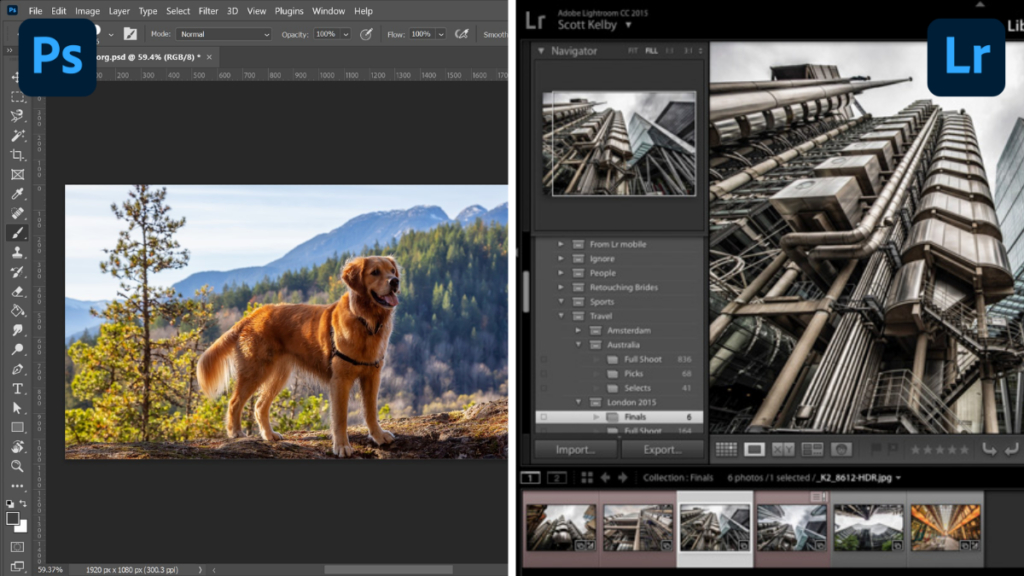
Lightroom is designed for photographers who want a hassle-free editing experience. Its interface is clean, with a focus on photos rather than complicated menus. You’ll find sliders for exposure, color, and tone adjustments, making it easy to tweak your images quickly. The workflow is built around batch editing, so you can make changes to multiple photos at once, which saves time.
Lightroom also has helpful presets and a simple layout that keeps your attention on the image, not the tools. When comparing photoshop vs lightroom for photo editing, Lightroom’s user-friendly approach makes it a top choice for beginners and those who want a fast, efficient workflow. For comprehensive workflow tips and techniques, Fstoppers provides excellent photography resources and tutorials.
Photo Organization and Management
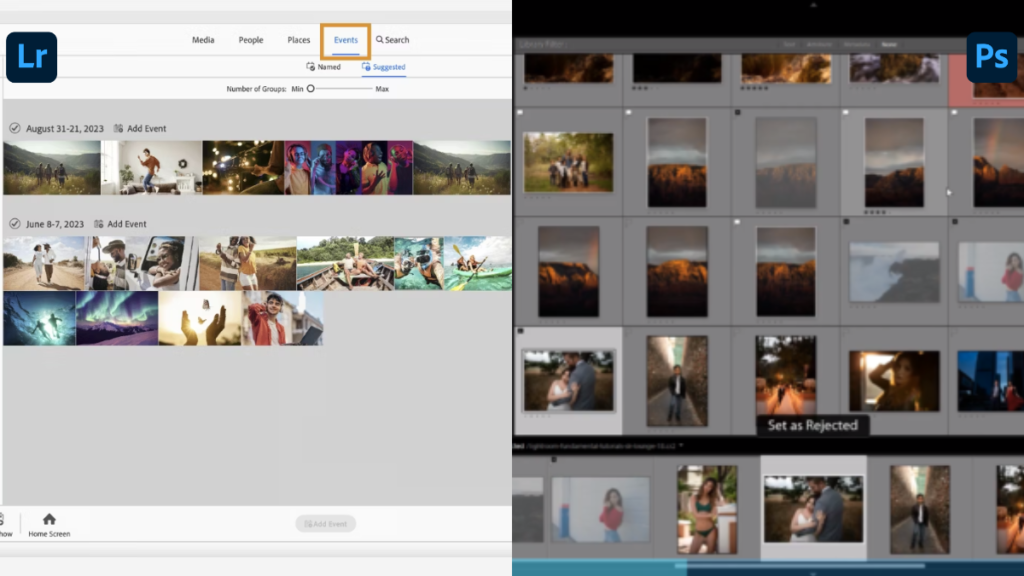
Lightroom stands out as a powerful photo organizer. It uses catalogs to store and manage your images, letting you tag, rate, and sort thousands of photos with ease. You can create collections, apply keywords, and quickly search your library. The metadata system tracks all your edits and keeps your original files safe.
This is perfect for photographers who handle large volumes of images. In contrast, Photoshop doesn’t have a built-in catalog system and is best for working on individual files. When it comes to photoshop vs lightroom for photo editing, Lightroom is the clear winner for organizing and managing your photo library. If you’re also looking to organize stock images for your projects, our guide on free stock image websites can help you find quality resources.
Editing Capabilities
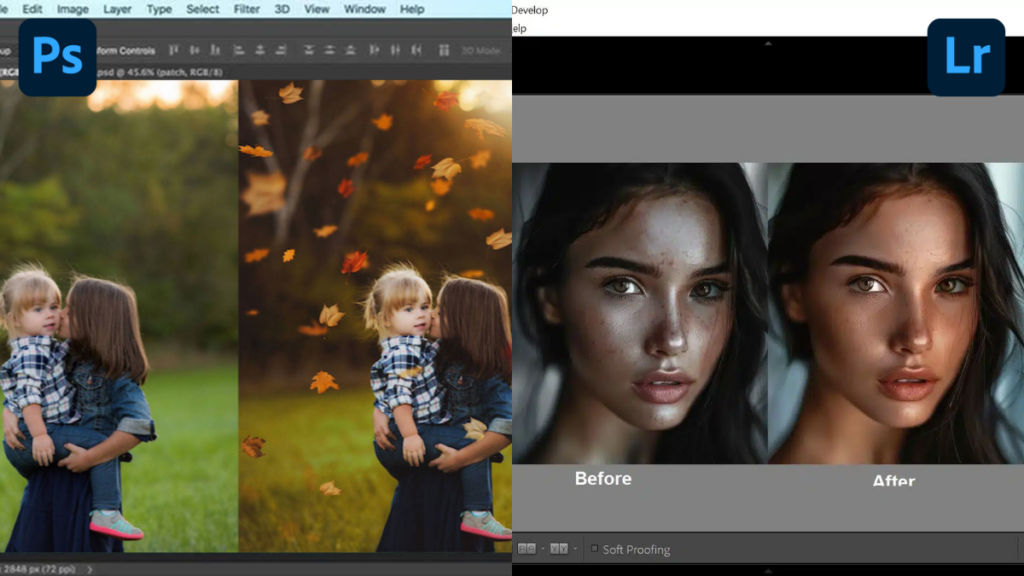
Lightroom is optimized for global edits, allowing you to adjust exposure, white balance, contrast, saturation, and more across entire images or batches. Its non-destructive editing means you can always revert to the original, and all changes are saved as metadata, so your original files stay untouched.
Lightroom also supports selective adjustments with masks, so you can brighten skies or enhance specific areas without affecting the rest of the image. Photoshop, on the other hand, offers both global and pixel-level editing, giving you more control for detailed work. When discussing photoshop vs lightroom for photo editing, each tool serves different editing needs. Digital Photography School provides excellent tutorials on maximizing both tools’ potential.
RAW Processing
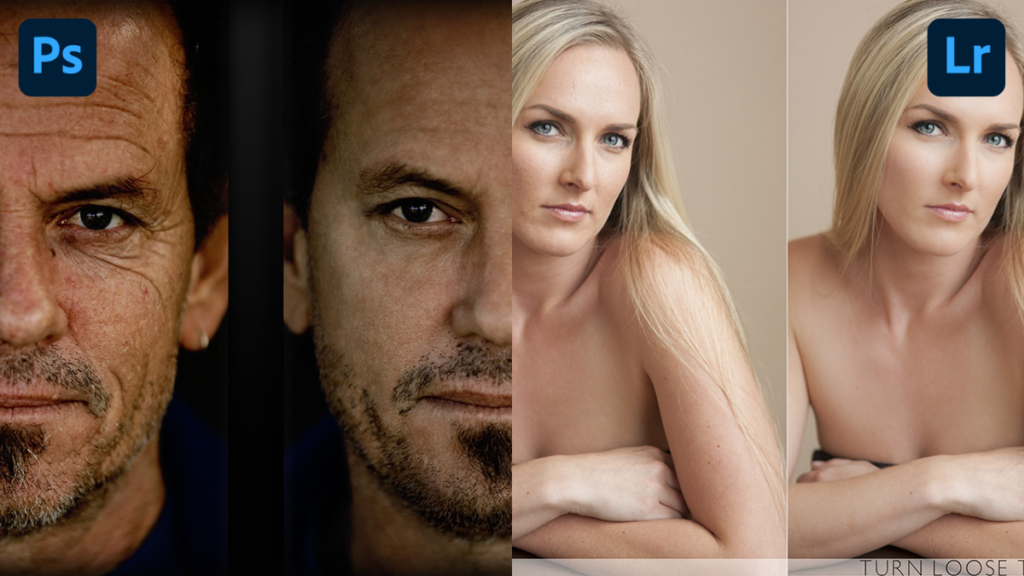
Both Lightroom and Photoshop can handle RAW files, which capture more image detail from your camera. Lightroom is built for batch RAW processing, letting you import and edit hundreds of RAW images efficiently. It has robust tools for recovering shadows, highlights, and color details in RAW files, making it a favorite among photographers.
Photoshop also supports RAW files through Adobe Camera Raw, but its workflow is less streamlined for bulk editing. When comparing photoshop vs lightroom for photo editing for RAW workflow, Lightroom is usually preferred for photographers who need to process large sets of images quickly.
Layers and Masks
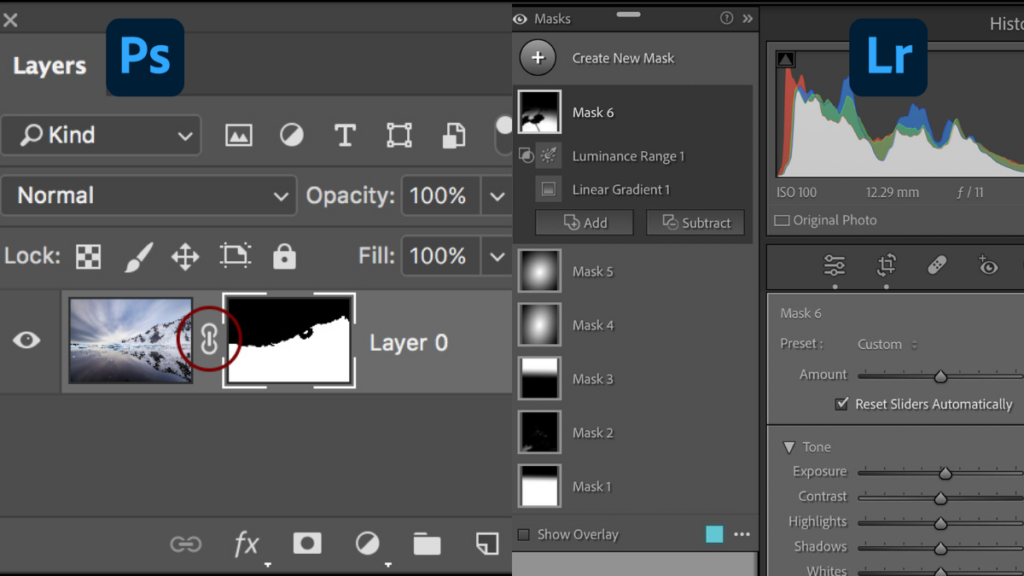
Photoshop’s layer system is its biggest strength. You can stack multiple images, apply different effects to each layer, and use masks to control visibility and blending. This is essential for advanced retouching, compositing, and creating complex graphics. Layers and masks allow for isolated, non-destructive edits, giving you precise control over your compositions. Lightroom’s masking tools are improving but still limited compared to Photoshop. In the photoshop vs lightroom for photo editing showdown, Photoshop’s layers are unmatched for advanced editing. For comprehensive learning resources, Phlearn offers in-depth Photoshop tutorials.
Retouching and Advanced Editing
Photoshop is the go-to for advanced retouching. Its tools, like clone stamp, healing brush, liquify, and content-aware fill, let you remove blemishes, smooth skin, reshape objects, and seamlessly blend multiple images. These features are essential for professional photographers and designers who need pixel-perfect edits.
Lightroom offers basic retouching tools, such as spot removal and healing brush, which are great for quick fixes like removing dust spots or small distractions. However, for more intricate retouching or detailed compositing, Photoshop’s advanced tools are unmatched. When it comes to photoshop vs lightroom for photo editing for retouching, Photoshop is the clear choice.
Presets and Filters
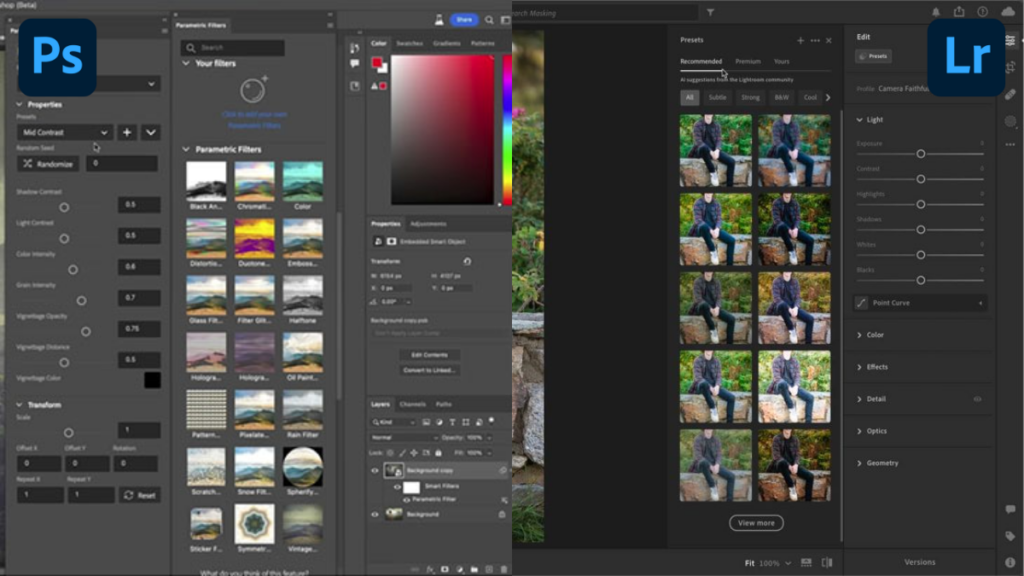
Lightroom offers a wide range of presets and filters that let you quickly apply consistent styles to your photos with just one click. These presets can be customized and saved, making it easy to maintain a cohesive look across your entire photo library. Whether you’re going for a vintage, moody, or vibrant style, Lightroom’s presets speed up your workflow and help you achieve professional results without needing advanced editing skills.
Photoshop also supports filters and effects, but applying them is more manual. While you can create and save actions (automated steps), the process isn’t as seamless as Lightroom’s presets. In the photoshop vs lightroom for photo editing conversation, Lightroom’s presets are a major advantage for photographers who want to save time and maintain a consistent style. PetaPixel regularly reviews and recommends preset collections worth exploring.
Pricing Plans
Here are the pricing plans for Lightroom and Photoshop:
Photoshop Pricing Plan
There are two main subscription options available. The Photoshop (Single App) plan is priced at $22.99 per month (billed annually) and includes only Photoshop and cloud storage, making it the best choice for designers or artists who specifically need advanced editing tools.
Alternatively, the Photography Plan is actually cheaper at $19.99 per month (billed annually); this package includes Photoshop, Lightroom, Lightroom Classic, and 1TB of cloud storage, designed specifically for photographers who need both applications and significant extra storage space. For those interested in Adobe’s broader creative suite, our article on Adobe Stock subscription cost covers additional resources you might need.
Lightroom Pricing Plan
For those focused specifically on photo management, the Lightroom (Single App) plan is available at $11.99 per month (billed annually). This option includes only Lightroom and cloud storage, making it best for photographers who strictly need tools for organizing and editing photos.
Alternatively, the Photography Plan is priced at $19.99 per month (billed annually) and provides a more comprehensive package containing Lightroom, Photoshop, Lightroom Classic, and 1TB of cloud storage. This plan is ideal for photographers who require both Lightroom and Photoshop along with significant extra cloud storage capacity.
Both plans offer flexible options depending on your needs. Choose Lightroom-only for simple photo management or the Photography Plan for access to both Lightroom and Photoshop, ideal for those who want the full creative toolkit.
Final Thoughts
Choosing between Lightroom and Photoshop depends on your needs. If you want fast photo editing, organizing, and batch processing, Lightroom is the best choice. It’s simple, powerful, and perfect for photographers who want beautiful results quickly. On the other hand, Photoshop offers advanced editing, detailed retouching, and creative tools for designers and artists. Both tools are part of Adobe Creative Cloud and work together seamlessly.
For most users, photoshop vs lightroom for photo editing together give the full range of editing options. Lightroom is great for everyday edits, while Photoshop shines for complex projects. Whether you’re a beginner or a pro, understanding photoshop vs lightroom for photo editing helps you pick the right tool for your photos and creative goals.
