
Your team starts the week with good intentions. By Wednesday, tasks are buried in Slack messages, deadlines live in someone’s head, and no one’s sure who owns what. By Friday, a critical task slips, and suddenly, a client is unhappy.
This scenario isn’t rare. According to PMI (Project Management Institute), nearly 11% of investment is wasted due to poor project tracking and visibility. That’s where the best project tracking software becomes a game-changer, not as “another tool,” but as a system that prevents chaos before it starts.
Best Project tracking software brings tasks, deadlines, files, and conversations into one organized workspace. Instead of reacting to problems late, teams can see risks early, adjust fast, and deliver on time. Whether you’re managing a startup team or scaling an enterprise operation, the right tool creates clarity where confusion once lived.
Why Project Tracking Software Is Essential
High-performing teams don’t fail because of a lack of talent; they fail because of poor systems. Without structured project tracking, even experienced teams struggle with missed deadlines, unclear ownership, and fragmented communication. This is why the best project tracking software has become a core operational tool, not just a productivity add-on.
Project tracking software centralizes planning, execution, and monitoring into a single system, making it a core component of Online Program Management Software that ensures every task, dependency, and deadline is clearly defined and measurable. It transforms scattered work into a structured, predictable workflow.
How to Choose the Right Project Tracking Software
Before selecting a tool, focus on how your team works, not how many features the software offers.
- Team size & complexity: Small teams need simplicity; larger teams need structure, dependencies, and reporting.
- Collaboration style: Remote or hybrid teams should prioritize in-task comments, file sharing, and real-time updates.
- Project visibility: Boards are effective for managing daily tasks, while timelines or Gantt charts are better suited for managing overlapping deadlines.
- Automation level: Select tools that minimize manual follow-ups without overburdening your workflow.
- Integrations: The software should integrate smoothly with tools you already use, such as Slack, Google Drive, or Outlook.
- Scalability & flexibility: Pick a platform that can grow with your team instead of forcing a switch later.
The right project tracking software feels natural to use, keeps work visible, and stands out among the best Project Management Apps by supporting your team as it scales.
Comparison Table
| Software | Best For | Rating & Reviews | Notable Companies / Users | Pricing (Starting) |
|---|---|---|---|---|
| Trello | Visual task management | ⭐ 4.4/5 on G2 (13k+ reviews), ⭐ 4.5/5 on Capterra (23k+ reviews) | Used by teams at Zoom, Visa, and other SMBs & startups (enterprise adoption widespread) | Free / $5 user/month |
| Asana | Multi‑project teams | ⭐ ~4.8/5 aggregated (high satisfaction), widely reviewed | Used by eBay, Uber, IBM, AB‑InBev, Icelandair, Navy Federal Credit Union, and more globally | Free / $10.99 user/month |
| Smartsheet | Enterprise projects | ⭐ ~4.4/5 on G2 & Capterra | Used by thousands of enterprise clients (e.g., large corporate teams & departments globally) | $7 user/month |
| ClickUp | All‑in‑one project tracking | ⭐ ~4.7/5 on G2 (10k+ reviews), ⭐ ~4.6/5 on Capterra | Used by Revolut, Airbnb, Stripe, Shopify, DocuSign, Monzo, and many others among ~20k+ adopting companies worldwide | Free / $7 user/month |
| Monday.com | Custom workflows | ⭐ ~4.6/5 on GetApp & G2 | Used by Coca‑Cola, Hulu, Lionsgate, and 180,000+ customers globally | Free / $9 user/month |
Quick Comparison Summary
All the Best Project Tracking Software tools shine differently. Trello keeps work simple and visual, Asana handles multiple projects with clear structure, Smartsheet offers deep control for complex workflows, Jira is built for Agile and development teams, and monday.com adapts easily to any team’s style. The best choice depends on how much flexibility, structure, and visibility your team needs.
Top 5 Best Project Tracking Software for Teams
Finding the right tool can transform how your team works. Here are the top 5 platforms trusted by teams worldwide, each with unique strengths.
1. Trello – A Visual Approach to the Best Project Tracking Software
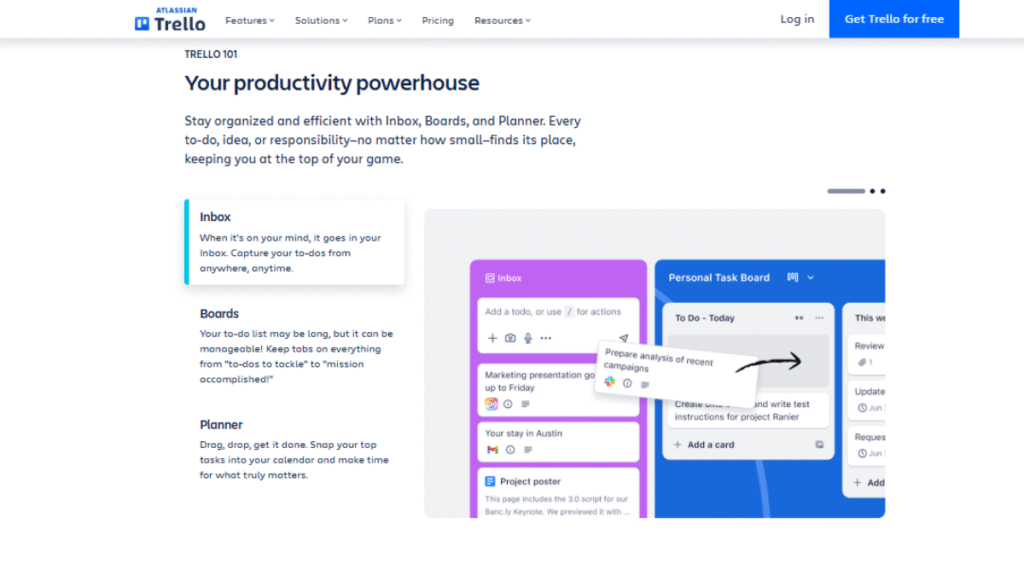
Trello is a widely used Kanban‑style project tracking tool that makes task management visual and intuitive, with over 50 million users worldwide across more than 2 million active teams relying on it to organize work. Projects are structured into boards, lists, and cards, letting teams track tasks as they move through stages like To Do, In Progress, and Completed. Cards can include checklists, due dates, labels, attachments, and comments, and with 200+ Power‑Ups and integrations with tools like Slack, Google Drive, Zoom, and Jira, teams can automate workflows and centralize collaboration without switching apps. Its simple, flexible design and cloud accessibility make it ideal for small teams, startups, and visual thinkers who want clarity and productivity without complexity.
Best for: Small teams, startups, freelancers, and teams that prefer visual task tracking.
Key Features:
- Drag-and-drop Kanban boards for real-time task updates
- Card-based task management with due dates, labels, and checklists
- Automation rules through Butler Power-Ups
- Integrations with Slack, Google Drive, Zoom, Jira, and more
Why Trello Stands Out:
Trello minimizes setup time and eliminates complexity. Its visual workflow provides instant clarity on task status and ownership, making it ideal for teams that want fast adoption without heavy configuration. For lightweight project tracking, Trello keeps productivity high without overwhelming users. a visual, hands-on approach. It simplifies workflow at a glance, making it easy to track progress without overwhelming team members.
2. Asana – Structured and Efficient Project Tracking Software
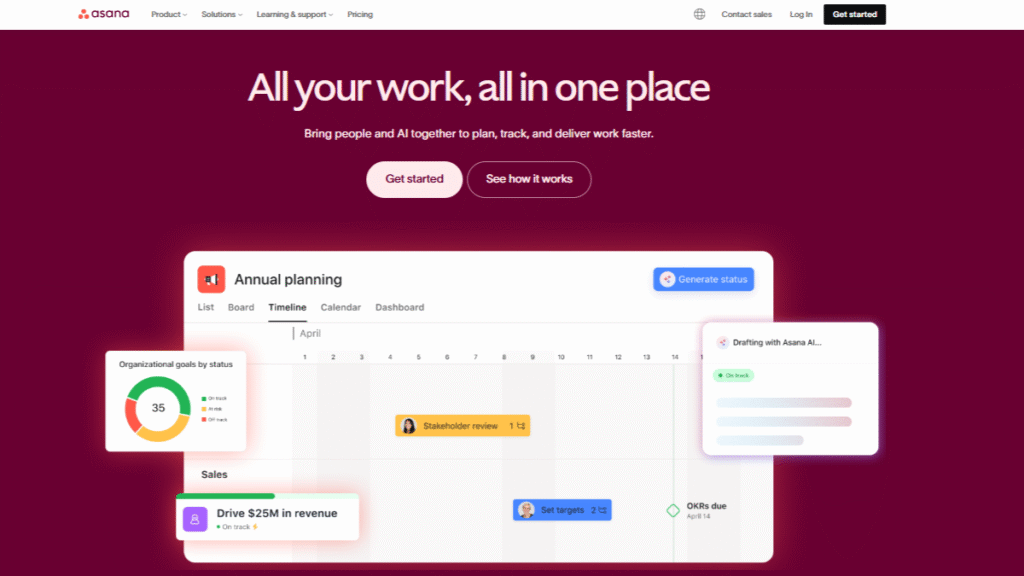
Asana is a powerful project tracking platform designed for teams managing 10+ workflows, cross‑team dependencies, and milestone‑driven deadlines. It combines task tracking with advanced planning tools such as timelines, workload management, dependency mapping, and milestone tracking, helping teams visualize progress across up to 5+ concurrent projects without confusion. With automations that can reduce manual work by up to 50%, real‑time dashboards showing progress metrics, custom fields for structured data, and seamless integrations with Slack, Google Workspace, Microsoft Teams, and over 200+ connected apps, Asana helps teams streamline collaboration, reduce manual follow‑ups, and maintain full visibility on even the most complex initiatives.
Best for: Mid-sized teams managing cross-functional or multi-project workflows.
Key Features:
- Timeline (Gantt-style) and calendar views for deadline planning
- Task dependencies and priority settings
- Workflow automation to reduce manual coordination
- Real-time progress and performance dashboards
Why Asana Stands Out:
Asana brings structure and accountability to complex projects without adding unnecessary friction. Teams gain clear visibility into dependencies and workloads, making it easier to scale operations while maintaining control over deadlines and responsibilities.
3. Smartsheet – Data-Driven Software
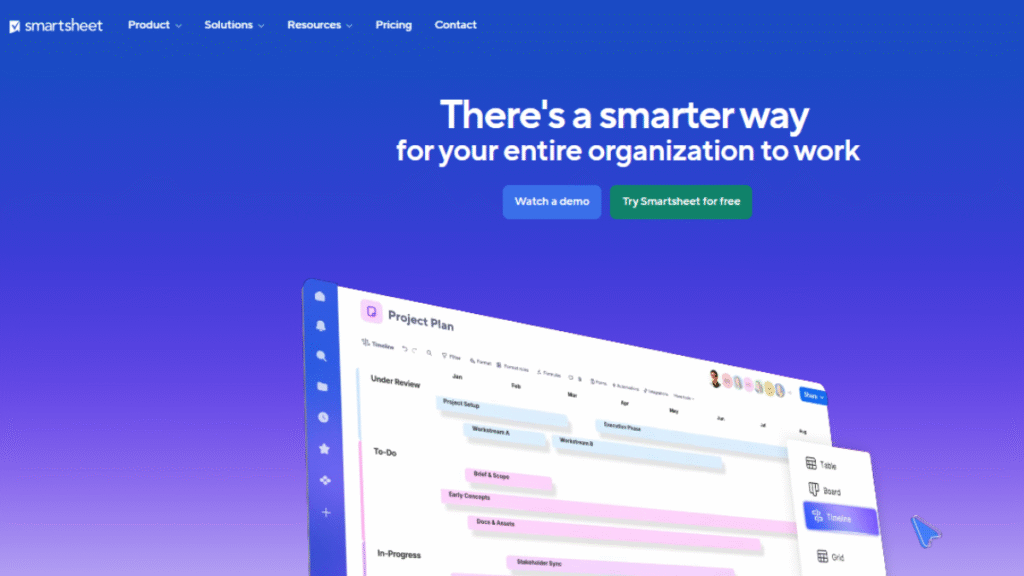
Smartsheet combines the familiarity of spreadsheets with enterprise‑grade project tracking and automation, serving over 123,000 customers, including 85 % of Fortune 500 companies, for planning, execution, and reporting across teams. Its spreadsheet‑like interface supports grid, Gantt, Kanban, calendar, and timeline views with powerful workflow automation, custom dashboards, and real‑time reporting, making it ideal for data‑heavy environments where forecasting and visibility matter. Smartsheet’s no‑code automation and integrations with tools like Microsoft 365 and Slack help teams reduce manual work and scale complex initiatives across departments. Its enterprise features, such as portfolio management, resource tracking, and advanced analytics, give organizations the control and insight needed to manage large programs efficiently.
Best for: Enterprise teams, operations managers, and complex, data-driven projects.
Key Features:
- Grid, Gantt, and card-based project views
- Advanced workflow automation and approval flows
- Resource management and capacity planning
- Deep integrations with Microsoft 365 and Google Workspace
Why Smartsheet Stands Out:
Smartsheet excels in environments that demand precision, reporting, and control. Its analytical capabilities allow teams to track performance metrics, manage large-scale initiatives, and maintain governance across multiple projects.
4. ClickUp – Advanced and Customizable Software
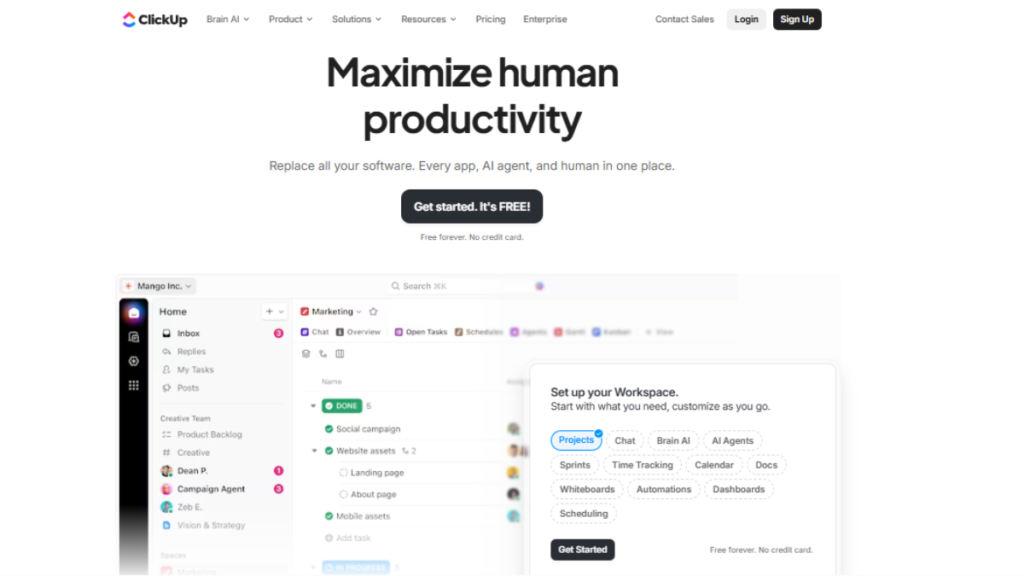
ClickUp is an all-in-one project tracking and productivity platform used by over 800,000 teams worldwide, designed to manage tasks, Agile workflows, and team collaboration in a single workspace. It supports Scrum, Kanban, and custom project frameworks, along with task dependencies, custom statuses, automation, goal tracking, and real-time dashboards, making it a powerful Jira alternative for teams seeking flexibility without heavy configuration. ClickUp’s integrations with Slack, Google Workspace, Microsoft Teams, Zoom, and 1,000+ other apps help reduce tool sprawl, automate repetitive work, and maintain full visibility across projects.
Best for: Cross-functional teams, Agile teams, startups, and growing businesses seeking a customizable project tracking solution.
Key Features:
- Scrum and Kanban boards with sprint and backlog management
- Task dependencies, priorities, and custom statuses
- Built-in automation for workflows and recurring tasks
- Real-time dashboards for progress, workload, and performance tracking
- Native Docs, Goals, and Time Tracking for end-to-end project visibility
Why ClickUp Stands Out:
ClickUp combines powerful Agile tracking with ease of use, making it one of the most flexible Agile Project Management Tools available today. Its adaptable structure allows teams to tailor workflows to their processes while maintaining full visibility across projects.
5. Monday.com – Customizable and Engaging Software
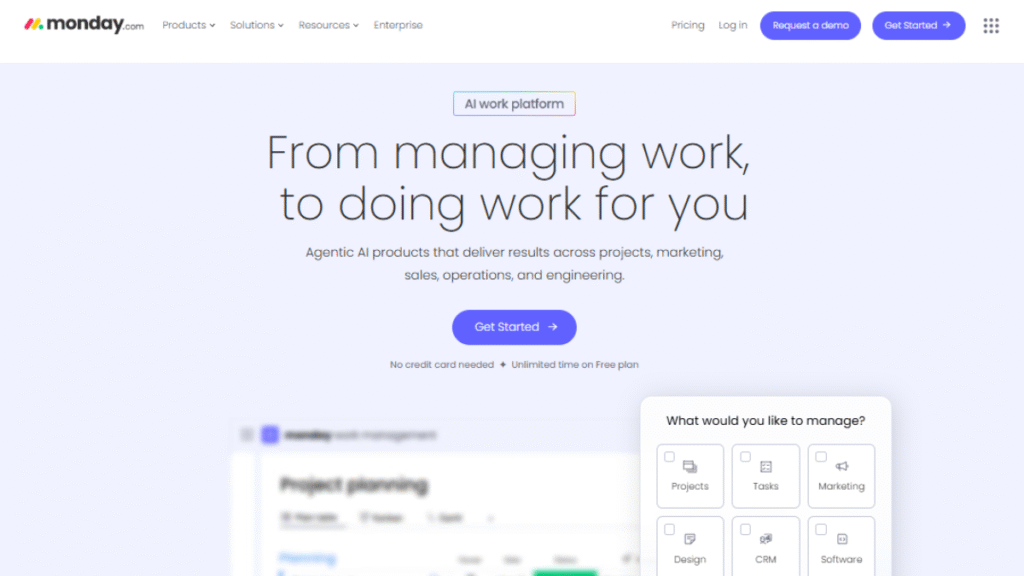
Monday.com is a flexible and visually engaging project tracking platform used by over 127,000 organizations worldwide, designed to adapt to a wide range of industries and workflows. It allows teams to create custom dashboards, automate repetitive processes, track dependencies, and visualize work through Kanban, Gantt, calendar, and timeline views. With integrations with Slack, Microsoft Teams, Google Workspace, Zoom, and 1,000+ other apps, monday.com helps teams reduce manual work, maintain full project visibility, and scale operations efficiently across departments and projects.
Best for: Marketing teams, operations, HR, creative agencies, and cross-functional teams.
Key Features:
- Multiple views, including board, timeline, calendar, and workload
- No-code automation for recurring tasks and status changes
- Real-time dashboards with performance insights
- Extensive integration ecosystem
Why Monday.com Stands Out:
Monday.com balances flexibility with usability. Teams can tailor workflows to match their exact processes while maintaining clear visibility and collaboration, making it ideal for dynamic, fast-changing environments.
End-to-End Project Visibility and Real-Time Tracking
One of the biggest advantages of the best project tracking software is real-time visibility across projects, tasks, and resources. Instead of relying on manual status updates or meetings, teams can instantly monitor progress through dashboards, Kanban boards, timelines, and Gantt charts.
Key technical capabilities include:
- Task-level status tracking (to-do, in progress, blocked, completed)
- Timeline visualization with dependencies
- Workload and capacity tracking
- Progress reporting through real-time dashboards
Industry Insight:
According to the Wrike Work Management Report, teams using centralized project tracking systems experience up to a 27% increase in project completion speed, largely due to enhanced visibility and reduced delays.
This level of transparency supports every Methodology in Project Management by helping teams identify risks early, adjust priorities, and prevent last-minute bottlenecks.
Conclusion
A Best Project tracking software isn’t about managing tasks; it’s about removing uncertainty. When work is visible, ownership is clear, and progress is easy to track, teams stop reacting and start executing with confidence.
Each tool solves a different problem: some simplify daily task flow, others bring structure to growing teams, handle complex operations, or support Agile development. The real win comes from choosing a platform that matches how your team plans, communicates, and delivers work.
Pick the right tool, and missed deadlines turn into predictable outcomes, status meetings become shorter, and your team spends more time moving work forward instead of figuring out what to do next.
FAQs
Trello and Asana are ideal for small teams due to their simplicity, visual interface, and essential features in free plans.
Yes. All these platforms provide cloud-based access, real-time updates, and collaborative features suitable for remote and hybrid teams.
Most do. Trello, Asana, and monday.com offer free plans with core functionality, while others like Smartsheet and Jira provide limited free trials.
Jira is designed for Agile workflows and software development, offering advanced tracking, sprints, and issue management.
Assess your team size, workflow, integration needs, and goals. Test free trials to see which tool fits best before committing.
.
